Khuutznetsov
Members
-
Joined
-
Last visited
Everything posted by Khuutznetsov
-
.thumb.png.10c5661a33b52c77e413ae56c4d481b7.png) Why are all of your screenshots taken in L2 for the LoD...?
Why are all of your screenshots taken in L2 for the LoD...? -
My GTA 5 Folder has been apart of my exception folder for as long as I can remember now, and I even double checked. For running GTA 5 via Steam without issues, I can do so, and the game launches fine, loading up to the main menu & into the game just fine even when its throwing that error. For running GTA 5 first, then RPH, the issues seems to lie in the fact RPH just doesn't detect the game, cause I've done this, and all it does is give me a Rockstar Games Launcher error saying "Game is already running", in which RPH then once again just sits on "Game Launching" Though seeing how there was a title update today, I'm hoping possibly some of these issues just sort themself out.
-
-
As the title says, Rage Plugin Hook will pop up and throw all the code it typically does in that little bar, and launch my GTA 5, but after everything is done, it just stays at "Launching Game" in which it will just sit on that, and never actually initiate Rage Plugin Hook. I have a completely clean install of GTA 5, I've verified my Game Files about 3 times now, even reinstalled it once, restarted my computer, and even re-downloaded the LSPDFR installer, and even tried manual install, and all have led to this SAME result. Every now and then though, it will get stuck on "Launching Game via Steam", but is to the same result basically, where it just gets stuck there, and never progresses. I'm really stumped and I'd appreciate any help!
-
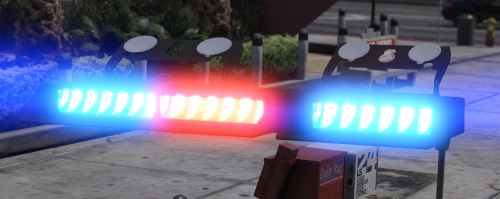 yw, better see some screenshots of it being used 😉
 -
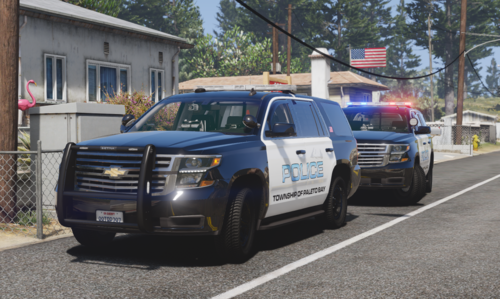 Sorry for the late response. If your game is crashing immediately, ensure that you have downloaded the proper things you need for GTA to run them, like the Heap Adjuster & Packfile Limit Adjuster. If you continue to crash, or already have, and still do crash, it may be a Meta issue, that I personally do not know how to resolve. I cannot help that much on this case, as these vehicles were made with FiveM in mind, and are optimised for FiveM, I do not ever touch Singleplayer
 -
thanks bb I'm glad I was able to help in that! Hope your patrol is fun!
-
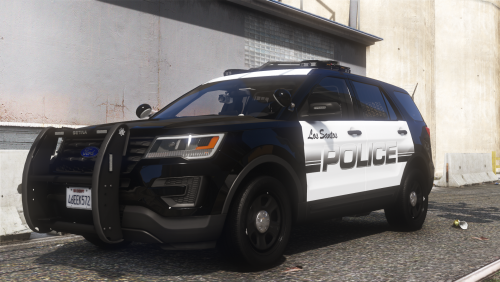
This vehicle duo/mini-pack was once availiable on GPM aka GTA Police Mods as an exclusive to their site, but sadly the website has since been shut down. It took me way longer than it should've to migrate this pack to this website, but finally I have, so I guess be happy that you can now. This pack consists of two variations of the Tahoe PPV: 2020 Tahoe PPV 2016 Tahoe SSV The PPV is a Pursuit rated vehicle with a Setina PB450 Pushbar w/ PB-8 Wrap-around. The SSV is a Off-road built vehicle, with heightened suspension and better suited Tires for off-roading.
-
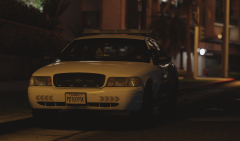
From the album: Dev Stuff & Misc.
-
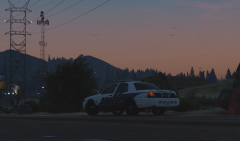
From the album: Dev Stuff & Misc.
-
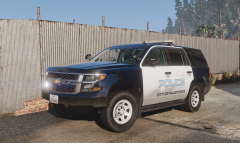
From the album: Dev Stuff & Misc.
-
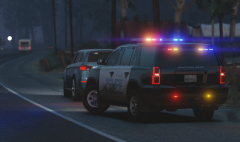
From the album: Dev Stuff & Misc.
-
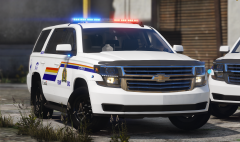
From the album: Dev Stuff & Misc.
-
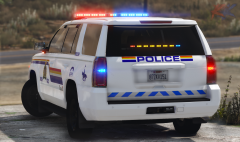
From the album: Dev Stuff & Misc.
-
-
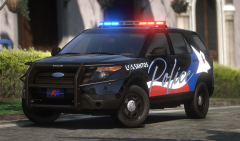
From the album: Dev Stuff & Misc.
-
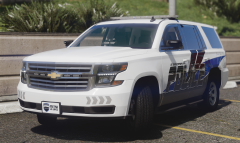
From the album: Dev Stuff & Misc.
-
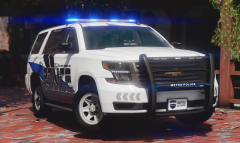
From the album: Dev Stuff & Misc.
-
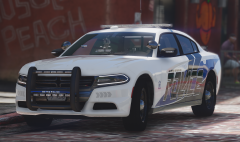
From the album: Dev Stuff & Misc.
-
-
So after a few nights of procrastination, cause I'm a lazy fuck. I finally finished my edit of HP Deskjet's XStream. Uhh idk what else to say tbh. I hope you like it, it's definitely not the best, but I don't think there are any decent free ones out there. And by no means, is mine the absolute best, but at least I'm providing it instead of keeping it to myself. || ** FEATURES ** || Well shucks... It's a dev model. It can do whatever you want basically. || ** DISCORD ** || If you like my work, Im usually posting more of what I'm working in here! https://discord.gg/BCJVeBQ
-
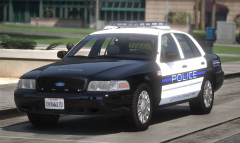
From the album: Dev Stuff & Misc.
-
-
-
 lmao good bozo 5/5
.thumb.png.10c5661a33b52c77e413ae56c4d481b7.png)