Skip to content
View in the app

A better way to browse. Learn more.

LCPDFR.com

A full-screen app on your home screen with push notifications, badges and more.

To install this app on iOS and iPadOS
  1. Tap the Share icon in Safari
  2. Scroll the menu and tap Add to Home Screen.
  3. Tap Add in the top-right corner.
To install this app on Android
  1. Tap the 3-dot menu (⋮) in the top-right corner of the browser.
  2. Tap Add to Home screen or Install app.
  3. Confirm by tapping Install.

Kovari

Members
  • Joined

  • Last visited

Everything posted by Kovari

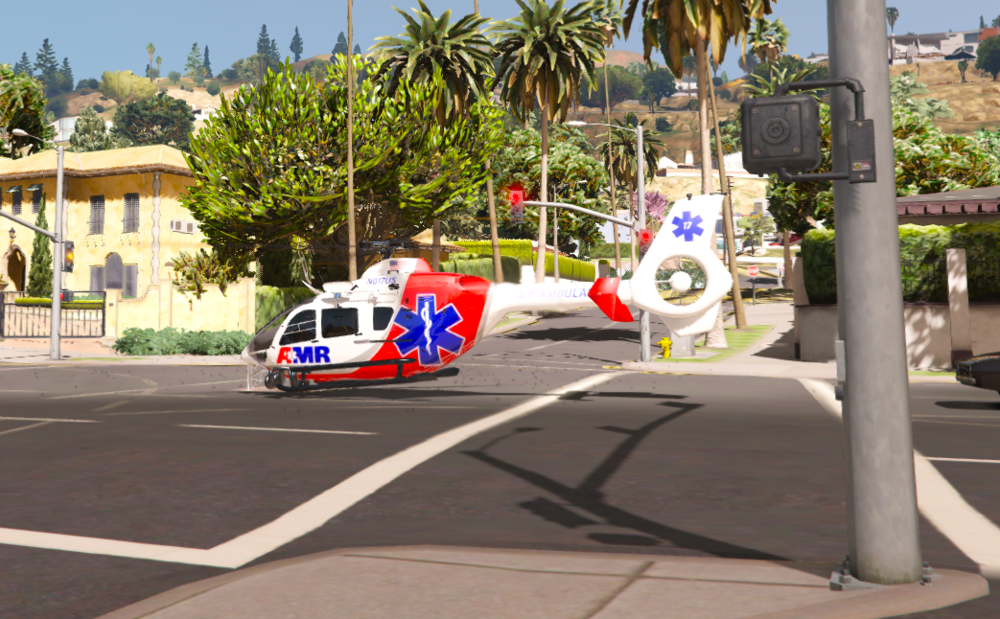
  1. I put a helicopter to my game in addon, with the police maverick handling, but the landing gear is not working. It's bugged to the helicopter. Anybody has this problem or solution?
  2. Egyszerűen IMÁDLAAAK!!! <333
  3. It's turned on. https://imgur.com/a/VQIox5j
  4. I looked at a few topics about the topic, but there was no solution in any of them. I have already reinstalled the entire LSPDFR and plugins, but nothing happened. There was already such a topic, a few years ago, where the update of LSPDFR brought the correction. Maybe someone else has the same problem, or have you found a solution? (@LMS)
  5. Hi! Please update EUP 8.2 and remove pistol holster the model.

Account

Navigation

Search

Search

Configure browser push notifications

Chrome (Android)
  1. Tap the lock icon next to the address bar.
  2. Tap Permissions → Notifications.
  3. Adjust your preference.
Chrome (Desktop)
  1. Click the padlock icon in the address bar.
  2. Select Site settings.
  3. Find Notifications and adjust your preference.