


ItsClonkAndre
Members
-
Joined
-
Last visited
Everything posted by ItsClonkAndre
-
Alright! Username sent!
-
Any updates you guys want to announce? 🤠
-
Oh that's lovely!
-
Do you guys have a special GitHub Account on which you will publish LCPDFR or will you publish it on the LMSDev GitHub Account?
-
I mean the launcher is already out and i do make most of my project open source but i just haven't made the launcher open source yet, also because i want to keep it safe with all the networking code in there. I don't want someone to hack my server or something. It's another story with LCPDFR because the project is discontinued, and it would be a shame to just let it die rather then to let the community create new stuff for it. The IV Launcher isn't discontinued. I'm working on new updates for it. If i didn't want to work on the IV Launcher anymore and if it isn't open source yet, i would also make it open source so that someone else can continue working on it.
-
Problem is that the bass library isn't open source and so will be the launcher api library. If you guys could add exceptions there, that would be great.
-
Alright! I mainly want to ask about the non third-party binarys because i have features planned that would include third-party binarys such as: bass.dll - Audio library that i use very often and can be found in many of my GTA IV Mods. bass.net.dll - .NET Wrapper for bass.dll. and IVLauncherAPI.dll - This dll is not yet created, and i'm not yet sure if i will name it like that, but i'm planing on to include LCPDFR stats on users profile (Which are not yet available in v1.4 but will be in v1.5) in the GTA IV Launcher that i'm creating, and for that i'm also creating an API for it so LCPDFR can update the stats via the API. That was a feature that i was most excited of actually because it would also give me a good reason to finally create the API. I know that it could sound sketchy with the "IVLauncherAPI.dll", but i really don't have bad intentions to use it. I basically wanna revive the already implemented statistics sync in LCPDFR. And i think it would fit nicely on the profiles of users in the IV Launcher! If we could find an agreement over this that i'm allowed to implement those libraries, this would be more than lovely. Greetings!
-
I'm very happy! Thank you guys for allowing this, and for making it actually happen 😃 Do you have discord? I would like to ask you some further questions regarding the rules!
-
@LMS Hello again, i would like to ask if there are any updates on this? I would really enjoy working on LCPDFR and bringing out new stuff for the LCPDFR Community! As we said above, it's really not necessary to clean up the source code i (or any other person if it gets published on github) can take care of it. So you also don't have the stress to cleanup the source just for me, or for the publication of the source code to github. All good 🙂
-
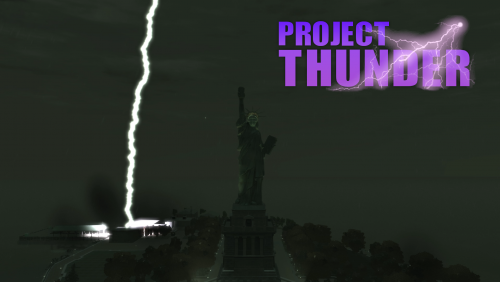 Project Thunder Project Thunder is a modification for Grand Theft Auto IV that aims to improve the thunderstorms of the game! Make sure to always keep an eye on this thread because i'm planing on adding new thunder types, features and more to the mod! Features Directional thunder sound. Customizable Echo / Indoor Compression effect on thunder sound. Customizable thunderbolt size, height and color. Explosion when thunderbolt hits the ground (Also customizable). And more! Requirements ASI Loader GTA IV 1080, 1070 or 1040 Downloads Project Thunder v1.0 Sound Packs If you want different thunder sound you can download one of the sound pack below. GTA IV Sound Pack (Default) GTA V Sound Pack RDR 2 Sound Pack How to install Copy everything in the "Files for the main directory" into your main directory of GTA IV (Where the GTAIV.exe is located). Place the "RAIN" file via OpenIV inside here: pc > audio > Sfx > resident.rpf > RESIDENT Images More images can be found here. Suggestions / Bugs Do you have any suggestions for this tool? Or did you ran into a bug? Write a comment, or join my discord server and ask in #help! Other Links github gtaforums gtainside
- 1 review
-
-

- 1
-
-
Hello, i wanted to get back to this. There is no need to clean up the source code because if it's Open Source, the community would clean it up anyway 🙂 And of course, if there are any updates, please let me know 🙂
-
 VAmbience VAmbience is a mod that gives GTA IV some more ambient sounds! Currently Implemented Ambient Sounds Distant Vehicle Sounds like in GTA V (Preview) Distant Gun Shoot Sounds like in GTA SA One secret sound 👀 Requirements GTA IV 1080, 1070 or 1040 ASI Loader Download Version 1.0 Suggestions / Bugs If you have any suggestions for this mod, like new ambient sounds, more secrets or something, just write a comment! If you encountered a bug that you would like to report, please post it in the #bug-report channel on my discord! Other links GTAforums GTAinside Github Changelog Can be found on the gtaforums thread.
 -
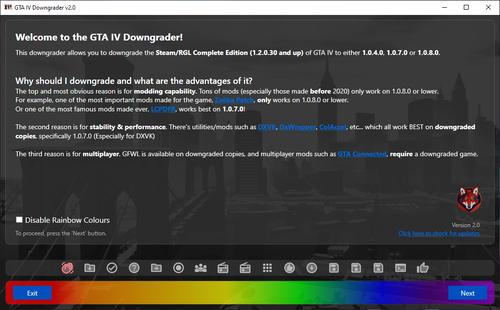 GTA IV Downgrader This tool allows users to easily revert their Grand Theft Auto IV installation (versions 1.2.0.30 and up) from Steam or Rockstar Games Launcher to earlier versions such as 1.0.8.0, 1.0.7.0, or 1.0.4.0. 🤝 Requirements .NET Framework 4.8 - Should be installed on every Windows 11/10 machine. Windows 11, 10, 8.1, 8 or 7 - Tested on Windows 11, 10 and 7. Internet Connection - Only if you dont plan on using the offline mode Be in a country which isn't that crappy - Find out why in the "🗒️ Notes" section. ⬇️ Download most recent version IV Downgrader Version 2.2 (5,53 MB) (Mirror) Other downloads Downgrading files for manual downgrade ⁉️ How to use Download the Downgrader. Extract the downloaded zip somewhere on your PC but NOT in your GTA IV folder! Run the IVDowngrader.exe file (Preferably as an administrator). 🔎 Now carefully follow all the steps. That's it! 🗒️ Some notes ⚠️ The downgrader downloads stuff, such as mods and data, from GitHub and Dropbox. Some countries such as Cuba, Iran, North Korea or Syria block these services. So if that's the case for you, you will need to perform a manual downgrade instead. The downgrader will NOT delete any of your save files. You can savely press "Next" on the "Analysing your GTA IV directory" step if a warning occured. Make sure to read what the warning says tho. If an error occurs while the downgrader is trying to download the required downgrading files, you can download them manually here. You can then drag the files you downloaded into the "Data -> Temp" folder of the Downgrader and you can try to redowngrade. 🌐 How to use the downgrader's offline mode (⚠️ Only for Version 2.0 and above of the Downgrader ⚠️) Download the downgrading files you need from here. For example: If you want to downgrade to 1080, and want to use the Legacy Radio Downgrader, you download these 2 files. Place the downloaded files inside the Data -> Temp (If Temp folder doesn't exists, you can just create it) folder of the GTA IV Downgrader. Do not extract the files! Just copy & paste them in there. Run the downgrader using the "LaunchInOfflineMode.exe". The downgrader will now run in offline mode and does not download any file drom the internet. It will only use the files you've put inside the Data > Temp folder. 📹 Great tutorials on how to downgrade the game or your GTA IV save files 🕹️ = Game Downgrading related Tutorials 💾 = Save File related Tutorials 🕹️ Video made by @catsmackaroo 🕹️ Video made by @Not AJ 💾 This video by @Not AJ covers various useful tips related to GTA IV's save files, including where to find them and how to downgrade them. Suggestions / Bugs Do you have any suggestions for this tool? Or did you ran into a bug? Write a comment, or join my discord server and ask in #help! Credits QA Tester / Helper: @Internet Rob, @catsmackaroo, @DayL, @Not AJ and @BrynnaDaRosa Ideas: @Internet Rob and @catsmackaroo Logo: @catsmackaroo Icon: @nastyyaboi ❤️🔥 And a big THANKS to everyone who has tried out my downgrader, and shared feedback and reported bugs! Other Links lcpdfr gtainside GitHub Support If you want to support me or this project, you can do that via Patreon, Ko-fi or PayPal. Any support would be greatly appreciated! Changelogs Check out the GitHub releases page to find *almost* every version of the IV Downgrader along with their changelog.
- 7 comments
- 1 review
-
-

-
- 4
-
-
Hello it's me again with my predictable question: Are there any news on the source code of LCPDFR? 🙂 I think this would also not only be good to create a Community version of LCPDFR, but also to help the small remaining modding Community of GTA IV how things are done in LCPDFR like implementing a plugins system and stuff like that! If there are any updates, please let me know 🙂 Thanks!
-
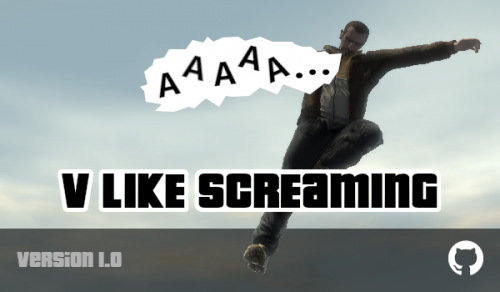 V Like Screaming V Like Screaming is a mod that makes Niko (Or Luis and Johnny) scream more often when he falls down from air just like in GTA V. Download version 1.0 Requirements GTA IV 1040, 1070 or 1080. ASI Loader Other links github gtainside gtaforums
 -
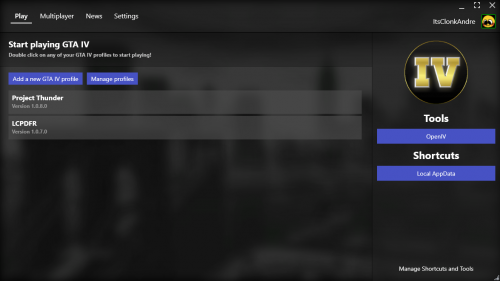 GTA IV Launcher With this launcher you can add different GTA IV directories and instantly run them through this launcher, so you don't always have to navigate to that directory first to start it from there. So with this launcher, you will always have your GTA IV installations in one place! You can also connect to any currently opened GTA Connected server using this launcher! Just go to the Multiplayer tab, double click on any server, and you will join this specific server! GTA Connected needs to be installed tho. Without it you can't even play GTA Connected. This launcher can be used with steam! So you hit play, select a GTA IV installation, and that specific installation get's started! Of course you can also use all steam functions like the overlay without a problem! (Tutorial on how to use the launcher with steam below) Requirements .NET Framework 4.7.2 (Should be installed on every Windows 10 machine) Windows 11, Windows 10, 8.1, 8 or 7. Works best on Windows 10. Downloads GTA IV Launcher Version 1.6 (180MB unzipped) How to use the launcher with steam If you want to use the launcher with steam, navigate to the folder where your steam games are located (Where are my steam games located?) navigate to Grand Theft Auto IV>GTAIV and drag & drop everything from the downloaded folder into the GTAIV folder. Now, rename the already existing PlayGTAIV.exe to something else (When you hit Play in steam, steam is gonna launch the PlayGTAIV.exe) now rename the GTAIVLauncher.exe to PlayGTAIV.exe and GTAIVLauncher.exe.config to PlayGTAIV.exe.config. And that should be it... Now when you click Play in steam it should run the launcher instead of GTA IV (Or the R* launcher if you haven't downgraded yet)! Suggestions / Bugs Do you have any suggestions for this tool? Or did you ran into a bug? Write a comment, or join my discord server and ask in #help! Other links gtainside gtaforums Changelog You can find the changelog on the gtaforums page.
 -
Hello and happy new year! Are there any news on the source code of LCPDFR? Or are there any plans for releasing it this year? 🙂 Greetings!
-
 IV-Presence IV-Presence is a advanced Discord Rich Presence mod that allows you to share your actions from GTA IV, TLaD and TBoGT to everyone via Discord's Rich Presence feature. Requirements GTA IV 1040, 1070 or 1080 ASI Loader Download Version 1.4 Changelog for that version can be found on the GTAForums thread. Screenshots You can find all screenshots here. Suggestions / Bug Report Do you have any suggestions for this mod? Or did you ran into a bug? Write a comment! Other Links GitHub GTAInside GTAForums
 -
Ok, thanks for your answer!
-
Hello, are there any news for the source of LCPDFR? 🙂
-
Alright, thank you 🙂
-
Too bad 😕 But thanks for your answer! Maybe think about it, there is still an active GTA IV Community and it would be great if the Community could develop it even further.
-
It would be very sad if this mod was dead. It is a great mod for a great game! If this mod is dead, is LCPDFR open source? So that other people can continue it? For example, you could implement NativeUI IV in to LCPDFR that would be a very nice feature and the actions are much better available. I would apprechiate it if someone can tell me if this mod is dead and or if it's open source 🙂 Greeting!
-
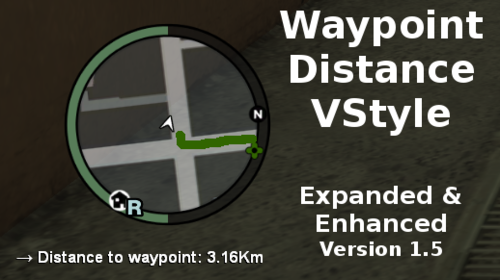 Waypoint Distance VStyle This mod will show you the distance from your position, to the waypoint you set. It also shows an arrow always in the direction of your waypoint. Like in GTA V. Waypoint Distance VStyle also on GTAinside GTAForums Notes - If you want to use this mod, you will need ScriptHookDotNet. - If you want to use the GTA V Style Radar, you need the ZolikaMenu and GTA IV Version 1.0.0.0 - 1.0.8.0 (ZolikaMenu does not work with the 2020 Complete Edition. Waypoint Distance VStyle does work with the 2020 CE). Recommendations If you have any recommendations or something, just write a comment! Version History / Changelog Version 1.5 The text is now more flat. You can decide if you want the text to have a shadow behind it. And you can set the size of the shadow too. You can decide if the text should be bold. "UseAutoPosition" added. This option automatically adapts the text to the current screen resolution so you dont have to type in the values manually if you dont have a 1920x1080 monitor. You can use those 2 values: TextPosX and TextPosY as an offset for the text (Only works if you set "UseAutoPosition" to true.). If you set "UseAutoPosition" to false, those 2 values become the position of the text. UseAutoPosition is set to true by default. Added support for Zolika's Menu V Radar(s)! "AutoEnableWhenZMenuIsInstalled" added. This option will check if you have the ZolikaMenu installed. If you have it installed, the text will change its position to fit the V Radar. "EnableDisableKey" added. This will let you change from V Radar text style to default text style. Default key: F8 "RadarStyle" added. In the ZolikaMenu you have 3 options for the V Radar: Beta, LG and NG. If you want to use "LG", then you need to set the value of this option to "LG", this also applies for the 2 other styles. Default value: NG Version 1.2 You can now choose a custom font for the text. You can now choose the font size for the text. You can enable "UseEpisodeTextColor" to enable the current episode color for the text. (See images for an example) The position of the text can now be changed. Version 1.1 The text will now hide if the hud is disabled in the options. Version 1.0 Release

