



.thumb.png.a4353cc4d5fceb85ac51f5dfe1a1e0ee.png.7b3b3424fd45cd7a06530dde258f437b.png)
ConnorFTW
Members
-
Joined
-
Last visited
Everything posted by ConnorFTW
-
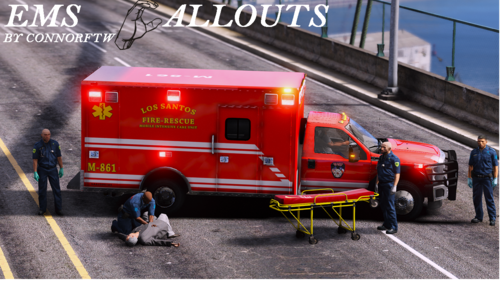 First start the chocking callout then once you revive the ped press T they will follow you to your ambulance then press T at your ambulance they will get in, then drive to the new blip on your map and deliver them To the hospital.
 -
Not to sure but it may be fire callouts
-
Ahh ya I thank that is a good idea
-
That is very weird make sure you update the to the new version but also watch this video on how to install https://youtu.be/kEmCAe8PWsg
-
It is "prop_ld_binbag_01"
-
Right now the stretcher is for RP but is a work in progress to work for now just use the way to put them in your ambulance.
-
Yes Use the stp Cpr the olny reason I put the cpr mod was because its more realistic for cpr stuff but its up to you just Rp
-
Thanks man be sure to check out the new way to take the peds to the hospital
-
You need to do the new update that will let you do that but after the update its all done in one menu by pressing F6 but you can read this controls also to get them out, ones they are in your ambulance drive to the new blip that I made and he will deliver those you can all do its just you need to learn how to do them Also join my discord dm me let me know if you need more help. Also you may need to put a bit of RP in there instructions : Start Callouts Use Callouts manager or start a callout in the lspdfr menu in your pause menu. : Revive people If you have the CPR Mod press E and it will start cpr : Bring patients to the Hospital Press T next to the patient then walk over to your ambulance press T at your ambulance the Ped will go in Make Sure your on the side without the door on the side
-
Hmm not to sure why callout manager does not work for you but I'm working on a start callout option
-
What are we talking about but I speak French
-
Im not sure yet but im working very hard on it 🤣
-
Press F7 For The Menu and press F6 for the other menu 😂
-
Right Now you can use stop the ped but im working on adding that
-
Did you load the plugin?
-
See if you have a security / firewall outsize idk works fine for me
-
Controls will be F6 And F7 for the menus
-
Hello Im working on a ini file that will come in the next update.
-
We did use rage native UI and made 2 menus
-
Go to plugins lspdfr and delete my files
-
 Yes man I Have a interact update coming soon so for now use stp
 -
I Need to know on what Callout? Because on most you can talk to them
-
Fixed
-
Yep you can push it soon it will attach to you
-
Yes there is press F6 For the menu it is a WIP
.thumb.png.a4353cc4d5fceb85ac51f5dfe1a1e0ee.thumb.png.0916be73c45c6688e91159cc4606e759.png)

