
Siok1ng
Members
-
Joined
-
Last visited
Everything posted by Siok1ng
-
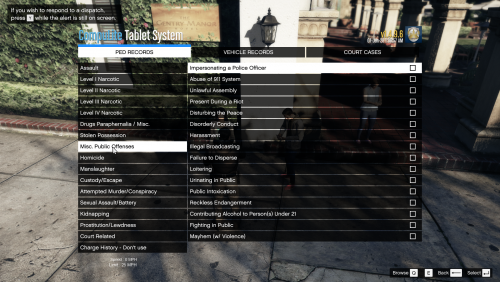 1. Intro Before I say a few things about this mod, I would like to sincerely thank @chadc78 for his permission to edit and upload a simplified version of his mod. As the title suggests, this is a simplified version of "Realistic Usable Charges & Citations for *CompuLite* 1.4.0". I have been playing LSPDFR for the past 2 weeks or so and I have been greatly enjoying it. I do like the RP aspect so I tried to find mods that would enhance my experience. That's when I came across @chadc78's mod. After a few playthrough's however, I realised that most of the citation's or charges, did not really apply to my style of gaming, never used them and I spent a great amount of time searching for Charges & Citations than playing. That's when I started tinkering with the original mod and I have simplified it down to the version I am releasing today which is PURELY addressed to the more CASUAL-RP gaming audience of LSPDFR! 2. The mod A more detailed breakdown: Moved a big amount of Charges & Citations to respective categories that are only used for RP. In other words, you will still come across suspects that have warrants for something that you would probably never cite or charge a suspect in your gameplay. More arrests, more fun 🙂 Re-ordered some of the categories, depending on how often I had to use them during my gameplay. Merged some categories while completely removing some of their entries or moving them to the RP categories. Added a few general Charges & Citations (Very few) You should experience a natural flow when you are browsing categories. STILL, although a simplified version, you will need a couple of playthroughs to get the hang of it. It is recommended that you have a quick readthrough before you very 1st playthrough of each and one of the categories under Charges & Citations. 3. Installation Simply drag&drop the contents of the zip file directly to your GTAV root folder. (Although not entirely sure, maybe you will have to backup and delete the "Charges" file which is found inside Compulite's folder at "GTAV-->Plugins-->LSPDFR-->Compulite") Important! In order to make use of this custom_charges_citations addition, you will need to download the CompuLite mod which was developed by Bejoijo. I am also suggesting to download StopThePed and UltimateBackup as well. All three mods have been made by Bejoijo and IMO if you want a true LSPDFR experience, you need that Holy-Trio! Links bellow: CompuLite (required) StopThePed (recommended) UmtilateBackup (recommended) 4. Credits @BejoIjo's for his exceptional work and delivery of the "CompuLite" plugin. Otherwise our additions would not be possible 🤐 And again, I would like to thank and credit @chadc78 alongside the people who worked with him on the original mod. They have done an incredible job listing so many Charges & Citations, putting a price against them and prison time penalties. If you are a HEAVY-RP player then this mod is not for you. Please download @chadc78's mod instead below:
 -
Most likely you are using a trainer which has keybind access to quick tools, such as "Respraying". If that's the case then simply disable the Keybindings from that trainer. Should be inside the .ini file.
-
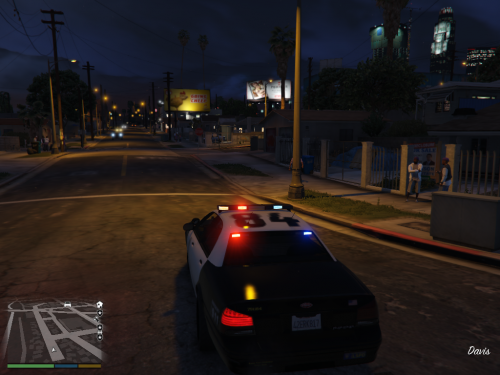 You should download the "Callout Manager" plugin. It allows you to play any event for any callout plugin you have installed by force!
 -
-
This is not what @Faya is asking @StratoMax and @lxlSemperlxl. They are asking how you can replace the clothing that those PEDS are wearing when you call them in-game. And it's the same thing I would like to know as well. How can you create a default outfit for example this ped "s_m_y_swat_01"? That PED is the default when you call SWAT units. If anyone could provide us with a short tutorial I would be more than thankful. Or point us to an existing one. I have done some trial&error with no success.
-
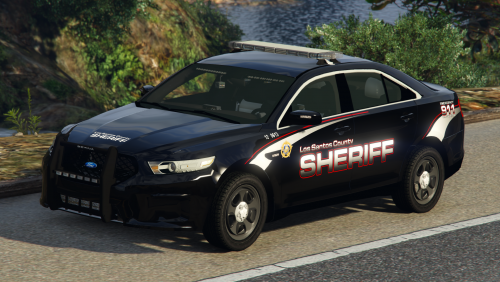 Has anyone managed to adjust the textures onto "ELS" police vehicles?? Once you've gone ELS you can't go back.. IMO this is one of the greatest texture mods listed in LSPDFR but for "Non-ELS" vehicles 😭😭
- 45 comments
- 11 reviews
-
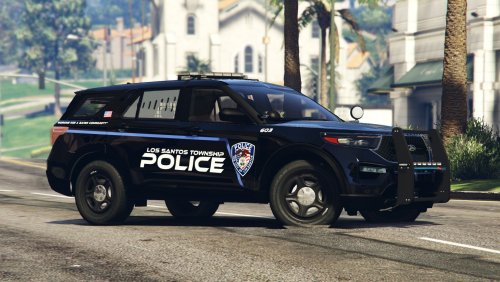 Hey, the liveries look awesome. Could you please link which "vehicle models" support your textures? Thanks! You have already, don't mind me.
- 1 comment
- 1 review
-
-

- 1
-
-
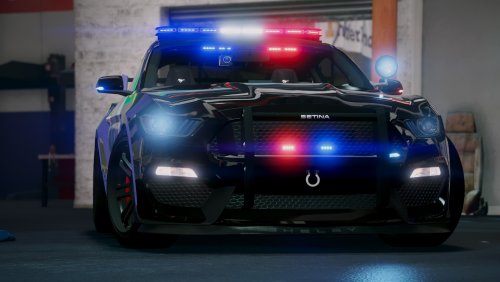 This is by far the best [ELS] [2Seats] [Vehicle] mod listed on LSPDFR. By far... !!!
- 82 comments
- 17 reviews