
114team
Members
-
Joined
-
Last visited
Everything posted by 114team
-
I installed the dlc.rpf models according to the instructions on youtube
-
-
RagePluginHook.log Add-On Pack
-
Hi, I installed the car pack from john_11 LSSD, from then on the crashes started when launching with RPH. Tried to go into the single player, it also crashes. What could be the problem?
-
The game crashed at the stage Loading Story with RagePluginHook
-
RagePluginHook.log
-
RagePluginHook.log
-
You can close it, the problem is solved! Thank you all so much for your help
-
F4 still doesn't work
-
Okay, and then?
-
How to open the RagePluginHook settings window I mean, where to find this "nodx"
-
Console at F4 does not open
-
RagePluginHook.log Sorry man, my bad. I didn't see it. I didn't see it😌
-
Okay, where is he? The only log I could find is the one attached above
-
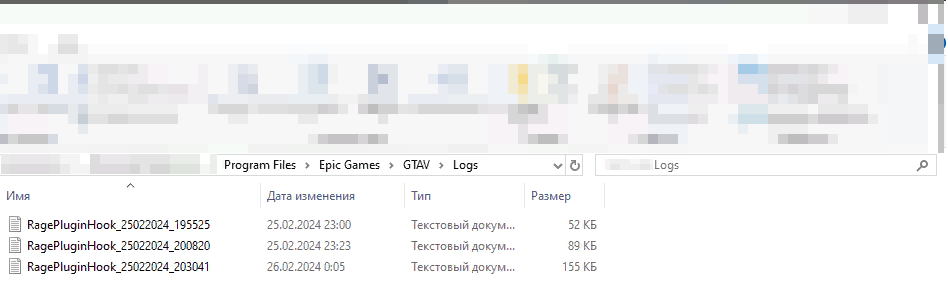
This log is from the logs folder
-
RagePluginHook_25022024_203041.log @Dozel @OfficerChris1
-
Tried running it from RPH - same problem
-
Epic Gaming gives an error that the game is already running, but nothing actually happens
-
Yes, it was connected to the game
-
I run the game through EpicGames, then only through Alt+Tab I launch RPH
-
This is the most detailed information bro. I go into the game, get up for the pickup of the beginning of duty (Activation on E) and nothing happens. I can't take a shift Also, when I press F4 (RagePluginHook) nothing happens.
-
I go to the duty pickup, I press E, and nothing happens