


mohaelh
Members
-
Joined
-
Last visited
Everything posted by mohaelh
-
@Nicolas2321 I tried that do, i just reinstalled the game and and LCPDFR/Ragehook but no luck.. 😞
-
@Nicolas2321 I've tried unistall lspdfr/ragehook several times but it's always stucked on "Launching game" . I have the retail version.
-
@Nicolas2321 Here is the launcher.log. I really hope you can help me find a solution 🙂 i spent 2 days without any solution..
-
@Nicolas2321 Thanks for your reply. I tried that and all kind of other solutions but nothing helps. It´s always stucked on "launching game" The strange thing for me is that was working ok before i changed to "Don´t load any plugins on startup" in settings. I tried changing back to "load plugins on startup" but unfortunately no luck ..
-
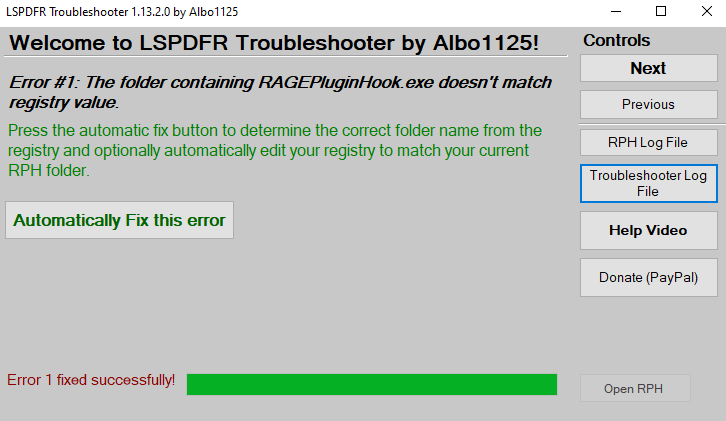
Hi, Whenever i start rage it get stucked on "Launching game" and nothing happens. I tried LSPDFR Troubleshooter and get following error: [2020-06-01 20:53:07]: LSPDFR Troubleshooter 1.13.2.0 by Albo1125| [2020-06-01 20:53:08]: Troubleshooter up to date: True| [2020-06-01 20:53:17]: RPH Path selected: S:\Program\Epic Games\GTAV\RAGEPluginHook.exe| [2020-06-01 20:53:21]: No registry key found for gtav folder| [2020-06-01 20:53:24]: WMP version: 12,0,10011,16384| [2020-06-01 20:53:24]: Windows Folder path: C:\WINDOWS| [2020-06-01 20:53:24]: Windows Folder path: C:\WINDOWS| [2020-06-01 20:53:24]: C++ 2015 VS subkey exists: True| [2020-06-01 20:53:27]: FileID: 10294. Up to date: True| [2020-06-01 20:53:49]: RegGTAVPath does not exist!| Is there any quick fix for this?

-
I have the same problem.. Any solution for this?
