gregbog1970
Members
-
Joined
-
Last visited
Everything posted by gregbog1970
-
Go to your RagePluginHook, go into the settings, go over to the game settings tab or whatever its called, go down, locate "safe mode" make sure thats turned off, Safe mode starts the game with minimal settings so it loads faster
-
I have installed STP a few months ago, It was working all fine and good, until now, A few days ago my LSPDFR wasn't working, The crash report stated it was STP, So I put STP in a different folder, then it worked, Before this it worked perfectly fine, Now I just reinstalled STP and it doesn't work, It crashed my game again, any suggestions? Disregard, fixed it
-
-
Disregard, I fixed it.
-
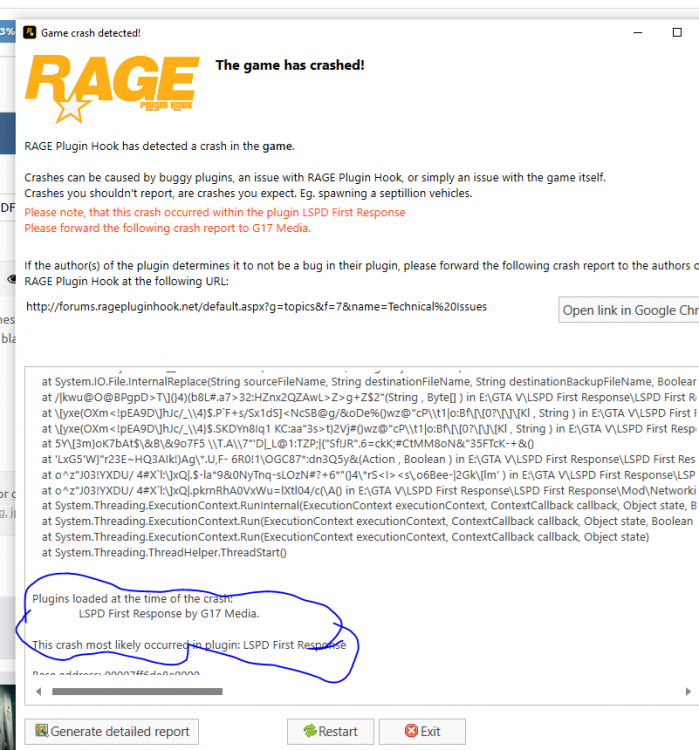
Everytime I load LSPDFR, It crashes... First time I done it it all worked, but then I reinstalled GTA5 which lead to me reinstalling LSPDFR, I done it the same way but now when I try load it it crashes. I get to the bit where there is the black screen with "Loading LSPDFR" on the bottom right, then I hear beeping and it crashes.. What can I do to fix this? I use the Epic Games GTA because it was free not long ago.