


mr.xreece
Members
-
Joined
-
Last visited
Everything posted by mr.xreece
-
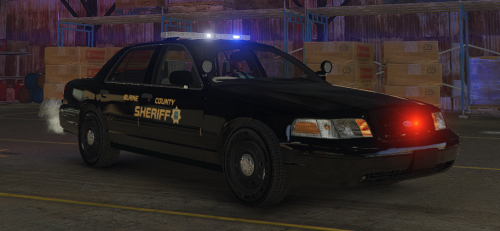 Full BCSO Texture Pack (Original Vehicle Made By Captain14) Spawn Codes: 13 Ford Explorer = police3 13 Ford Taurus = police4 16 Ford Explorer = police5 13 Chevi Tahoe = police6 11 Crown Victoria = police7 The skins are made by MR.XREECE Development. If you seek and answers for your questions or need any help feel free to join the Official MR.XREECE Development Discord Server Discord Sever Link: https://discord.gg/edSnQfr Official MR.XREECE Youtube video for video reference of the cars: https://youtu.be/NbKu5JGJ1qk Captain14's VEHICLE PACK USED:

