


cranberryzam
Members
-
Joined
-
Last visited
Everything posted by cranberryzam
-
I tried everything before finally removing els and all my els car mods (lspd pack, sheriff and fbi pack) and now I’m not having the issues.
-
-
 Good job on this mode. I have a lot of the popular plugins like traffic policer, arrest manager, stop the ped and this works not 100% of the time but enough to keep it on file when i get bored of the same ol same ol.
- 69 comments
- 16 reviews
-
-

- 1
-
-
this works with stop the ped. After accepting the bribe don't touch anything until you get the message about either detaining or releasing. Should be within 2 or 3 seconds. I also have my arrest key in the main LSPDFR key ini set to rightthumb at the moment but it worked a few times with the defaults. edit: here is some sloppy proof https://drive.google.com/file/d/1kz5kdC94TCEkhWRKsSX-tl-QIuslWp_X/view?usp=sharing ...NSFW... stop the ped was a deal breaker for me so i kept trying... not sure if its related to how close peds are for the release menu to populate i will keep messing around with.
- 69 comments
- 16 reviews
-
this works with stop the ped. After accepting the bribe don't touch anything until you get the message about either detaining or releasing. Should be within 2 or 3 seconds. I also have my arrest key in the main LSPDFR key ini set to rightthumb at the moment but it worked a few times with the defaults. edit: here is some sloppy proof https://drive.google.com/file/d/1kz5kdC94TCEkhWRKsSX-tl-QIuslWp_X/view?usp=sharing ...NSFW... stop the ped was a deal breaker for me so i kept trying... not sure if its related to how close peds are for the release menu to populate i will keep messing around with.
- 69 comments
- 16 reviews
-
-
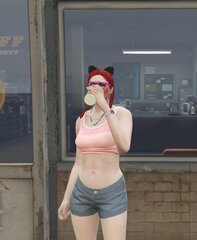 She’s a hot cop 😍


