


camonwii
Members
-
Joined
-
Last visited
Everything posted by camonwii
-
-
-
-
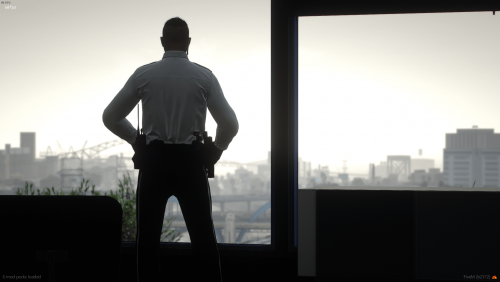 For FiveM just drag and drop the FiveM version files in your eup-stream folder. -->> THIS ONLY INCLUDES THE TEXTURES OF THE MODELS. <<-- -->> WORKS FOR EUP 9.3+ <<-- This Package Includes: - Class A, B, and C; blue and white in color. (TEXTURE ONLY) - Matching uniform pants; black in color with white stripe. (TEXTURE ONLY) - A uniformed badge with different ranks. (COMES WITH MODEL AND TEXTURES) - A tucked/untucked shirt. (TEXTURE ONLY) Terms of Service: No one is allowed: - To resell my work. - Reupload my work. - Claim it's theirs. - Edit my EUP and then do any of the following above. DISCORD FOR SUPPORT AND MORE RELEASES: https://discord.gg/VXFCkwWEvQ
- 6 comments
- 1 review
-
-

-

- 2
-
-
 Appreciate it!! Thanks for the comment!
 -
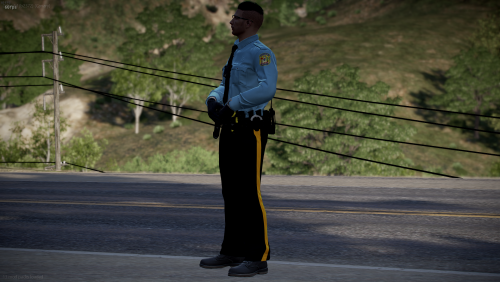
For FiveM just drag and drop the FiveM version files in your eup-stream folder. For LSPDFR drop the files in the folder via OpenIV. Or find a video installing EUP for LSPDFR. Uniforms based off this picture: Includes: - Class A(long sleeve) - Class B(short sleeve) - Class C(long sleeve & tie or formal uniform) - Matching pants. Terms of Service: No one is allowed: - To resell my work. - Reupload my work. - Claim it's theirs. - Edit my EUP and then do any of the following above ^^^^^. Please note no support will be given, I am just uploading this to get some variety. Credits: I found the patch off the internet, then upscaled it and embroidered it. HAVE FUN AND ENJOY, love camonwii 😄❤️
-
 I was more talking about the actual shirt 😂 But you have a point lmao
 -
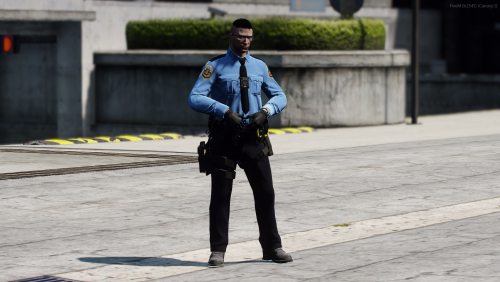
For FiveM just drag and drop the FiveM version files in your eup-stream folder. For LSPDFR drop the files in the folder via OpenIV. Or find a video installing EUP for LSPDFR. Terms of Service: No one is allowed: - To resell my work. - Reupload my work. - Claim it's theirs. - Edit my EUP and then do any of the following above ^^^^^. Please note no support will be given, I am just uploading this to get some variety with everything. Credits: I found the patch off the internet, then upscaled it and embroidered it. HAVE FUN AND ENJOY, love camonwii😄❤️
-
 I am 🙂
 -
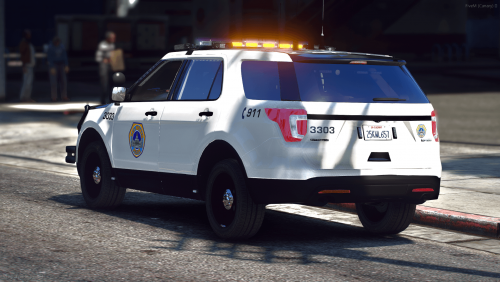
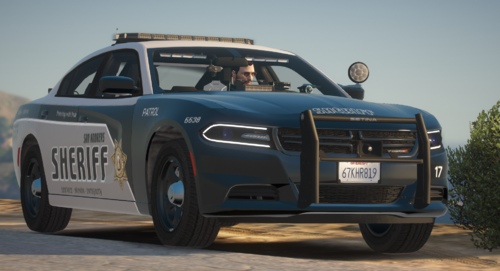
I was bored so I made this quick simple livery of DMPD's updated explorer. The original car model can be found on:
-
-
 Template?
 -
 Sure, I can try to do that.
 -
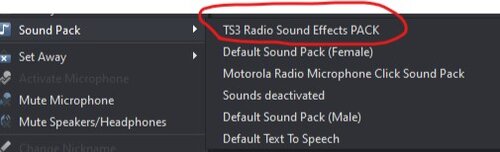
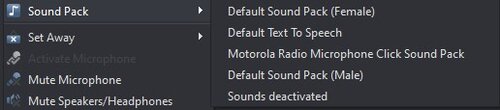 In your TeamSpeak Settings, go to Playback then click on play Mic Clicks for others and own client.
- 4 comments
- 1 review
-
So you want me to make a pack with the long tone sound that is in the video?
-
I make these packs for others to use. I'll get more out soon as I get the audio converted to fit TS3's requirements. If you enjoy these packs make sure to leave a review and a comment if you enjoyed them. If you have a suggestion, please comment below. Example:
-
No problem! Make sure to leave a review if you like the pack! I'll be adding more options soon!
- 4 comments
- 1 review
-
I use these on a FiveM server that I am in. I made this pack for myself and other to use. Preview: My other pack:
- 4 comments
- 1 review
-
-
- 1
-
-
I think just do the same thing as you would do for Steam. The files are the exact same. If that doesn't work, contact support again here.
-
Is LSPDFR compatible with this version?


