



EmergencyDistributors
Members
-
Joined
-
Last visited
Everything posted by EmergencyDistributors
-
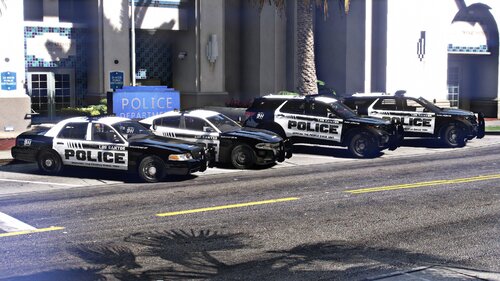 Los Santos Police Pack Upgrade Pack Includes: 2021 Ford Explorer (FPIU) 2019 Dodge Charger 2011 Crown Vic (CVPI) Features: Full 360 Code 3 Lighting System Panasonic Toughbook Station Code 3 Z3 Controller Motorola APX Radio Special Features: Mutli-Stage Pattern Lighting That Changes With Each Siren Stages For More Vehicles & Exclusive Vehicles Visit: 2022 F450 Ambulance 2021 Chevy Suburban Unmarked New Vehicles Custom Police,State and Sheriff Discord: https://discord.gg/cjqf9gzsey Patreon: https://www.patreon.com/emergencydistributors
- 40 comments
- 8 reviews
-
-

-

- 33
-
-
-
-
-
 @Quakex64 I appreciate you informing us. It's a shame people steal hard work and what's even worst is they try to sell it as their own.
- 9 comments
- 1 review
-
Well that's between the owner and who ever uploaded that vehicle to that site. What they did has nothing to do with us. You should notify the author, I designed the wraps and I have given permission to use my file. @Quakex64 @Vincentsgm Lol Right, it is accurate.
- 9 comments
- 1 review
-
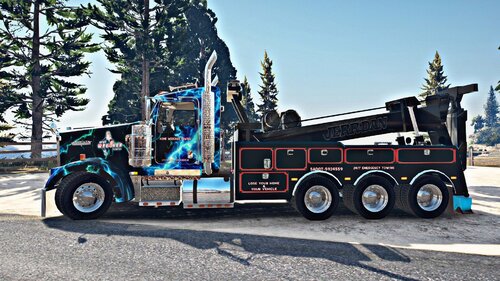
Home Wrecker Heavy Duty Wrecker Fits the 2000 Heavy Duty Wrecker by Kenworth 1. Download. 2. Open files in Win.rar 3. Open up OpenIV for windows. 4. GTA V > update > x64 > dlcpacks > (whatever patch day yours cars are in) > dlc.rpf > x64 > levels > gta5 > vehicles.rpf 5. Go to the vehicle (Whatever you named it ex. police3) 6. Turn on edit mode in Open IV. 7. Open the .ytd and search for the vehicle sign 8. Right click and replace 9. Click save 10. Enjoy Link to vehicle: https://libertycity.net/files/gta-5/126440-2000-kenworth-w900-heavy-duty-wrecker.html
- 9 comments
- 1 review
-
-
- 3
-
-
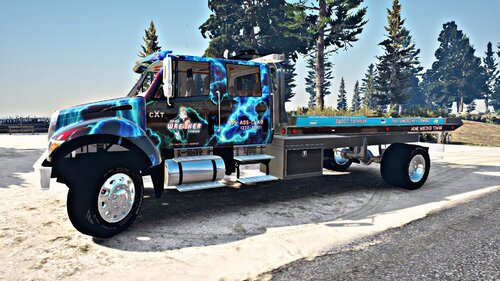 Home Wrecker Towing Flatbed Fits The 2006 CXT Flatbed 1. Download. 2. Open files in Win.rar 3. Open up OpenIV for windows. 4. GTA V > update > x64 > dlcpacks > (whatever patch day yours cars are in) > dlc.rpf > x64 > levels > gta5 > vehicles.rpf 5. Go to the vehicle (Whatever you named it ex. police3) 6. Turn on edit mode in Open IV. 7. Open the .ytd and search for the vehicle sign 8. Right click and replace 9. Click save 10. Enjoy Link to vehicle: https://www.gta5-mods.com/vehicles/cxt-flatbed
- 3 comments
- 1 review
-
-
- 3
-
-
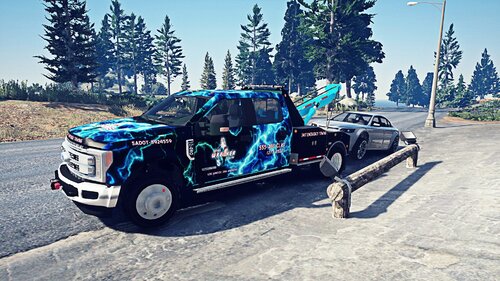 Home Wrecker Towing Tow Truck Fits the 2019 Ford F450 Installation: 1. Download. 2. Open files in Win.rar 3. Open up OpenIV for windows. 4. GTA V > update > x64 > dlcpacks > (whatever patch day yours cars are in) > dlc.rpf > x64 > levels > gta5 > vehicles.rpf 5. Go to the vehicle (Whatever you named it ex. police3) 6. Turn on edit mode in Open IV. 7. Open the .ytd and search for the vehicle sign 8. Right click and replace 9. Click save 10. Enjoy Link To Vehicle: https://www.gta5-mods.com/vehicles/2019-f450-superduty-platinum-4-door-tow-truck-pack-fivem
 -
-
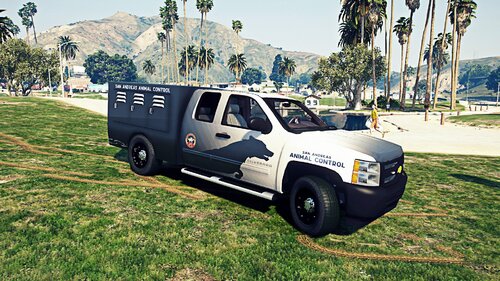 Lol@ dog got a citation And I been trying to find the area code for GTA for the longest but got different answers. Thanks
- 14 comments
- 1 review
-
Chevy Silverado Animal Control Truck Fits the 2013 Chevy Silverado 1. Download. 2. Open files in Win.rar 3. Open up OpenIV for windows. 4. GTA V > update > x64 > dlcpacks > (whatever patch day yours cars are in) > dlc.rpf > x64 > levels > gta5 > vehicles.rpf 5. Go to the vehicle (Whatever you named it ex. police3) 6. Turn on edit mode in Open IV. 7. Open the .ytd and search for the vehicle sign 8. Right click and replace 9. Click save 10. Enjoy Additional Steps: Replace The _skin.dds file with "skin" Replace the animal.dds file with animal Link to vehicle below Rename it to "REBEL2" to have it respond for Animal Control
- 14 comments
- 1 review
-
-
- 5
-
-
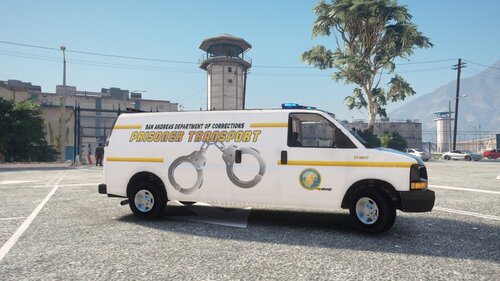 Thank you. I put the link in the description. It's this one right here. It has 3 vehicle options. Choose the Prisoner Transport
 -
Prisoner/Inmate Transport Installation: 1. Download. 2. Open files in Win.rar 3. Open up OpenIV for windows. 4. GTA V > update > x64 > dlcpacks > (whatever patch day yours cars are in) > dlc.rpf > x64 > levels > gta5 > vehicles.rpf 5. Go to the vehicle (Whatever you named it ex. police3) 6. Turn on edit mode in Open IV. 7. Open the .ytd and search for the vehicle sign 8. Right click and replace 9. Click save 10. Enjoy
-
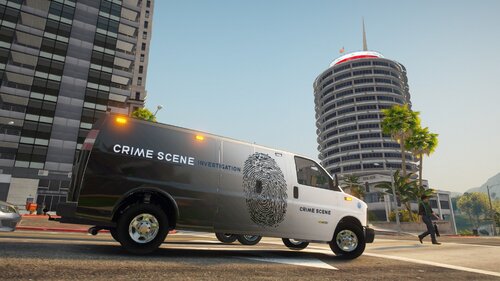 Crime Scene/Coroner Van Installation: 1. Download. 2. Open files in Win.rar 3. Open up OpenIV for windows. 4. GTA V > update > x64 > dlcpacks > (whatever patch day yours cars are in) > dlc.rpf > x64 > levels > gta5 > vehicles.rpf 5. Go to the vehicle (Whatever you named it ex. police3) 6. Turn on edit mode in Open IV. 7. Open the .ytd and search for the vehicle sign 8. Right click and replace 9. Click save 10. Enjoy
- 1 comment
- 1 review
-
-
- 3
-
-
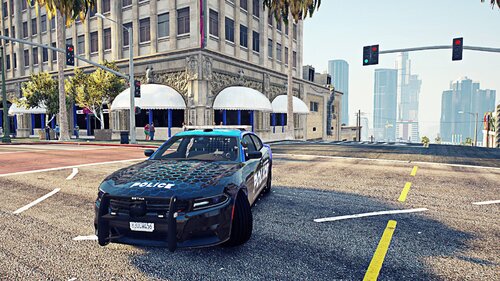 Thank you
 -
https://www.lcpdfr.com/downloads/gta5mods/vehiclemodels/29590-els-blaine-county-sheriff-2018-dodge-charger/
-
Thank you. Feel free to download it
-
Electric Blue Dodge Charger Fits the 2018 Ford Dodge Charger 1. Download. 2. Open files in Win.rar 3. Open up OpenIV for windows. 4. GTA V > update > x64 > dlcpacks > (whatever patch day yours cars are in) > dlc.rpf > x64 > levels > gta5 > vehicles.rpf 5. Go to the vehicle (Whatever you named it ex. police3) 6. Turn on edit mode in Open IV. 7. Open the .ytd and search for the vehicle sign 8. Right click and replace 9. Click save 10. Enjoy Link to the vehicle
-
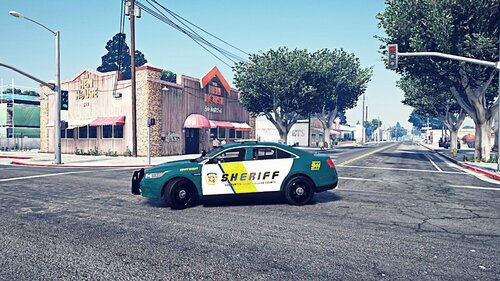 2013 Sheriff FPIS Fits the 2013 FPIS. Installation: 1. Download. 2. Open files in Win.rar 3. Open up OpenIV for windows. 4. GTA V > update > x64 > dlcpacks > (whatever patch day yours cars are in) > dlc.rpf > x64 > levels > gta5 > vehicles.rpf 5. Go to the vehicle (Whatever you named it ex. police3) 6. Turn on edit mode in Open IV. 7. Open the .ytd and search for the vehicle sign 8. Right click and replace 9. Click save 10. Enjoy
 -
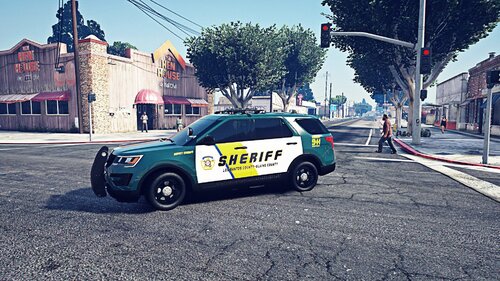 2016 Sheriff FPIU Fits the 2016 FPIU Installation: 1. Download. 2. Open files in Win.rar 3. Open up OpenIV for windows. 4. GTA V > update > x64 > dlcpacks > (whatever patch day yours cars are in) > dlc.rpf > x64 > levels > gta5 > vehicles.rpf 5. Go to the vehicle (Whatever you named it ex. police3) 6. Turn on edit mode in Open IV. 7. Open the .ytd and search for the vehicle sign 8. Right click and replace 9. Click save 10. Enjoy
 -
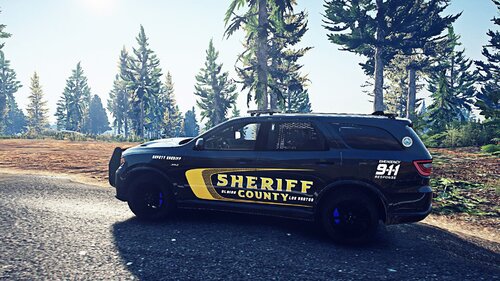 It's a fabricated/made up skin. No department copy
 -
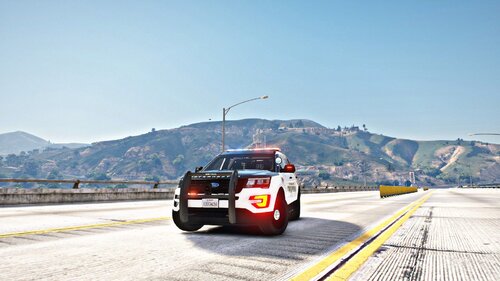 Fits all 2016 FPIU cruisers. Carbon Fiber Hood San Andreas State Troopers Installation: 1. Download. 2. Open files in Win.rar 3. Open up OpenIV for windows. 4. GTA V > update > x64 > dlcpacks > (whatever patch day yours cars are in) > dlc.rpf > x64 > levels > gta5 > vehicles.rpf 5. Go to the vehicle (Whatever you named it ex. police3) 6. Turn on edit mode in Open IV. 7. Open the .ytd and search for the vehicle sign 8. Right click and replace 9. Click save 10. Enjoy
 -
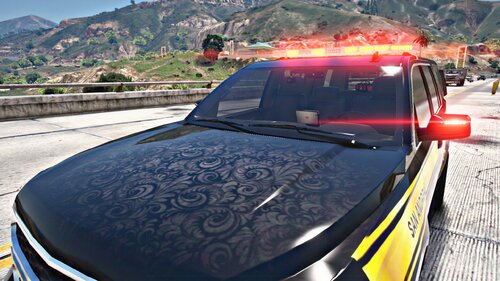 Fits all 2015 Emergency Tahoes. Has a Victorian Ghost paint job. 1. Download. 2. Open files in Win.rar 3. Open up OpenIV for windows. 4. GTA V > update > x64 > dlcpacks > (whatever patch day yours cars are in) > dlc.rpf > x64 > levels > gta5 > vehicles.rpf 5. Go to the vehicle (Whatever you named it ex. police3) 6. Turn on edit mode in Open IV. 7. Open the .ytd and search for the vehicle sign 8. Right click and replace 9. Click save 10. Enjoy Link to the vehicle
 -
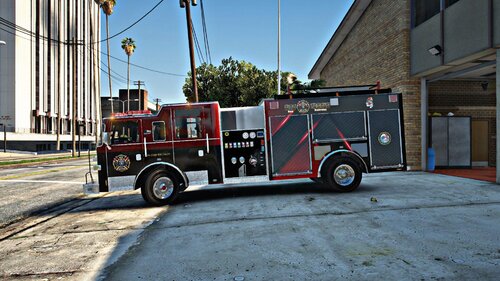 Fits all Pierce Arrow Engines 1. Download. 2. Open files in Win.rar 3. Open up OpenIV for windows. 4. GTA V > update > x64 > dlcpacks > (whatever patch day yours cars are in) > dlc.rpf > x64 > levels > gta5 > vehicles.rpf 5. Go to the vehicle (Whatever you named it ex. police3) 6. Turn on edit mode in Open IV. 7. Open the .ytd and search for the vehicle sign 8. Right click and replace 9. Click save 10. Enjoy

