MateuszKallin
Members
-
Joined
-
Last visited
Everything posted by MateuszKallin
-
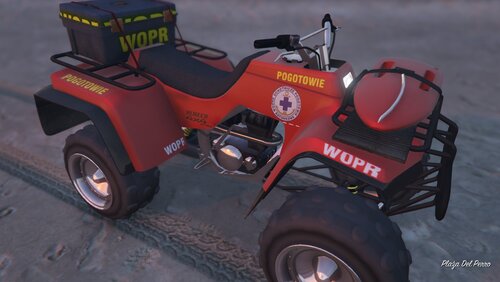 Modzik bardzo fajny tylko spooooooro błędów 1.Logo WOPR-u jest zbyt rozciągnięte 2.Na przednim błotniku WOPR jest ucięte 3.Na tylnym błotniku jest również ucięte i zbyt blisko końca 4.Napis WOPR na skrzynce z tyłu mógłby być minimalnie bardziej na środku 5.Na skrzynce chyba coś się stało bo jest taki żółte To są wszystkie błędy, które zauważyłem😉
 -
-
.thumb.png.714b7333c63b7ad210a6d20abc2aed97.png) Where are orginal vehicles?
Where are orginal vehicles? -
-
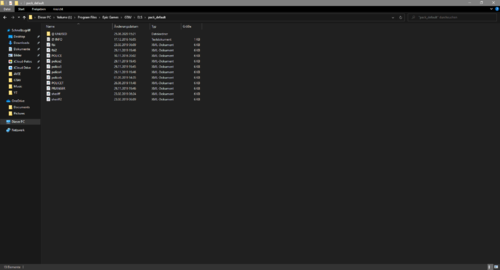 Where is Ambulance, Firetruk and Riot?
 -
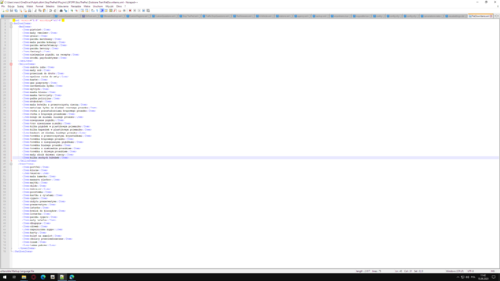 Polish translation "Stop The Ped" The modification has polish translation for PatDown Items and Vehicle Items Installation: Everything in the ReadMe file 🙂 Credits: -Base script https://www.bejoijo.com/post/stop-the-ped -Translation - Mateusz0812 Have you noticed an error? Write in the comment! 🙂 [PL] Polskie tłumaczenie "Stop The Ped" Modyfikacja posiada przetłumaczone na język polski rzeczy znalezione przy pedach i w samochodach Instalacja: Wszystko w pliku ReadMe 🙂 Kredyty: -Bazowy skrypt- https://www.bejoijo.com/post/stop-the-ped -Tłumaczenie - Mateusz0812
 -
I know how to install replace and add-on vehicles. I want to add a dial vehicle to the police garage PLS HELP!!
-



.thumb.png.714b7333c63b7ad210a6d20abc2aed97.png)