Skip to content
View in the app

A better way to browse. Learn more.

LCPDFR.com

A full-screen app on your home screen with push notifications, badges and more.

To install this app on iOS and iPadOS
  1. Tap the Share icon in Safari
  2. Scroll the menu and tap Add to Home Screen.
  3. Tap Add in the top-right corner.
To install this app on Android
  1. Tap the 3-dot menu (⋮) in the top-right corner of the browser.
  2. Tap Add to Home screen or Install app.
  3. Confirm by tapping Install.

guxytronic

Members
  • Joined

  • Last visited

Everything posted by guxytronic

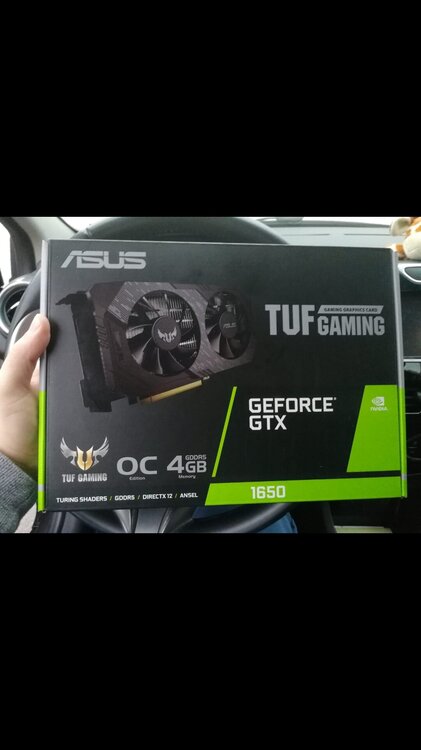
  1. Esa es mi tarjeta gráfica y mi procesador un I7... Probaré a bajar la calidad de los gráficos del juego si creen que esa es la solución. Sólo tengo instalado LCPDFR sin ningún otro MOD. Gracias! GeForce GTX 1650 and I7 Thanks!!!
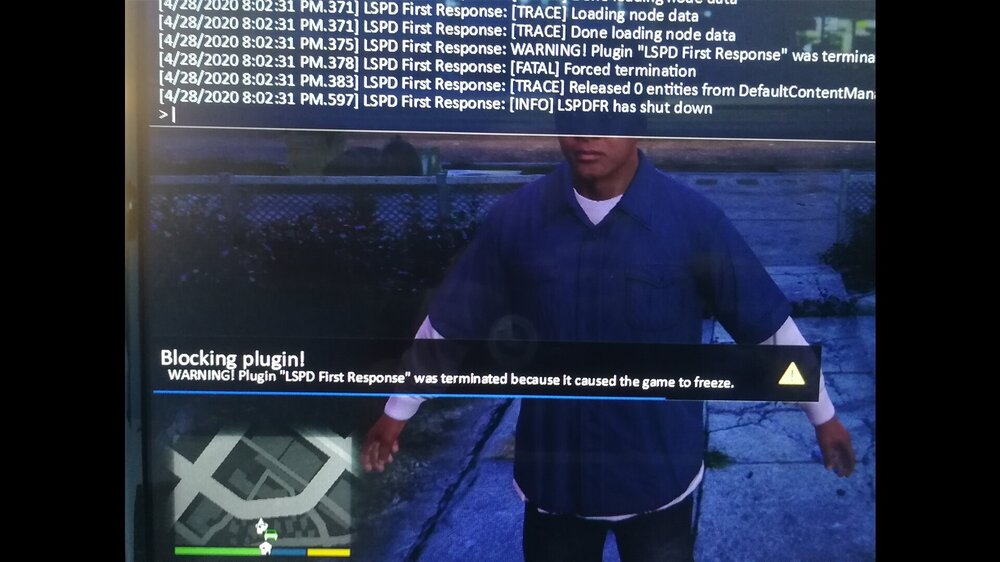
  2. Hola, soy nuevo en LCPDFR y estoy bastante perdido. Instalado supuestamente todo lo necesario, una vez dentro del juego, pulso F4 - Cargar - TAB - Espacio - Enter y me parece CRASH. Adjunto imagen. gracias por la ayuda.
Account

Navigation

Search

Search

Configure browser push notifications

Chrome (Android)
  1. Tap the lock icon next to the address bar.
  2. Tap Permissions → Notifications.
  3. Adjust your preference.
Chrome (Desktop)
  1. Click the padlock icon in the address bar.
  2. Select Site settings.
  3. Find Notifications and adjust your preference.