


Florida Man
Members
-
Joined
-
Last visited
Everything posted by Florida Man
-
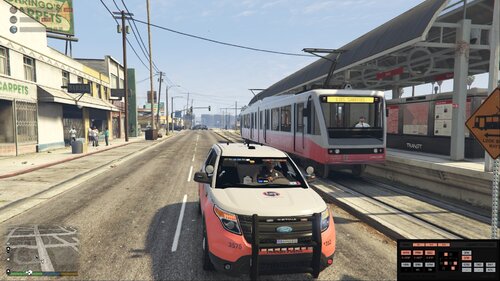 Hi this is one of my first skin packs and my first public pack on LSPDFR. These skins are based off of the the Subway in GTA V. I am open to suggestions on what to change in the pack and what skins to do next! Here is my discord for updates on packs and possible early/exclusive packs. https://discord.gg/cBcZPGQ Vehicles in pack- Ford Taurus 11 CVPI 13 and 15 FPIU 14 Tahoe 14 and 16 Chargers I Know the Vic skin needs to be fixed and the Taurus red is not even i will put up a update with these skins fixed. I published these skins even known there broken because I couldn't wait to release them but they will be fixed soon (possibly within a month maybe this week).I dint skin the Silverado because the Silverado is broken (at least for me but will possibly make skin for) Enjoy! Pack Link-

