


Tom199
Members
-
Joined
-
Last visited
Everything posted by Tom199
-
-
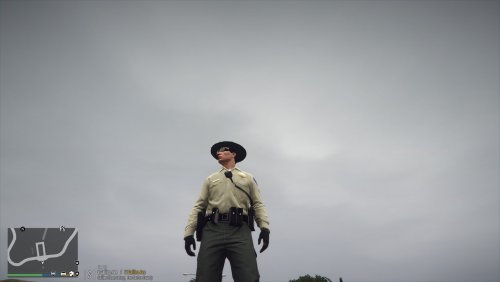 Laggo This Radio
 -
Thanks buddys
-
Thanks!
-
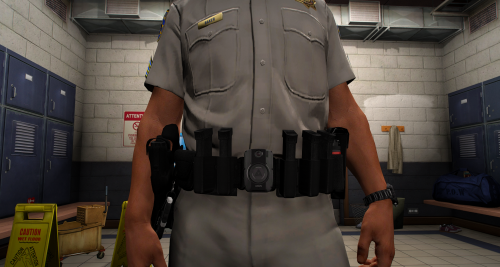
Hello Guys, this is a LASD Belt. when you have a Question contact me on Discord.( https://discord.gg/Rbj6U9v ) if you support me: https://www.patreon.com/Tom199 I have special Right from Xiphos that I can release it! Thanks to Cruise for the Screenshot! How i install? Located in your OpenIV the Path: Grand Theft Auto V\mods\update\x64\dlcpacks\eup\dlc.rpf\x64\eup_componentpeds.rpf\mp_m_freemode_01_male_freemode_hipster Then Drag and Drop this File. DO NOT REULOAD THIS FILE
-
-
-
 Thanks
 -
-
 Reverted not Works for me . Fix comes Tomorrow when update from RPH online is,.
- 36 comments
- 1 review
-
-
Update comes Later but i can't test it Ingame. Rockstar games have a Update, and my Backup doesn't works.
- 36 comments
- 1 review
-
-
-
-
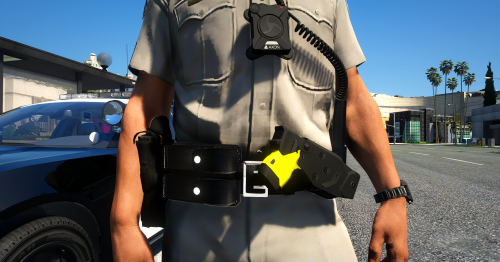
Hello Guys, this is a CHP Belt. when you have a Question contact me on Discord.( https://discord.gg/Rbj6U9v ) if you support me: https://www.patreon.com/Tom199 I have special Right from Xiphos that I can release it! How i install? Located in your OpenIV the Path: Grand Theft Auto V\mods\update\x64\dlcpacks\eup\dlc.rpf\x64\eup_componentpeds.rpf\mp_m_freemode_01_male_freemode_hipster Then Drag and Drop this File. DO NOT REULOAD THIS FILE contact for permission to use it on fivem.
- 36 comments
- 1 review
-
-

-

- 10
-
-
Body 2 is work in progress. @Maxelgg @Crunching
-
No, thats a Taser Holster. 😄
-
Thanks😃
-
Thanks, i hope you enjoy!
-
Hello Guys, this is a LVPMD Belt. when you have a Question contact me on Discord.( https://discord.gg/Rbj6U9v ) How i install? Located in your OpenIV the Path: Grand Theft Auto V\mods\update\x64\dlcpacks\eup\dlc.rpf\x64\eup_componentpeds.rpf\mp_m_freemode_01_male_freemode_hipster Then Drag and Drop this File. DO NOT REULOAD THIS FILE
-
-
-
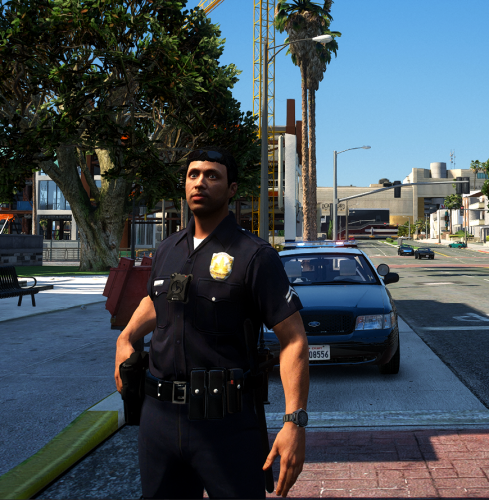 Hello Guys, this is a LAPD Belt. when you have a Question contact me on Discord.( https://discord.gg/Rbj6U9v ) I have special Right from Xiphos that I can release it! How i install? Located in your OpenIV the Path: Grand Theft Auto V\mods\update\x64\dlcpacks\eup\dlc.rpf\x64\eup_componentpeds.rpf\mp_m_freemode_01_male_freemode_hipster Then Drag and Drop this File. DO NOT REULOAD THIS FILE
- 9 comments
- 2 reviews
-
-
-
- 4
-
-
 Hey guys, i have a new Release! now is that a LSPD Belt. When you have a question contact me!! If you want to donated: donate: https://www.paypal.me/lucsmods My Discord: ( https://discord.gg/zXhrVTE ) Readme is in the File DO NOT REUPLOAD THIS BELT
- 10 comments
- 1 review
-
-
- 1
-

