


quaders
Members
-
Joined
-
Last visited
Everything posted by quaders
-
Can anyone help?
-
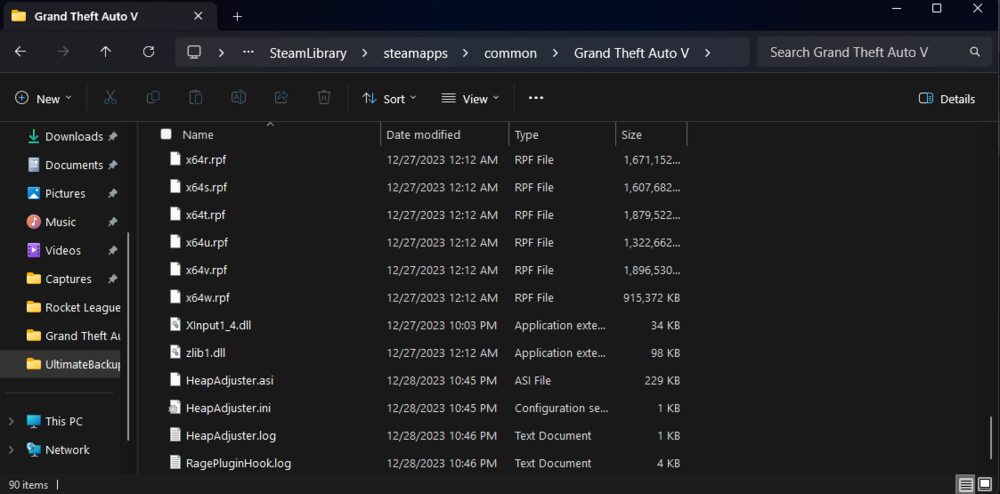
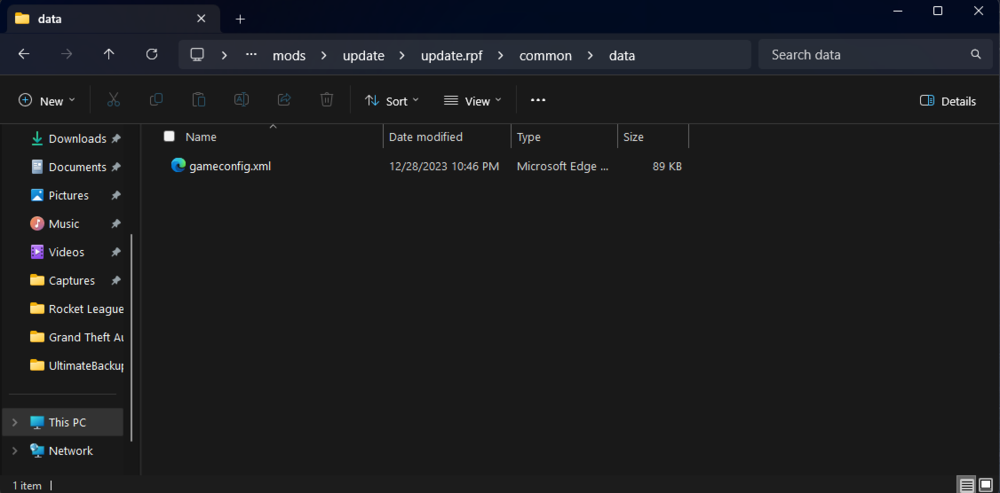
tried again and installed Gameconfig through openiv as per readme instructions, still getting the same issue.
-
hope i installed these correctly, Same thing happened again.
-
i also tried launching RPH without any plugins and it still just nosedived
-
sure thing RAGE Plugin Hook v1.107.1334.16527 .txt
-
turned all overlays off, no steam, no geforce, nothing
-
It was a few years ago, so the only difference was the build, GTA was uninstalled and reinstalled fresh since then so i dont think anything? Ive tried the threshold thing, same result, every time.
-
Got through a few missions, never had an issue when i was previously at this point. How would i update my saved game?
-
Hi, Just launched story mode and managed to load no problem, drive around a bit, no lag, no splitting just smooth gameplay, Alt+ Tab out to start RPH whilst i was in game and it just crashed it straight away after it hooked. RagePluginHook.log
-
hi, thanks again for your help. Ok, followed every instruction to the letter and it just crashes again, straight away just launches, hooks, says enjoy then crashes. RagePluginHook.log
-
I hope this is what your looking for, again, thank you. RagePluginHook.log
-
hi, thanks for replying, It hooks and the RAGE logo goes to the bottom right and says Enjoy! but the game crashes instantly, like super quick. I tried auto first, then manual after, exactly the same result every time.
-
can anyone help?
-
Clean install of GTAV through steam, installed latest LSDPFR build 8747 with NO other mods or plugins, windows defender turned off and it crashes every time, i attempted to load the game first and hook after as well but no juice. Hoping someone can help. RAGE Plugin Hook v1.107.1334.16527 .txt
-
Hi, my RAGE keeps crashing and im not sure why, tried renaming mods folder to _mods, launched GTA on its on with normal mods folder and it loads perfectly, raised threshold for timeout. really need help with this one ASAP please. crash report included i do apologise but i restarted the game and it seems to have sorted this out. However now whenever i go on duty it crashes?
-
WOW! This did it, i loaded GTA, selected single player, then launched rage and everything worked perfectly?! Thank you so much for this!!! i'll do this every time going forward. LEGEND!!!
-
Ok so, i started GTA Base game, not LSPDFR and it loaded perfectly with mods, i then retried RAGE, crashed, renamed mods > _mods, crashed again. It only crashes when i try to launch through RAGE, the only plugin i have on RAGE is LSPDFR. Really puzzled.
-
This is amazing, going to try this and see how it goes. Thank you both!!!
-
Thank you for this. Will this remove all my mods? If so, is there anyway to see what in the folder is the issue?
-
Hello, my Rage keeps crashing after i installed the Kawasaki bike mod, i have since removed the folders for this mod but its still crashing. Can someone please take a look at the crash report and help me. Thank you.
-
-
some stuff from the essential list
-
Hey, sorry for the fact that your most likely responding to the millionth "my gamescrashing" but ive tried so many solutions in the forums, i used to have this mod with plugins and it worked grand, i upgraded my PC and now im starting fresh, ive downloaded everything and im pretty sure i followed the instructions to a T, but whenever i go "on duty" i get the chime and the plugin crashes. Please help (im not very skilled at this stuff, i tend to just follow the instructions and go with it, so if your asking for certain things, please assist me with how to get them, thank you) little update, it now crashes as soon as game is booted *plugin crashes, not game. plays the chimes and get the error in bottom left*



