


Jarhead2861
Members
-
Joined
-
Last visited
Everything posted by Jarhead2861
-
I’m telling you I don’t have that exact file. And a setting button on right
-
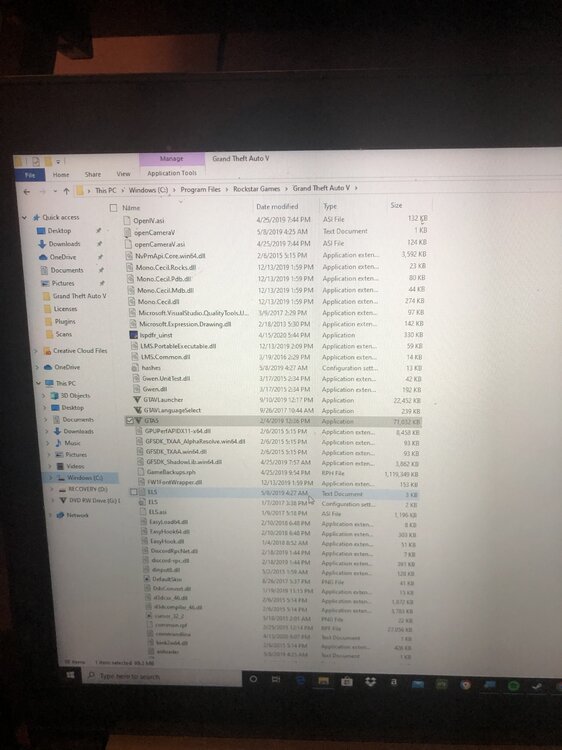
Where is GTA5.exe? I had to create anohter social club crap account because I tried reset the password from my orignial account and never sent. Tried reactivated my activation code and dind't work. I told you guys my case is to difficult to handle and no would figure out my case. For retail verison, i dont see any of that. ROckstar games laucher, i dont see any of that. Oh well, I give up at this point There ISNT a way to solve mine. Im apprently too dumb to figure out this shit, so I guess i wont play it then
-
It says Current game verison is not supported. Install game version 1604, latest game verison 1737, supported game verison 1868. The build of rage is made for verison 1868. I just installed the lastest verison too It says GTA 5 v1.0.1604.1 retail not supported retail verison not supported
-
I have tried almost all tutorials, including first thirty minutes, uninstalled the game twice and followed the steps, and I can’t pay anyone. I just can’t get the game to load up . Last time was about two years ago and now i can’t do that anymore. I loved playing it and all of sudden in 2019 i tried playing it again and rage wouldn’t start. I even updated rage hook and updated the whole entire game and reinstalled the game. I’m tired and frustrated, people I asked don’t know what’s wrong with what I did. Can someone nicely help or I’ll just buy another laptop. Btw laptop isn’t the problem and works fine! I guess I’ll never play LSPDFR ever again. And I’ll hear the same bullshit from the community again and again
