.png.90293af002482749e9a8637bc5695b86.png)

Maxelgg
Members
-
Joined
-
Last visited
Everything posted by Maxelgg
-
.jpg.3271c07c8715faea266cbd8b7a76f816.jpg)
From the album: Random Screenshots
-
Welcome to the community! @wilsonsec
-
My EUP Folder was corrupted, I honestly can't remember what I did to fix it.
-
No unfortunately, i'm not aware of any alternatives to Zmodeler.
-
Welcome to the community!
-
Hello, You need to have Zmodeler in order to create vehicles. https://www.zmodeler3.com/
-
Save your money and go watch a tutorial.
-
-
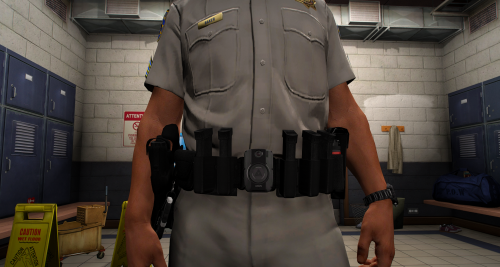 Why is there a bodycam on the belt? Never seen that before
 -
Hi Try setting your Plugin Timeout Threshold to 60,000 in your Rage settings. Also, you need to update Ragepluginhook
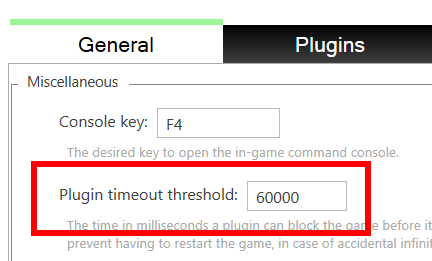
-
This seems to happen to me as well it's pissing me off alot since I can't use my new character EDIT : I've found a fix for it, just kept going on duty, going off duty, at the station.
.thumb.png.5940424474854488a4092b791cbd18d0.png)
-
Are you going on duty as BCSO?
-
Just drag everything into your main directory (game folder) except the licenses folder. The SDK isn't needed unless you're developing something
-
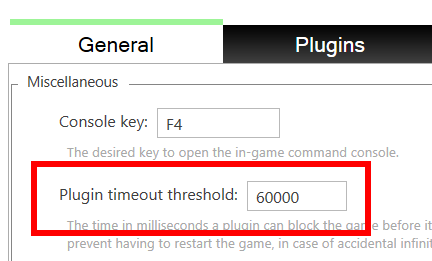
Have you tried doing a reinstall of LSPDFR? Also, set your PluginTimeoutThreshold to 60,000 in your Rage settings.
-
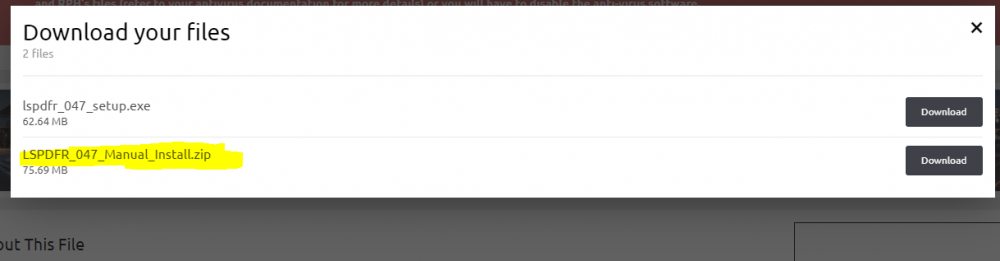
So if you go to the LSPDFR Download page, there should be two options. Go ahead and select LSPDFR_047_Manual_Install
-
Add this line to your lspdfr.ini : ambient.DisablePlayerHolsteringActions = true That should fix the problem.
-
It seems like you are missing your outfits.xml, go ahead and reinstall LSPDFR Manual after you reinstall, install Ragepluginhook version 1.78 => https://ragepluginhook.net/Downloads.aspx?Category=1
-
Hello. Can you send your Ragepluginhook.log file => Your RagePluginHook log is a text file (called RagePluginHook.log), and is found in your main GTA V folder. => IT IS NOT FROM INSIDE OF YOUR "LOGS" FOLDER.
-
Hi, three things 1. install RageNativeUI > https://github.com/alexguirre/RAGENativeUI/releases 2. Update your RagePluginHook 3. Remove Los Santos Protection Squad
-
-
-
 You can. Just give proper credits.
 -
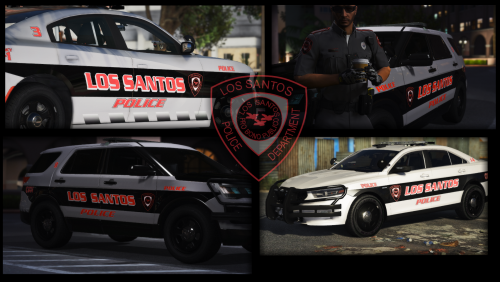
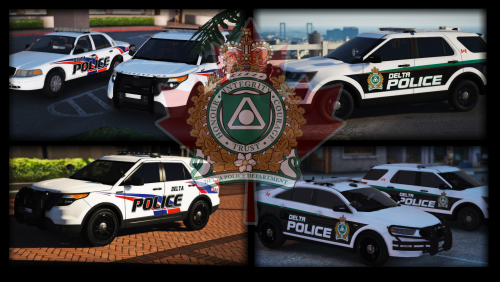 Personal Discord server --> https://discord.gg/WTRkqUA Includes textures for : 2016 Ford Taurus 2011 CVPI 2016 Ford Explorer 2013 Ford Explorer Vehicles used in the screenshots : (CLICK REVEAL HIDDEN CONTENTS FOR THE VEHICLE LINKS)
- 3 comments
- 1 review
-
-

- 5
-
-
Maybe
-
Hi, You need to update your .net framework
.jpg.3271c07c8715faea266cbd8b7a76f816.jpg)
.png.399c74155b922fef49d384fa1ced0edb.png)