


NickyNickLve
Members
-
Joined
-
Last visited
Everything posted by NickyNickLve
-
 Hey, nice backgroungd. But you should upload it in "Visual & Data File".
 -
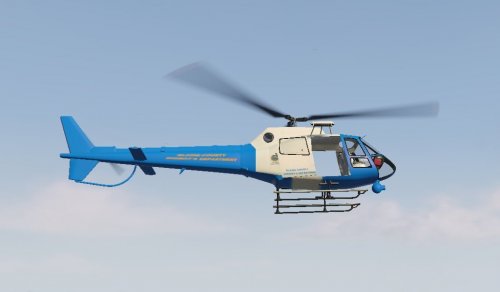 This is an addon version for Blaine County Sheriff Maverick by DrDanthrax99 -Addon created by Nicolas22251. -Skins by DrDanthrax99 -Original Model by Rockstar Games. Installation: 1)Drag and drop blainemav folder into your mods folder (GTA V/mods/update/x64/dlcpacks). 2)Using OpenIV navigate to (GTA V/mods/update/update.rpf/common/data). 3)Using "Edit Mode", right click on "dlclist.xml" and select "Edit". 4)Copy <Item>dlcpacks:/blainemav/</Item> under your last dlc name and save the file. 5)Open GTA V and using a Trainer spawn your new helicopter "blainemav". Please do not re-upload this addon to any other site. -Complete the Collection: LSPD Mapped Maverick: LSSD Maverick: SAHP Maverick:
 -
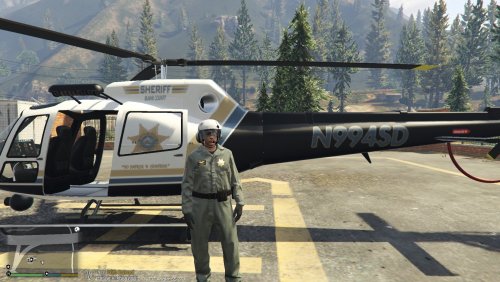 Hey, thanks for download the mod. I alredy made an addon version for Sheriff Maverick by Yard1, but maybe i can add a BCSO livery to SAHP Mav. Sheriff Maverick:
- 4 comments
- 1 review
-
This is an addon version for Police Maverick Mapped by Yard1 and BCSO Helicopter by Spectre50H. -Addon created by Nicolas22251. -SAHP: UV-Map, template and skin by Yard1. -BCSO: Skin by Spectre50H. -Original Model by Rockstar Games. Installation: 1)Drag and drop hwaymav folder into your mods folder (GTA V/mods/update/x64/dlcpacks). 2)Using OpenIV navigate to (GTA V/mods/update/update.rpf/common/data). 3)Using "Edit Mode", right click on "dlclist.xml" and select "Edit". 4)Copy <Item>dlcpacks:/hwaymav/</Item> under your last dlc name and save the file. 5)Open GTA V and using a Trainer spawn your new helicopter "hwaymav". Please do not re-upload this addon to any other site. -Complete the Collection: LSPD Mapped Maverick: LSSD Maverick: BCSO Maverick:
- 4 comments
- 1 review
-
-

- 2
-
-
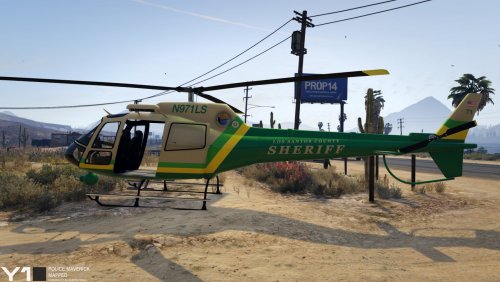 This is an addon version for Police Maverick Mapped by Yard1. -Addon created by Nicolas22251. -UV-Map, template and skin by Yard1. -Original Model by Rockstar Games. Installation: 1)Drag and drop shemav2 folder into your mods folder (GTA V/mods/update/x64/dlcpacks). 2)Using OpenIV navigate to (GTA V/mods/update/update.rpf/common/data). 3)Using "Edit Mode", right click on "dlclist.xml" and select "Edit". 4)Copy <Item>dlcpacks:/shemav2/</Item> under your last dlc name and save the file. 5)Open GTA V and using a Trainer spawn your new helicopter "shemav2". Please do not re-upload this addon to any other site. -Complete the Collection: LSPD Mapped Maverick: SAHP Maverick: BCSO Maverick:
 -
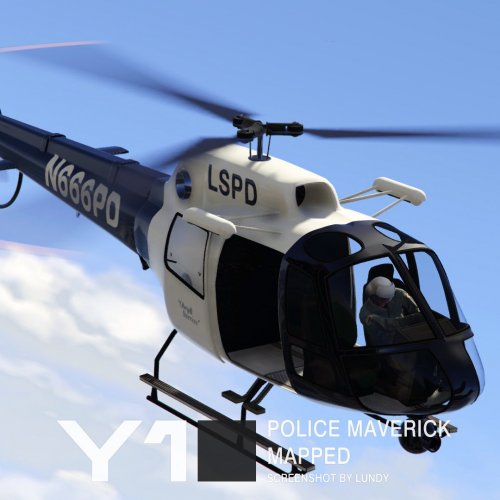 This is an addon version for Police Maverick Mapped by Yard1. -Addon created by Nicolas22251. -UV-Map, template and skin by Yard1. -Original Model by Rockstar Games. Installation: 1)Drag and drop polmav2 folder into your mods folder (GTA V/mods/update/x64/dlcpacks). 2)Using OpenIV navigate to (GTA V/mods/update/update.rpf/common/data). 3)Using "Edit Mode", right click on "dlclist.xml" and select "Edit". 4)Copy <Item>dlcpacks:/polmav2/</Item> under your last dlc name and save the file. 5)Open GTA V and using a Trainer spawn your new helicopter "polmav2". Please do not re-upload this addon to any other site. -Complete the Collection: LSSD Maverick: SAHP Maverick: BCSO Maverick:
- 1 comment
- 1 review
-
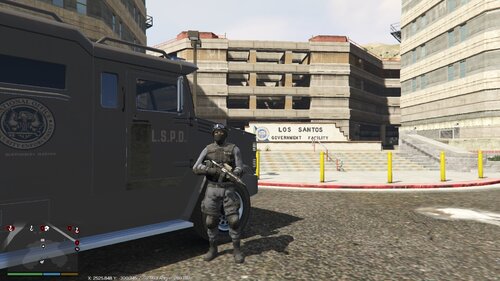 I'm working on it. Will be added in v1.4.0. Download ExtraStations 1.3.0+ from "Visual & Data File Modification"
 -
Download ExtraStations 1.3.0+ from "Visual & Data File Modification"
-
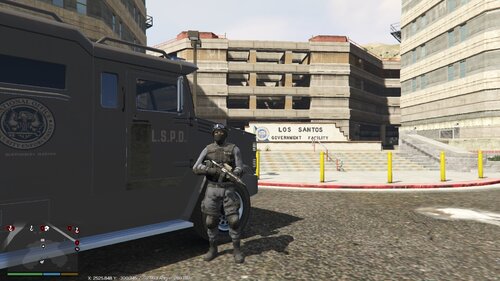 About the Mod: ExtraStations adds new agencies and stations to LSPDFR. In future updates, more agencies and stations will be added. Changelog v1.4: Added: -San Andreas Air Support (SAAS)(Main Agency) -LSIA Air Support (Station) -Fort Zancudo Air Support (Station) -Sandy Shores Air Support (Station) -Paleto Bay Medical Center (PBMC)(Station) -Del Perro Police Department (DPPD)(Station) Modified -SAMS Outfit (Male) -Lifeguard Outfit (Male) -Requirements: -LSPDFR (v4.7.0+) -Installation: The Installation guide is in the Readme. -Know Issues: Probably, RAGE Plugin will crash when you Go Off Duty -Future Plans: -Add more agencies. -Add more stations. -Make the mod compatible with other mods (EUP, Car Packs, etc.) -Add custom blips. -Add custom "On Duty" Notification Textures. -Make different translates. Thanks for download the mod, hope enjoy. -For a full firefighter experience, is recommended to download "Fire Callouts" by Panos1221. -Clarification: The red station blips seen on the radar, are generated by "FireCallouts". If you want to have them on your radar or map you must download the mod. ExtraStations only includes the blips compat to the custom stations.
- 3 comments
- 2 reviews
-
-
- 5
-
-
Make sure you have installed a Native Trainer to freeze the wanted level. Np. Hope enjoy.
-
Your welcome 🙂 Ok, but remember giving me credits for the base Mod and let the original download link in description.
-
Thanks 🙂
-
Thanks 😉
-
Of course. I will add it in the next update. Sure, once the base mod is stable, i will add compatibilities for different mods, including EUP.
-
It's true, perhaps a moderador can change the locación of the file without the need to reupload it.
-
Thanks, it's my first mod. 😄
-
Thanks for the idea 😉
-
About the Mod: ExtraStations adds new agencies and stations to LSPDFR. In this version (1.3.0), the following are added: -Raton Canyon Ranger Office (SASP)(Station) -Lifeguard as ambulance (Vespucci Beach & Del Perro Beach) Download ExtraStations v1.3.0+ from "Visual & Data File Modifications" In future updates more agencies and stations will be added. -Future Plans: -Add more agencies. -Add more stations. -Add custom blips. -Add custom "On Duty" Notification Textures. -Make the mod compatible with other mods (EUP, Car Packs, etc.) -Make different translates. Thanks for download the mod, hope enjoy.

