


ResqDiver
Members
-
Joined
-
Last visited
Everything posted by ResqDiver
-
@JCSOExplorerGreenwoodWho is your dad? I'm a Lieutenant with Newton County Rescue & Recovery and know quite a few of the medics at NCAD. I just discovered these liveries today when I asked my son to google JasCo's vehicles to show the person who runs the SO on our FiveM community. It was so awesome to see vehicles that are local to me (Grew up in CJ and live in Carthage now)
-
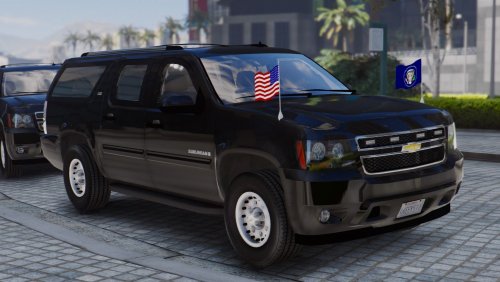 I looked in the YTD file and I see the BodyPaint file that looks like a template maybe? If I paint up a livery for this, is that bodypaint actually a template and if so, what file do I replace to apply the livery? I would like to paint this up to be a CRT vehicle (SWAT) Ok, so small update. I went back and just noticed the sign file that is 8px x 8px and also found that the body paint is NOT a template as laying it in place of the sign file clearly does not line up. Is there any chance someone has a template for this? I can load my UV Map Grid on it and sort out placement of things by matching grid squares if needed but a template would be so much easier if one exists. Also, does this model permit riding on the running boards like the FBI2 Granger? If not, that's ok but it would be a really awesome feature so we don't have to use the actual granger.
- 25 comments
- 5 reviews
-
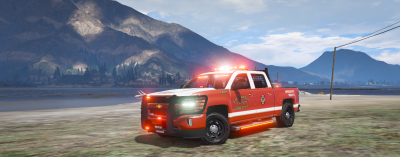 great looking model. We have 2 silverado trucks in our fleet right now but they are both originally red/blue models that I changed the carcols to all red and changed the lights in the ytd, but it still has that base of blue in the model so the side that used to be red sometimes looks almost purple. Seeing this already all red makes me really happy, especially with the rest of the truck looking so nice
 -
-
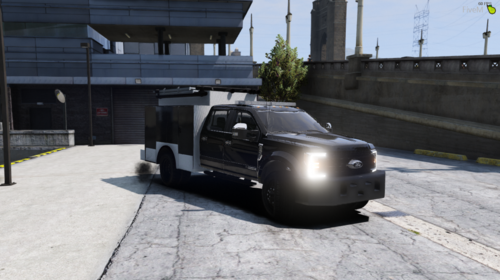 Working on a livery for our LSFD Critical Response Team but the livery I made isn't displaying in OpenIV? I used the name f450d_sign_1 and replaced the file of the same name in OpenIV, but when I try to view the truck, it still shows up plain white? Will the livery actually show in game or should the sign name be different in the vehicle?
- 36 comments
- 1 review
-
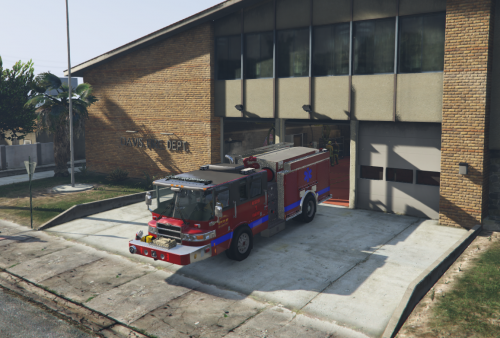 We just added this truck to our server and the guys on our department LOVE it. We have found 2 issues, minor-ish issues, but still worth noting. 1. One of our stations is the addon Sandy Station down by the prison of Rt 68 and has a slight ramp up going in. The truck will drag it's roof on the doors when you back in (most of our trucks do) but this one has an issue that when the cover over the hose bed hits the door, your client crashes. 2. Anytime we spawn that truck, it spawns about 30ish feet in the air and drops down to the ground. I'm used to some that will drop a foot or 2, but this one is way up there. Other than those 2 things, this truck is awesome and neither of those issues are anything that stop us from using it, we just make sure we are somewhere safe for the fall when we spawn it and don't park it inside that station.
- 10 comments
- 1 review
-
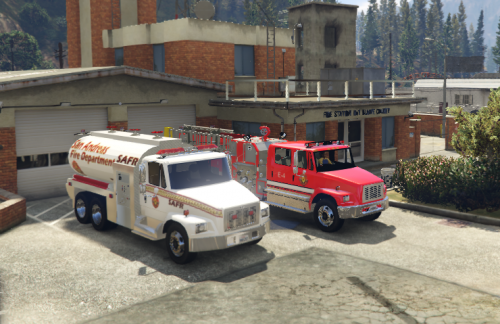 I really like the looks of both of these trucks but we hit a big issue with the tanker. This is what we see when we turn the lights on. Does anyone know how to resolve this? I have RadianceV installed but one of our other FFs on our server tested as well since he does not have Radiance and had the same issue. https://gyazo.com/ec4b298e6ba8adfbcb608fcec4758e85
- 16 comments
- 2 reviews

