Skip to content
View in the app

A better way to browse. Learn more.

LCPDFR.com

A full-screen app on your home screen with push notifications, badges and more.

To install this app on iOS and iPadOS
  1. Tap the Share icon in Safari
  2. Scroll the menu and tap Add to Home Screen.
  3. Tap Add in the top-right corner.
To install this app on Android
  1. Tap the 3-dot menu (⋮) in the top-right corner of the browser.
  2. Tap Add to Home screen or Install app.
  3. Confirm by tapping Install.

Uganda

Members
  • Joined

  • Last visited

Everything posted by Uganda

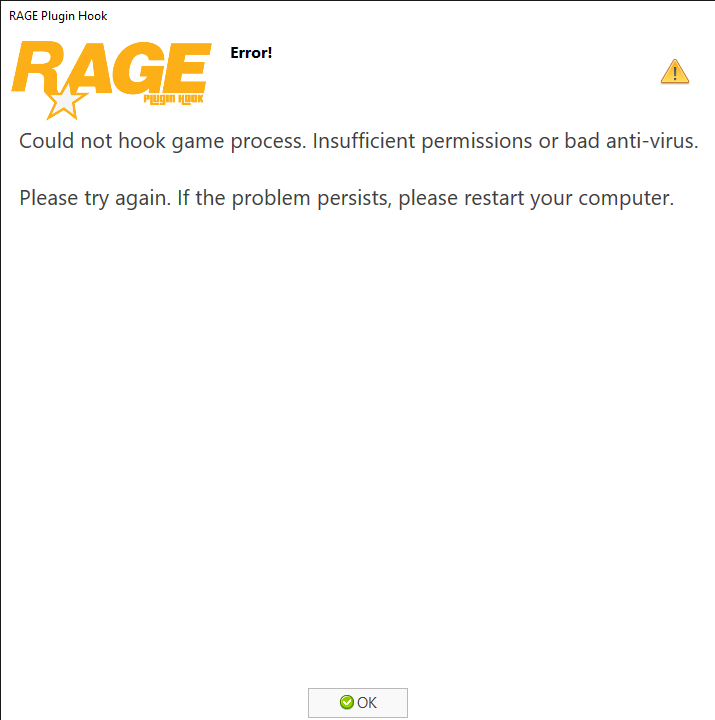
  1. It says Insufficient permissions or bad anti-virus when i start RagePluginHook. I wen't through my windows security and started adding rage hook into the white listed section or disable windows security. But it didn´t work.... Any hints? Nochmal auf Deutsch: Hab zum ersten Mal heute LSPDfr 4.0 installiert. Sobald ich RagePluginHook starte kommt diese Meldung. Habe es schon mit deaktivieren von Windows Security und mit Ausschluss/Whitelist der benannten Programme versucht, funktioniert aber immer noch nicht. Hat jemand eine Idee an was es liegen könnte oder weiß jemand den Fehler?
Account

Navigation

Search

Search

Configure browser push notifications

Chrome (Android)
  1. Tap the lock icon next to the address bar.
  2. Tap Permissions → Notifications.
  3. Adjust your preference.
Chrome (Desktop)
  1. Click the padlock icon in the address bar.
  2. Select Site settings.
  3. Find Notifications and adjust your preference.