
th0547
Members
-
Joined
-
Last visited
Everything posted by th0547
-
I created a mod. Short story, it let's you set a specific (custom) uniform per region quickly and easily. I haven't published it on LSPDFR yet because I'm looking for feedback from the BETA version. If you'd like to test my mod you can download the zip here: https://github.com/th0547/EUPRegions/tree/main Or you can download, I attached the ZIP file. Please read the readme first, there's also a technical description to give a more in depth view of how this mod works. I'd be very happy to hear what you guys think. There are a few bugs (nothing too bad) but please let me know if you find anything, it would really help me improve this mod! EUPRegions-v1.0.zip
-
I created a mod. Short story, it let's you set a specific (custom) uniform per region quickly and easily. I haven't published it on LSPDFR yet because I'm looking for feedback from the BETA version. If you'd like to test my mod you can download the zip here: https://github.com/th0547/EUPRegions/tree/main Or you can download, I attached the ZIP file. Please read the readme first, there's also a technical description to give a more in depth view of how this mod works. I'd be very happy to hear what you guys think. There are a few bugs (nothing too bad) but please let me know if you find anything, it would really help me improve this mod! EUPRegions-v1.0.zip
-
My LSPDFR random crashes after about 20-30 minutes playtime. Anyone who can help me? (minicrashreport: https://we.tl/t-4HVTQYS1tw) RagePluginHook.log
-
Have you tried to reload all the plugins? press F4 > type: ''ReloadAllPlugins" > and after a while the plugin should be reloaded. I'm not sure though but if that would happen to me, that is what I'd try first.
-
Do I have to be on duty? because I can't find the option to change the uniform, only the face and looks of the body/character. --- update --- Never mind! I found it, thank you very much!!
-
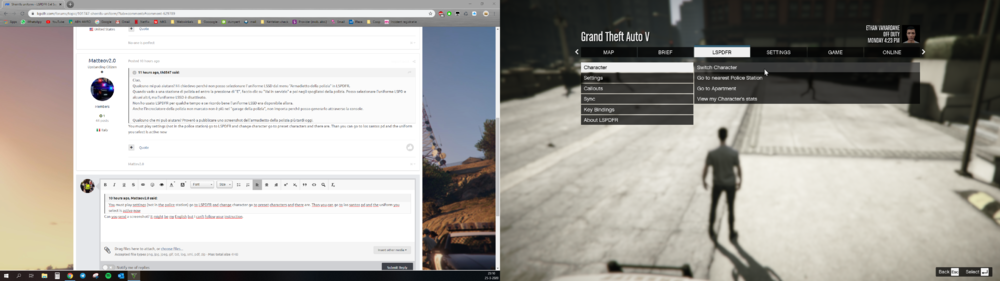
Can you send a screenshot? It might be my English but I can't follow your instruction. Is the menu in the screenshot the same menu as you were reffering to?
-
Hello, can someone help me out? I was wondering why I cant select the LSSD uniform from the 'police locker' menu in LSPDFR. When I go to a police station and enter it by pressing 'E', I click on 'Go on duty' and then to the police locker room. I can select the LSPD uniform and some others but the LSSD uniform is grayed-out. I didn't use LSPDFR for some time and if I remember correctly the LSSD uniform was available back then. Also the unmarked police cruiser isn't in the 'Police garage' anymore, doesn't really matter because I can spawn it trough the console. Anybody who can help me out? I'll try to post a screenshot of the police locker later today.