


AbandonedAccount
Members
-
Joined
-
Last visited
Everything posted by AbandonedAccount
-
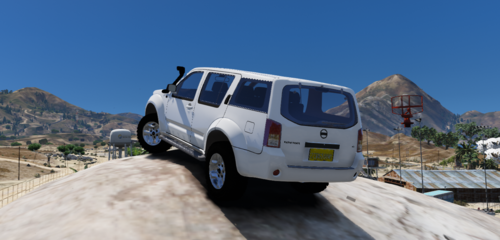 I hope you guys enjoy this release!!!! I would like you to read the tos before using... 2010 Civilian Nissan Pathfinder Converted By: TheSimDeveloper Rims From : One of my other models Interior needs to be worked on. If there is any major issues other than small interior issues let me know. But other than that feel free to edit it however you like. Installation instructions for Gta 5 Single Player : 1. Use Contender as an replacement. Installation for FiveM 1. Copy pathfinderciv to your resources folder. 2. Locate your Server.cfg then add a new line saying : start pathfinderciv or ensure pathfinderciv 1. You cannot Sell this model to anyone or for Virtual goods. 2. You can Release this model but only on LSPDFR or Gta5-mods and must give credits to me... and post it locked. 3. You can use it on a FiveM server. 4. This is not to be used in modpacks. 5. Credits must be given at all times, failure to abide so, legal action will be taken!!! For any further assistance. Please contact me on Discord at TheSimDeveloper#2240 Anyways, Apart from that I hope you enjoy!!!!
 -
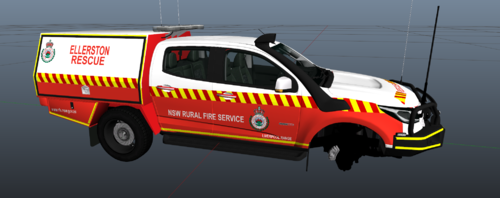 Awesome skin but fictional 😞 I may make a actual one eventually.
 -
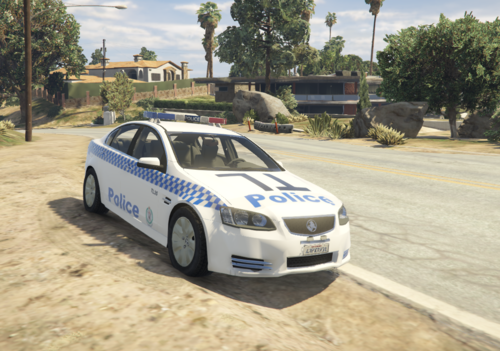 @Sydney001Oh okay well I just coped what it supposed to looks like (image from google).
- 4 comments
- 1 review
-
 Just use a vehicles.meta from another vehicle but change the name and choose what your handling will be etc.
- 2 comments
- 1 review
-
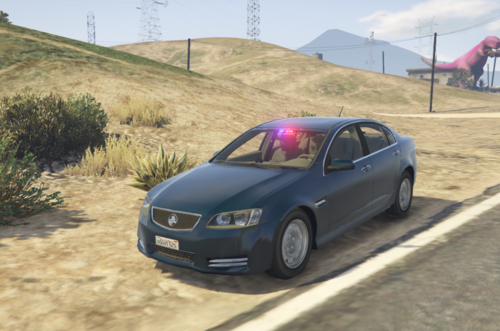
NSW Police Holden Omega VE --- Terms Of Service --- Do not reupload or unlock this vehicle. This vehicle is based on the Holden Omega that NSW Police use. You are welcome to add this to your fivem server. Just add credits 🙂 --- Credits --- Model by schaefft, smokey88, Mr.© Bolleck® & SNIT Wheel model: Rockstar Games Converted to GTA V: ChrisTuffur NSW Police Undercover Varient and interior gadgets made/added by TheSimDeveloper#2240 --- Bugs --- There isn't any as of yet this model has been tested in game and is perfectly fine but if there is a bug please contact me on discord : TheSimDeveloper#2240
- 2 comments
- 1 review
-
NSW Police Holden Omega VE --- Terms Of Service --- Do not reupload or unlock this vehicle. This vehicle is based on the Holden Omega that NSW Police use. You are welcome to add this to your fivem server. Just add credits 🙂 --- Credits --- Model by schaefft, smokey88, Mr.© Bolleck® & SNIT Light bar converted from gta 4 to gta 5 by Bandwe. NSW Police Varient and interior gadgets made/added by TheSimDeveloper#2240 --- Bugs --- There isn't any as of yet this model has been tested in game and is perfectly fine but if there is a bug please contact me on discord : TheSimDeveloper#2240
- 4 comments
- 1 review
-
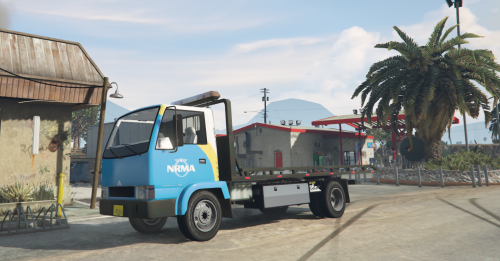 Heres a NRMA skin I've made for this truck feel free to use on your server / lspdfr / gta 5 just give credits 🙂 and don't claim as yours... if you would like something requested my discord is TheSimDeveloper#7132 🙂 Software used : Photoshop Credits : TheSimDeveloper Discord : TheSimDeveloper#7132 my fivem server : discord.me/centralcoastrp. Link to Model https://www.gta5-mods.com/vehicles/maibatsu-mule-recovery-add-on just replace this one's ytd with mine 🙂 or go into the ytd manually and go to "muler_sign_1" and hit replace and go to my one in the folder 🙂 😛 enjoy.........
 -
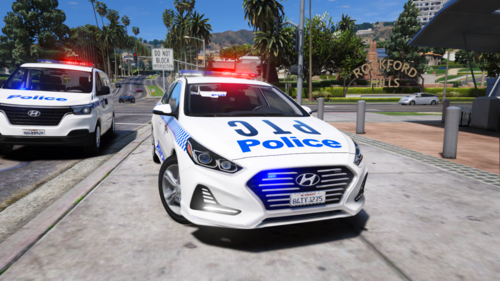 Hey man that car is awesome!! you done a super good job!!! btw that hyundai iload (the newer model van) in that pic is that released if not can I pay you to use it in my server.
- 3 comments
- 1 review

