Pardoxia
Members
-
Joined
-
Last visited
Everything posted by Pardoxia
-
Thank you so much for the reply! So while I was testing out this - I realized something I didn't think to test for: what if I tried loading it on a different save file? The save file I'd been using up to this point was during a point in the game where Michael and Trevor were exiled from Los Santos. Curious, I loaded up a 100% save file and tried loading it and viola - it loaded without any crashes! And everything seems to be working fine.
-
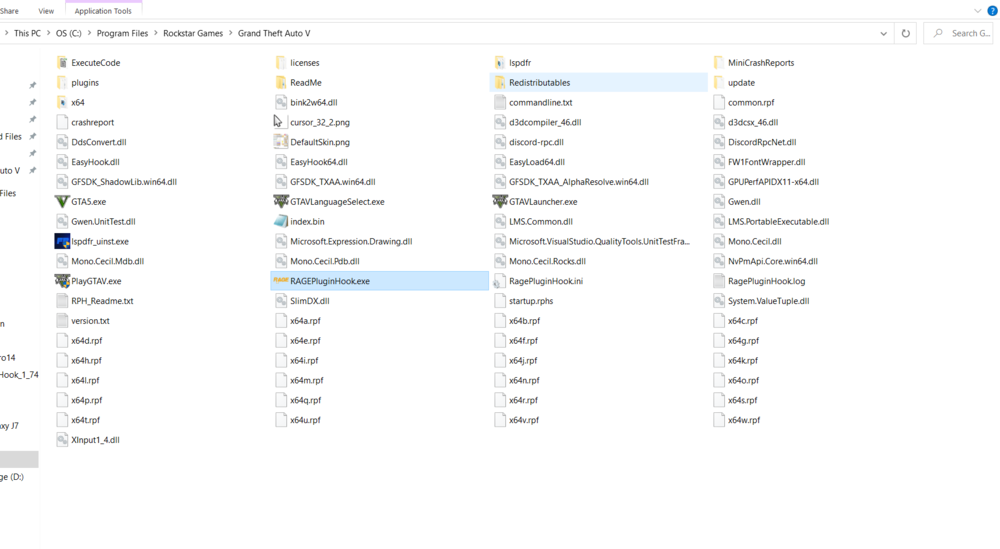
Greetings everyone, I've been trying to figure out this issue for ~5 hours on-and-off, trying many different solutions, to no avail. As stated in the title, GTA V will always crash when attempting to load the LSPDFR plugin. I've tried two different methods and both have not worked: If I have Rage Plugin Hook (RPH) load it on start-up, I will be permanently stuck at RPH loading the story mode. If I load LSPDFR manually, I am able to get past the loading screen and into the game. As soon as I load LSPDFR from the command area, though, it will start to load, then the world will disappear (save for Franklin, the nearby cars, and a couple houses), and then my game will crash. Some details that may be of relevance: - I'm running Windows 10 - I have disabled everything in Game Settings - GTA V is able to successfully load without mods and if I run RPH as administrator (and don't load LSPDFR at all) - GTA V is clean. The only files present are the normal, unmodified files and LSPDFR and RPH files - RPH will only work if I run it as administrator. If I do not, it will launch GTA V - but it won't connect and it will be stuck on "This is taking longer than usual..." and GTA V will just load normally - I've reset all the settings in RPH to default except for Plugin Timeout Threshold -- which I set to the max value (60000) I posted a picture of my directory and the RagePluginHook.log. Any help provided will be deeply appreciated (and may help me regain the sanity I've lost trying to figure out this issue)! RagePluginHook.log