Skip to content
View in the app

A better way to browse. Learn more.

LCPDFR.com

A full-screen app on your home screen with push notifications, badges and more.

To install this app on iOS and iPadOS
  1. Tap the Share icon in Safari
  2. Scroll the menu and tap Add to Home Screen.
  3. Tap Add in the top-right corner.
To install this app on Android
  1. Tap the 3-dot menu (⋮) in the top-right corner of the browser.
  2. Tap Add to Home screen or Install app.
  3. Confirm by tapping Install.

PLR

Members
  • Joined

  • Last visited

Everything posted by PLR

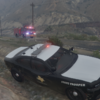
  1. So this is what I went ahead and made so far. I did not get far on the Charger because I want to find a better model. Out of boredom though, I made a Crown Vic VAPD skin that I like. It is definitely not perfect but it is still cool. Sorry that the pictures are blurry btw. Took them with my phone
  2. This current fleet would be the one I would use the most tbh, but I think anything would be really cool.
  3. Well I live there so I thought it would be really cool. I looked up to see if anyone had made a pack but this is all that pulled up.
  4. I was hoping someone would have made one by now lol. I would download in a heartbeat
Account

Navigation

Search

Search

Configure browser push notifications

Chrome (Android)
  1. Tap the lock icon next to the address bar.
  2. Tap Permissions → Notifications.
  3. Adjust your preference.
Chrome (Desktop)
  1. Click the padlock icon in the address bar.
  2. Select Site settings.
  3. Find Notifications and adjust your preference.