


Wizenedlake
Members
-
Joined
-
Last visited
Everything posted by Wizenedlake
-
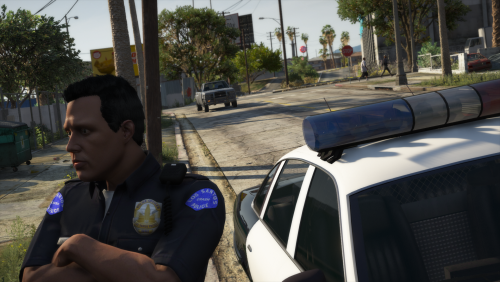 The LSPD's "thin blue line between ruthless gangs and the helpless public" spends more time stealing and planting evidence than arresting criminals. But hey, at least we can say we have a gang task force. Community Resources Against Street Hoodlums (C.R.A.S.H.) was a unit formed by Frank Tenpenny. If you've played GTA SA you know how well that went. This adds textures for your class As, Bs and Cs based off of the uniforms seen in SA. EUP:LO is required!
 -
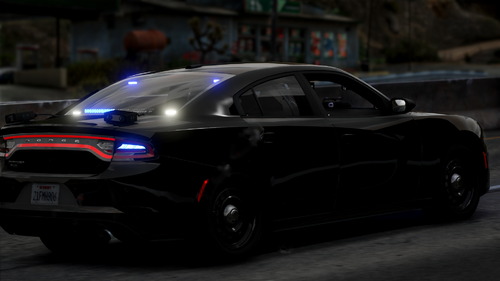 The 'HG2 Dark Avenger' is a specific car, with a lot of lights. (took me about 5 seconds on google to find that out btw) whilst 'Christmas Tree' is a very common phrase used to describe vehicle models with many lights (Just like a Christmas tree). You can use LML to have it in SP.
- 10 comments
- 1 review
-
-
So, I am very new to producing cars for GTAV (I'm still on Zmodeler's free trial, lol.) and am having an issue with ELS lighting on models. I followed this video tutorial by McGinlay pretty much to the letter (but I used the guide in the ELS documentation to decide which lights I should put in which extras), but in-game all that shows is the ELS enviromental (or whatever they are called) lights, and not the textures I put into the extras. The textures also didn't show when toggling them on using a trainer. How badly have I messed up? (also, the only light that is on the model is a lightbar, no additional LEDs.
-
 I'll try to do that, I used Steam's screenshot feature to take them in game and I'm not sure how to improve the quality or size of the images.
 -
This pack was based off the Indian River County Sheriffs Office and is lore friendly for the LSCSO, please keep in mind that this is my first texture and any feedback/advice is much appreciated. Credit to infidelplz for the models, they can be found here: https://www.lcpdfr.com/downloads/gta5mods/vehiclemodels/25452-bcso-pack-els-dlc-included/ The Tahoe texture should work for all three Tahoe models, and same with the FPIU. Includes: 2018 Tahoe, Marked, Slicktop. 2020 FPIU, Marked, Slicktop. 2018 Charger, Marked. Installation 1)Use the Installation Guide in the model files to install the models. 2)Go into the .ytd file of the vehicle you want to replace the texture of. 3)Drop the .PNG file included into the texture editor window. 4)Click save.
-
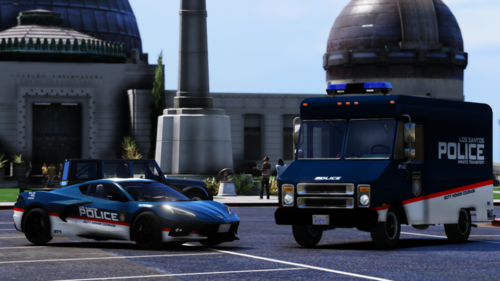 Having trouble getting the rotaries on the Chevrolet Impala to work, they do not rotate. I set my POLICE slot's siren settings to 13 but still nothing. Any tips? Never mind, I installed it into the wrong Carvariations.meta.
- 72 comments
- 12 reviews
-
-



