MrNoName411
Members
-
Joined
-
Last visited
Everything posted by MrNoName411
-
Hey, I've been modding LSPDFR recently and I ran into the game error: "ERR_MEM_EMBEDDEDALLOC_ALLOC Out of game memory" so I went to Youtube and found a fix which told me to install, GTA Config v26.2, Heap Adjuster and Packflile Limit Adjuster. After installing all three of those, I went to go launch the game and now the game just keeps on crashing after loading for a few minutes. I took out all of the mods from my directory and used a backup of my Gameconfig but it still crashes after loading for a few minutes and I don't get the out of game memory error anymore. If you would like a crash report from RPH I can get you that as well as a picture of my GTA V directory and mods folder if needed. Any help would be greatly appreciated, thank you!
-
Thank you!
-
I went to go play LSPDFR and when I go On Duty it says "failed to verify Stop the Ped and Ultimate Backup". It mentions that I should check my Windows Firewall and Anti-Virus but I'm not sure on what to look for. My Stop the Ped and Ultimate Backup are both up to date and I am playing while connected to the internet through an ethernet cable. Any help would be greatly appreciated. Thank you!
-
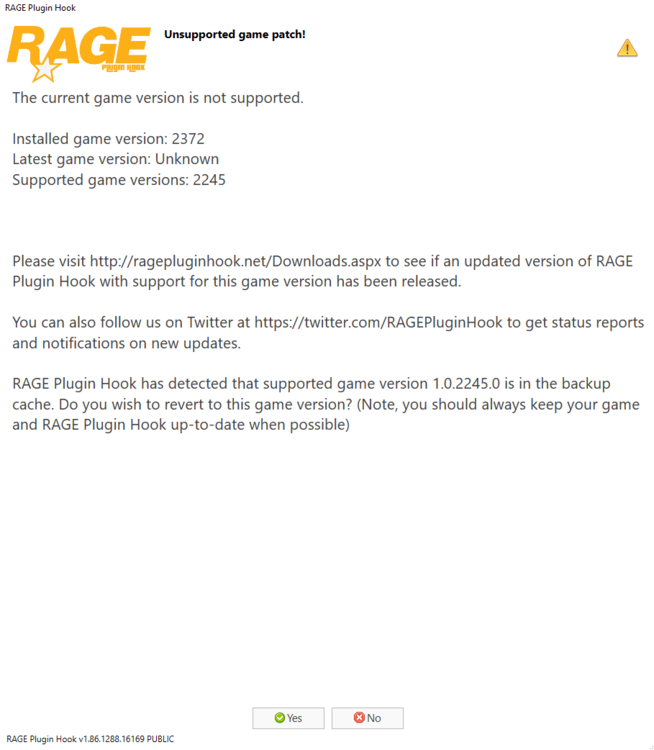
Quick update: Whenever I try to start up RHP to play LSPDFR, I get this message (in the screenshot below).
-
Ever since the new GTA V update has come out and I've updated Scripthook V, RPH and LSPDFR, I have not been able to go On Duty. Everytime I go On Duty my GTA V completely freezes and I have to hold the power button on my computer and restart it. I've tried using Force Duty and going to the police station but neither options work. I have my most recent log here but I can grab other logs from other failed attempts if needed! I'm not sure what the issue is, if anyone could help me out that would be greatly appreciated! RagePluginHook_25072021_230154.log
-
RAGEPlugin Hook and LSPDFR both start up perfectly fine but whenever I go on duty, I get the LSPDFR crashed sound and then my entire computer freezes and I have to hold the power button to restart it. I looked in my logs folder and it hasn't been saving logs for the most part whenever it freezes and crashes but luckily a few logs saved when it did freeze and crash. I should also mention that I did reinstall LSPDFR and RAGEPlugin Hook but that didn't fix the issue. If anyone can help me identify the issue through the log that would be greatly appreciated as I'm not too sure on what I should be looking for. RagePluginHook_09072021_194515.log
-
 This is exactly what I've been looking for. This pack looks great, keep up the amazing work!
- 110 comments
- 39 reviews
-