Skip to content
View in the app

A better way to browse. Learn more.

LCPDFR.com

A full-screen app on your home screen with push notifications, badges and more.

To install this app on iOS and iPadOS
  1. Tap the Share icon in Safari
  2. Scroll the menu and tap Add to Home Screen.
  3. Tap Add in the top-right corner.
To install this app on Android
  1. Tap the 3-dot menu (⋮) in the top-right corner of the browser.
  2. Tap Add to Home screen or Install app.
  3. Confirm by tapping Install.

DimitriYT05

Members
  • Joined

  • Last visited

Everything posted by DimitriYT05

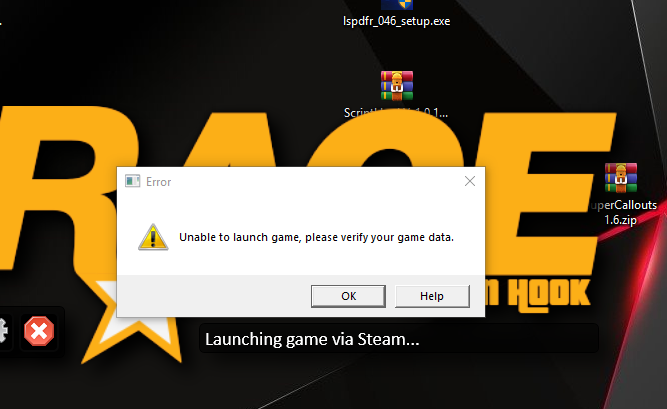
  1. Hello everyone, my lspdfr has been working fine until now. But since 1 hour ago it won't startup anymore. First it says that Steam failed to initialize. Then it says ''Please verify that the Steam Client is running and try again''. After that another error pops up my screen saying ''unable to launch game, please verify your game data''. I tried running it as administrator and my Firewall was off. So i don't know what the issue is, can somebody help me.

Account

Navigation

Search

Search

Configure browser push notifications

Chrome (Android)
  1. Tap the lock icon next to the address bar.
  2. Tap Permissions → Notifications.
  3. Adjust your preference.
Chrome (Desktop)
  1. Click the padlock icon in the address bar.
  2. Select Site settings.
  3. Find Notifications and adjust your preference.