


prolift
Members
-
Joined
-
Last visited
Everything posted by prolift
-
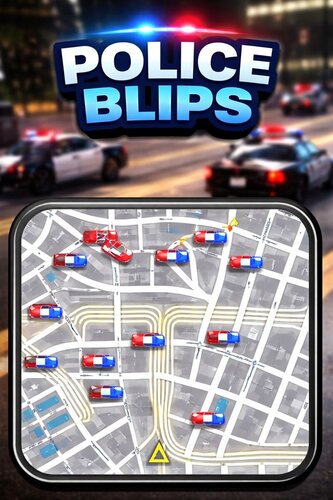 Standalone Police Vehicle Blips A lightweight, fully standalone police blip system that only shows law enforcement vehicle blips when you are actively driving a police vehicle. Blips automatically disappear when you exit the vehicle, switch seats, go on foot, or enter any non-police vehicle. This resource is framework-free (no ESX, no QBCore) and is designed for performance, accuracy, and easy configuration. 🔹 Features✅ Standalone (no dependencies) 🚓 Police vehicles only 🧑✈️ Driver seat only ❌ No blips on foot ❌ No blips in civilian vehicles 🚨 Siren-based blip color (red when siren is on) ⚡ Optimized server & client performance 🔧 Fully configurable vehicle list 📁 Clean FiveM resource structure 🔧 ConfigurationAll police vehicle models are configured via config.lua. Simply add or remove vehicle spawn names to control which vehicles qualify as police vehicles. 📦 InstallationDownload and extract the resource Place the folder into your resources/ directory Add ensure policeblips to your server.cfg Restart your server 🧪 BehaviorEnter and drive a police vehicle → blips appear Exit vehicle / switch seats → blips disappear Enter non-police vehicle → no blips On foot → no blips 📌 NotesDriver seat only (passengers do not see blips) Vehicle names must match spawn names exactly Designed for roleplay servers
 -
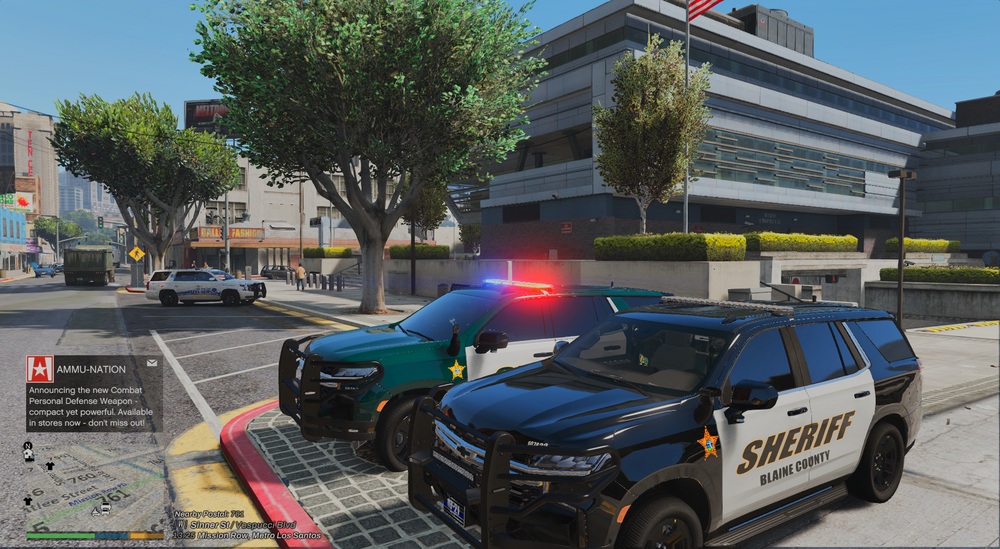
It’s a model from dean. The spawn name is 23sosppv1. It’s a dlc vehicle.
-
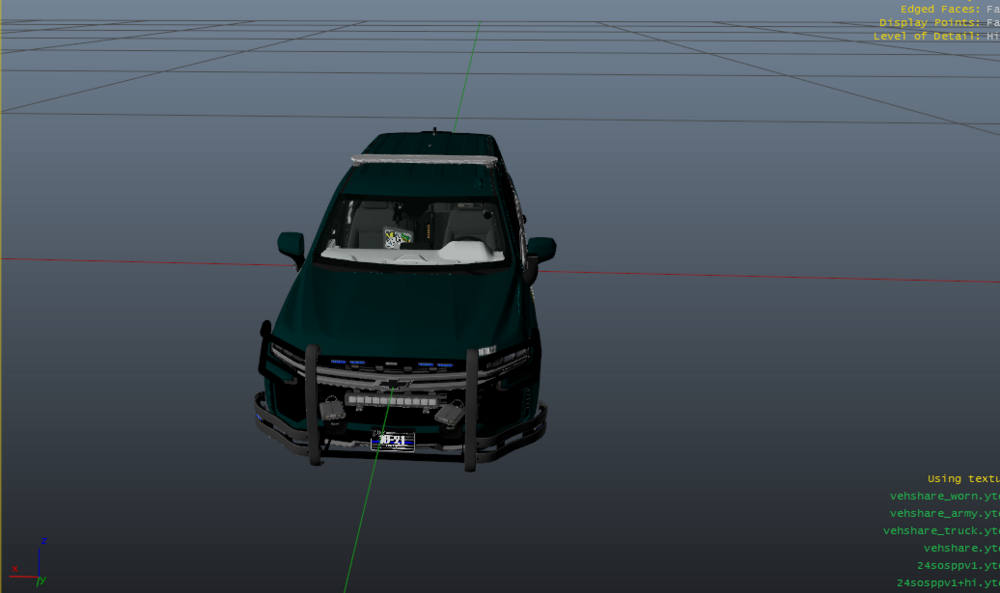
Anyone know a fix this black texture? The livery is green, but in game comes up black. Here are screenshots of it in open iv and compared to the another tahoe with the same base by the same author (which uses the same livery). I've tried editing the carvariatians.meta over and over and nothing works. After messing with some numbers it would spawn in for a blink of a second with the green color and jump straight to black. Any ideas? Thanks in advance!
-
-
-
.thumb.png.debb2e8fd42b234303e9e2473fb894e8.png) Been waiting for this update for MONTHS!!!!!!! Downloading and installing NOW!!!
Been waiting for this update for MONTHS!!!!!!! Downloading and installing NOW!!!- 100 comments
- 39 reviews
-
-
-
-
-
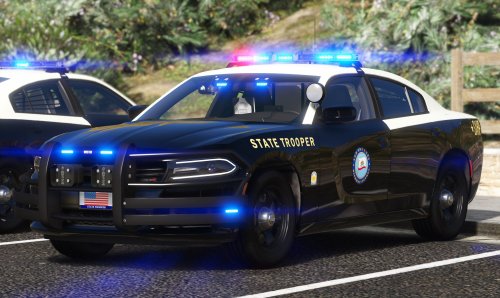 The middle light flashed in the same pattern as the front. On the very first few models of the rx2700 they did omit the light, but it was quickly changed with the rest of the models that year. Looking for a video to showcase and will link below. Also yes it does look weird lol. Great pack btw Update:
- 39 comments
- 4 reviews
-
-

- 1
-
-
I'm having this problem with my textures (pictures below). I know it's not my graphics card, because i have 2 other copies(fivem and online) of GTA on my pc and both work fine! I've updated my graphics card thinking it would fix the issue, but nothing! I also tried uninstalling all vehicle mods and running the game. Still nothing! I'm really trying NOT to reinstall the entire game and lose so much. Just wondering if anyone has ran into this issue or could I have installed something? Thanks for any help!
.thumb.png.9289c9a9cec1654952fb5e5adac447e8.png)
.thumb.png.bb149966c3798531669c13794213940e.png)
-
 Before we begin throwing the lie word around, let’s check our facts. Google will tell you everything you need to know. I’m speaking from personal experience and knowledge. As I said, depending on where you live they may have made to switch to all blues, but FHP still utilizes red and blue here in the north part of Florida. Yes. South Florida. Here in the north part of Florida most of our fleet is red and blue. We have a few all blues who pass through, but most are red and blue.
- 297 comments
- 21 reviews
-
-
- 2
-
-
I’m guessing you live in south Florida? Most of their units are all blues. However there are still quite a few red and blue trooper vehicles. I was responding to the fact that the original comment stating that they don’t use them at all.
- 297 comments
- 21 reviews
-
-
- 1
-
-
Correction: All blues came back with the 2018 fleet. Prior to that the older Javelins were all red and blue. They were fixed to change colors in the day and night. During the day they would flash 🔴🔴🔵🔵🔴🔴 in the night the colors would switch and it would flash 🔵🔵🔴🔴🔵🔵.
- 297 comments
- 21 reviews
-
-
- 9
-
-
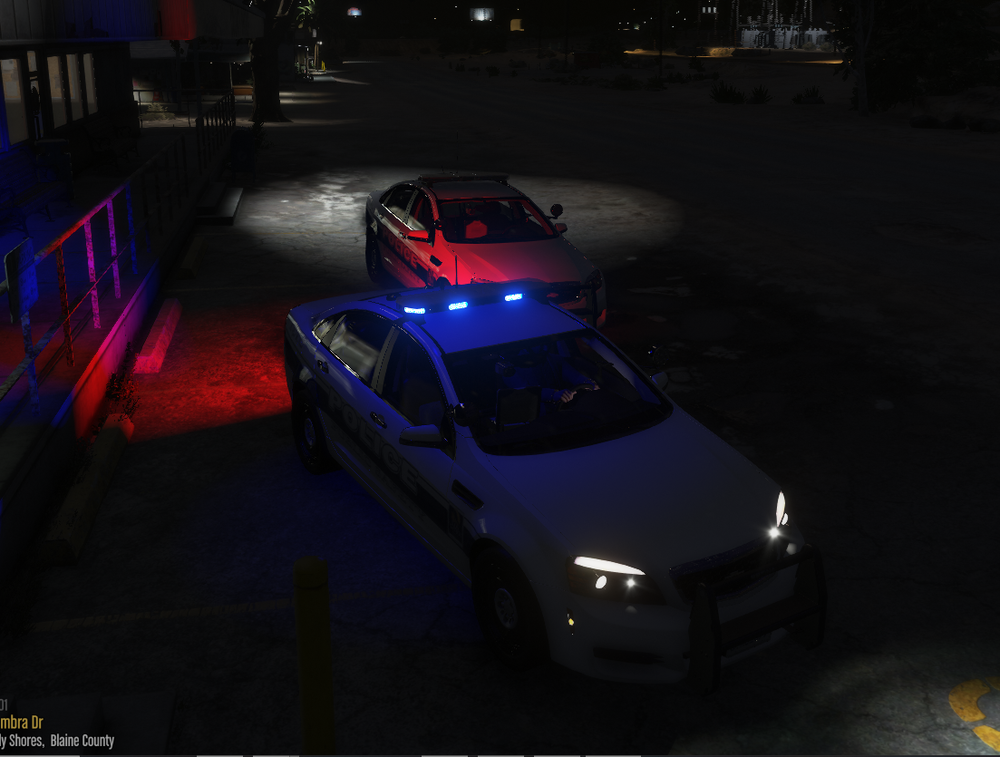
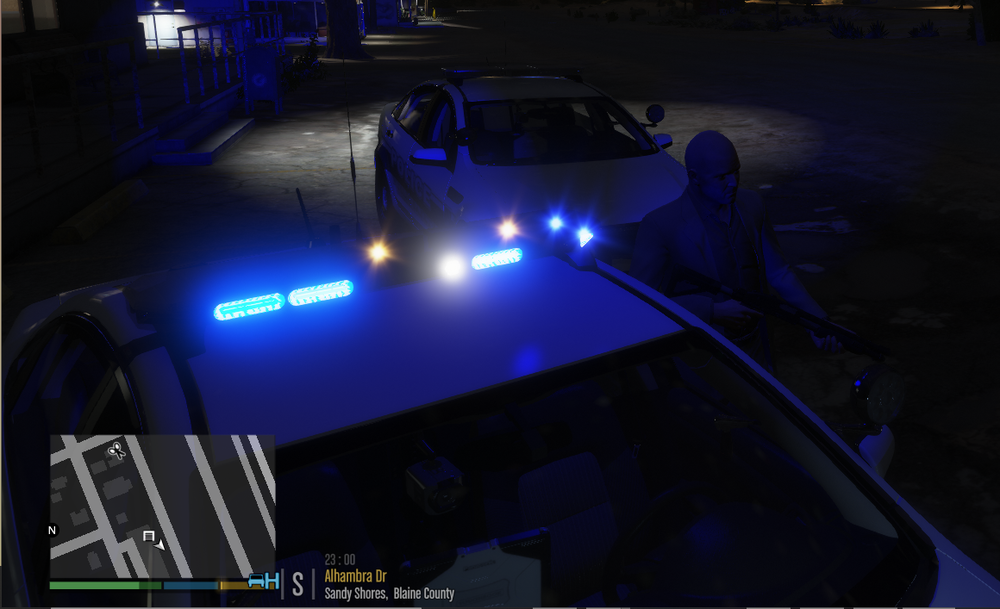
I've tried EVERYTHING to fix this issue. When I'm inside of the vehicle the lights look normal (1ST PICTURE). However when I get out of the vehicle this happens (2ND PICTURE). I currently use NVR, but have tried almost every visual mod there is. I've tried changing police slots, editing the carvariations, carcols, & vehiclesmeta with the one that came with the vehicle. If anyone has any suggestions on how to fix this issue I would greatly appreciate it. Thanks and have a blessed and safe weekend.



.thumb.png.debb2e8fd42b234303e9e2473fb894e8.png)
.png.3f162057fa41d996659e65bc9e8cac5c.png)
.png.328d500600755044f00379b292738c1d.png)
.png.39b15934b1f4c0024e73593804860ceb.png)
.png.16698af951c0cd9a97be5df126813300.png)
.png.b5a51914bd17a2e0bf1ff2da9543f09e.png)

