Skip to content
View in the app

A better way to browse. Learn more.

LCPDFR.com

A full-screen app on your home screen with push notifications, badges and more.

To install this app on iOS and iPadOS
  1. Tap the Share icon in Safari
  2. Scroll the menu and tap Add to Home Screen.
  3. Tap Add in the top-right corner.
To install this app on Android
  1. Tap the 3-dot menu (⋮) in the top-right corner of the browser.
  2. Tap Add to Home screen or Install app.
  3. Confirm by tapping Install.

BeeIsBad

Members
  • Joined

  • Last visited

Everything posted by BeeIsBad

  1. That would be really helpful, I joined so hopefully I can get this fixed soon.
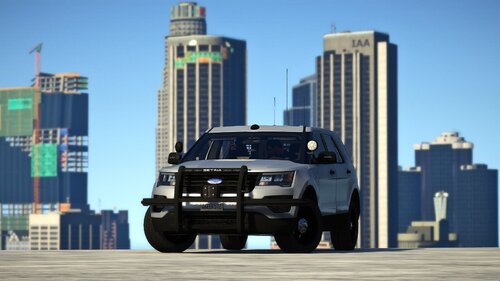
  2. I'm fairly new to this whole thing of modding, But I think I have done it right, Like I replaced the original fbi2 vehicle.meta with the one provided in the download. And I before I download stuff I always check if its in the right place cause I dont want to mess up, I'm fairly sure that I have downloaded everything correctly
  3. I have downloaded vehicle.meta, and I have played around with it trying to figure out why its still tipping over so easily. I'm so confused

Account

Navigation

Search

Search

Configure browser push notifications

Chrome (Android)
  1. Tap the lock icon next to the address bar.
  2. Tap Permissions → Notifications.
  3. Adjust your preference.
Chrome (Desktop)
  1. Click the padlock icon in the address bar.
  2. Select Site settings.
  3. Find Notifications and adjust your preference.