
Belligerent Ares
Members
-
Joined
-
Last visited
Everything posted by Belligerent Ares
-
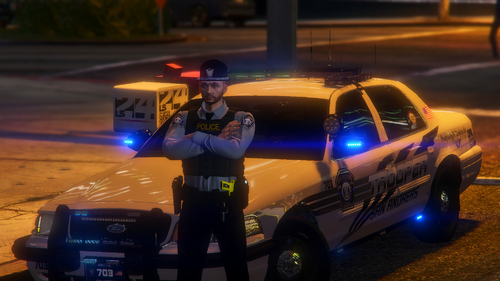 how do I install it? instead of .ytd files they're .png files and I don't know how to convert them into .ytd edit: nvm, I'm a dumbass
- 3 comments
- 1 review
-
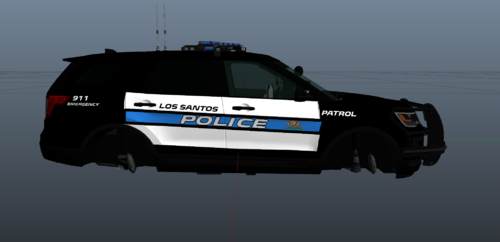 these are amazing, but is there any way to fix the license plate on the explorer?
 -
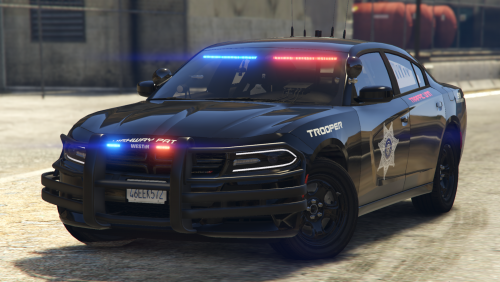 if anyone wants to use this livery on a charger with a lightbar I found one that works with it and looks pretty good imo is the 2020 charger from Othrin's Blaine County Sheriff's Office Pack 2.0: [ELS] Blaine County Sheriff's Office Pack - Vehicle Models - LCPDFR.com the skin/livery or whatever you wanna call it fits perfectly, just take the sign from this ones .ytd and replace the sign in Othrin's .ytd not that there's anything wrong with RangerZ charger, it looks really good but I just personally prefer a having a lightbar instead of slicktop
- 18 comments
- 4 reviews
-
 I miss the older style shirts, the ones now just look goofy and unprofessional with the buttons undone and the way the collar looks. Is there anyway to get an older version of eup?
- 2,346 comments
- 236 reviews
-
-
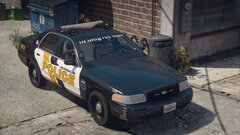 these look amazing, how do we get these? or are they not released yet
 -
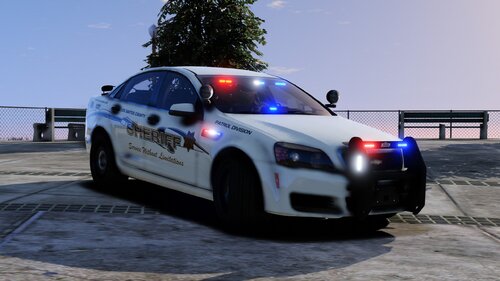 I love your caprice, it's amazing but is there any way to have multiple liveries for it? I noticed instead of the typical way liveries are put into the vehicles .ytd ex:(caprice_sign_1) you have it to where it just says caprice for the livery. I've tried a few different ways of adding liveries into it, I've tried caprice2 and caprice_2 and I've tried changing it to where both liveries say caprice_sign_(the number of livery) but nothing I've tried works. It's a beautiful car and I'd like to use it as my sheriff unit but also have a state trooper livery as a second livery so I can use them simultaneously, if anyone knows of a way I can do that please let me know. And for anyone wandering the state trooper livery that I found that works with it, it's Stobe's "SAST Texture Mega Pack - Fourth Update - Added Caprice 1.3.0" Link: SAST Texture Mega Pack - Fourth Update - Added Caprice - Vehicle Textures - LCPDFR.com
- 7 comments
- 4 reviews
-
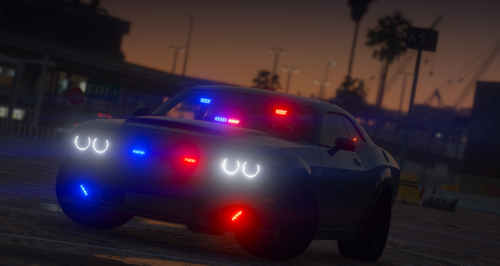 uhh... how do I install this? I'm used to doing the normal installations where you just drag and drop into the vehicles.rpf and stuff but what is "stream" and where do "carcols" and "resources" go?
 -
-
 anyone know a good state trooper skin or lspd skin that works with the vic, I've been able to find skins that work with all the other vehicles but I've never been able to find a skin that works with the vic and it sucks because it's my favorite but I'm not a big fan of the livery
- 261 comments
- 37 reviews