


Epidurality
Members
-
Joined
-
Last visited
Everything posted by Epidurality
-
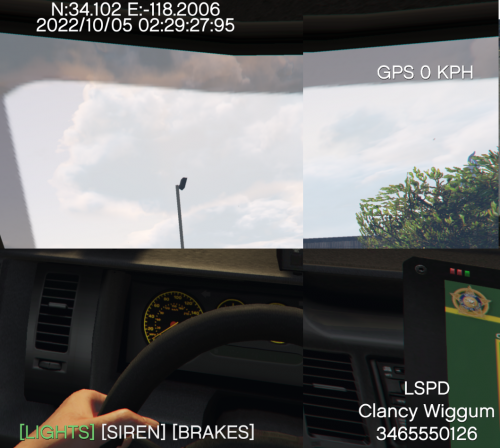 Had a typo in the code that means the Coordinates value for the Y position isn't being restored. Until I get my desktop back up and running (we had a storm+power outage, screwed with.. idk what on my PC), try moving the timestamp down below the coordinates instead of moving the coordinates down. By default coordinates will keep going back to the top. I'll make a new build when I can.
 -
Yep, I goofed and grabbed the wrong ZIP file. Should be fixed whenever it gets approved.
-
This overlay should appear on any view. I don't use DashCamV, but my assumption (as above) is that people who prefer the hood view could use DashCamV and just use this overlay while turning off DashCamV's. Can theirs not be turned off? 1. Added custom formatting (via INI file) in v1.0.1.0 2. I installed ELS to see what the deal was, and I can't figure out why ELS overrides the default siren noise functions. I'm not sure under what conditions ELS correctly reports the "IsSirenSilent" RPH variable, so I'm not sure how to get it to work with the overlay. For now, I've just added the ability to disable the SIREN portion of the overlay so that it can be hidden while using ELS. 3. Fixed in v1.0.1.0
-
I think that functionality is well covered by DashCamV, and I'm nowhere near a good enough plugin maker to do any better than that! Intent was that you could use this as an overlay to replace DashCamV's overlay for those that want the different look/features (like the bottom indicators). This overlay should be pretty lightweight, so fps shouldn't be affected running both mods compared to just DashCamV.
-
-
-
This plugin adds a simple overlay (using RageNativeUI) to more or less mimic an ASP Dashcam's overlay (with modifications to the location on screen to better suit GTAV's GUI layout to conflict as little as possible). All positions on the screen are configurable in the INI and an in-game menu (I/i key by by default, no controller support for menu key). # Prerequisities This plugin requires the following: * Rage Hook Plugin (https://ragepluginhook.net/). * Rage Native UI (https://github.com/alexguirre/RAGENativeUI). # Installation 1. Install prerequisites according to the latest release instructions. Ensure these are working correctly before troubleshooting issues with this plugin. 2. Drag and drop the contents of the Zip file from the latest Release into your GTAV directory. Files must be put into the RageHookPlugin 'plugins' folder. * [GTAV Root Directory]/plugins/DashCamOverlay.ini * [GTAV Root Directory]/plugins/DashCamOverlay.dll 3. Edit the .ini file. Note that positions and scale of the overlay can be configured using an in-game menu. Some aspects are only configurable in the ini. 4. Ensure the plugin is set to load in the RageHookPlugin (RPH) launch settings. Alternatively, use *LoadPlugin DashCamOverlay.dll* in the RPH Console in-game (F4 by default while RPH is active). # Support Please use the github Issues system to report issues. (https://github.com/Epidurality/GTAVDashCamOverlay) # Known Issues -I don't know of a more elegant way to hook into whether or not the user is using the brakes. Right now, the [BRAKES] indicator is less than perfect. Source code is available (above), if anybody knows a better way to get the brakes please let me know.
-
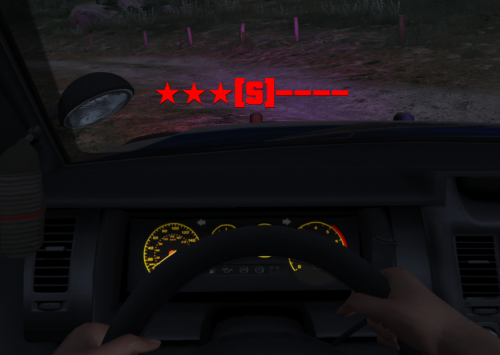 I think this wouldn't be too hard to accomplish. Speed, Brakes/Lights/Siren indicator, In-Game Time, and that GPS position are probably easy enough but I'm not sure how easy it is to hook into the GTAV street names for player location as per your second link. Pretty new to this but when I get some time I'll give it a shot. I would likely release this as a separate mod though. Surprised I can't find anything like this already?
 -
# LightsAndSirenIndicator Simple RageHook plugin to show light and siren status, especially when in first person view. Also includes Repair and Blip functions. # Prerequisities This plugin requires the following: * Rage Hook Plugin (https://ragepluginhook.net/). * Rage Native UI (https://github.com/alexguirre/RAGENativeUI). # Installation 1. Install prerequisites according to the latest release instructions. Ensure these are working correctly before troubleshooting issues with this plugin. 2. Drag and drop the contents of the Zip file from the latest Release into your GTAV directory. Files must be put into the RageHookPlugin 'plugins' folder. * [GTAV Root Directory]/plugins/LightsAndSirenIndicator.ini * [GTAV Root Directory]/plugins/LightsAndSirenIndicator.dll 3. Edit the .ini file, which is commented and should be straight forward to modify to your liking. 4. Ensure the plugin is set to load in the RageHookPlugin (RPH) launch settings. Alternatively, use *LoadPlugin LightsAndSirenIndicator.dll* in the RPH Console in-game (F4 by default while RPH is active). # Use * The Indicator will appear at the top middle of your screen whenever you are in a vehicle the game recognizes as a Police vehicle. * When the siren wail is silenced, the middle of the indicator will be blank. When the siren wail is active, the indicator will show "S". * When the lights are active, indicator will flash Red/Blue and alternate. * When lights are inactive, indicator will turn Gray and be static. * To 'blip' the siren (same sound as quickly turning on and off your siren+lights, but without the lights), use the "G" key by default. * To repair your vehicle, *you must assign a key in the .INI file*. By default it has been disabled, as many other plugins already perform this function. * Most of the above behavior can be configured or modified in the .INI file. # Support Please use the github Issues system to report issues. (https://github.com/Epidurality/LightsAndSirenIndicator) Feel free to modify the code for your own learning or to change colors/etc, but note that I will NOT be providing support for modified code. # Credits Plugin steals heavily from user goigle, who wrote the original First Person Siren/Light Indicator & Blip Siren Mod. While none of their work was used, this is clearly inspired by that plugin. As that plugin had a bug where the Blip key could not be changed/disabled, I decided to re-write a similar plugin as my first.
-
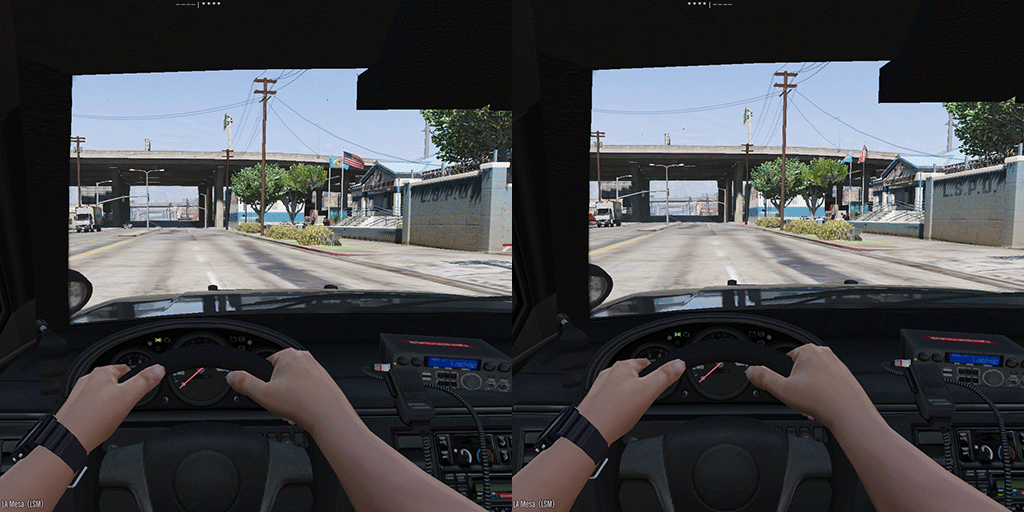 As a first-person player, this mod is invaluable. Lightweight, simple, and customizable. However. maybe it's due to the LSPDFR updates, but I can no longer rebind the "blip" key. It seems stuck on "G" no matter what key I have in the .INI. While this isn't game-breaking, if the author ever comes back to this mod it's something of note.
 -
I can find tens of threads about "how do I stop my siren automatically", which LSPDFR (when you're not running ELS) does already. What I HAVEN'T found is: How do I stop LSPDFR from turning my siren off? I don't particularly care if the siren turns off when I get out of the car; I understand that's default GTAV behavior and might be more difficult to change. Where it bothers me more is when, on traffic stops, I'm assuming it's LSPDFR that auto-blips and turns off the siren. I know ELS allows this, but it's quite involved and I like the lore-friendly non-els cars I've got. Plus, holy keybindings. SirenMastery I believe might have been an option, but unfortunately Albo's plugin tanks my framerates. Only thread I've seen, which was not really resolved:
-
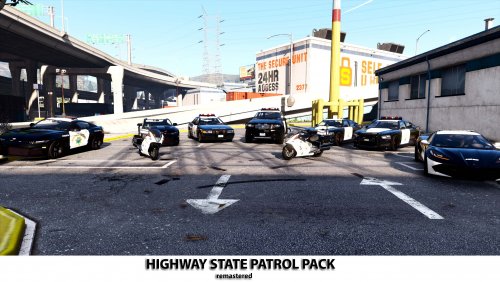 I'm having the same problem; DLC pack doesn't show up in game (using Menyoo; doesn't show up in "Emergency" vehicle list, and none of the model names worked when using "Input Model", all came up invalid.) Tried accessing "policeb1", "dovhpbuff2", etc. The name of the DLC folder after automatic install is indeed "Highwp", which is correctly added to the DLCList.xml. Tried renaming to lowercase ("highwp" for folder and DLCList) and still nothing. Unfortunate, since your pack looks good. Does your automatic install put anything weird anywhere, or just the Highwp DLC folder + DLCList.xml edits? Simple enough to delete that DLC folder and remove the line from DLCList.xml to "uninstall" as long as no other directories were modified.
- 35 comments
- 2 reviews
