Skip to content
View in the app

A better way to browse. Learn more.

LCPDFR.com

A full-screen app on your home screen with push notifications, badges and more.

To install this app on iOS and iPadOS
  1. Tap the Share icon in Safari
  2. Scroll the menu and tap Add to Home Screen.
  3. Tap Add in the top-right corner.
To install this app on Android
  1. Tap the 3-dot menu (⋮) in the top-right corner of the browser.
  2. Tap Add to Home screen or Install app.
  3. Confirm by tapping Install.

GokanTheHusky

Members
  • Joined

  • Last visited

About Me

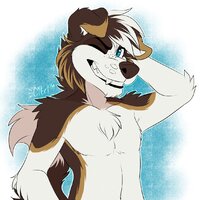
Hello. My name is Gokan. Your friendly neighborhood furry hailing from NSW Australia. I enjoy gaming and have a big interest in police cars. I plan on upgrading my pc in a few weeks.

Current specs:

MB: Asus STRIX H270F Gaming

GPU: G1 Gaming GTX 1070

RAM: Single Channel Avexir 2400Mz

CPU: Intel Core i5-7500

PSU: Corsair VS450


Future specs:

MB: Either Gigabyte X570 Gaming X or MSI B450 Tomahawk Max

GPU: (Undecided)

RAM: Dual ADATA XPG Spectrix D60G CL16 3200Mhz

CPU: AMD Ryzen5 3600X

PSU: EVGA SuperNOVA G3 650 Gold


My favourite police car is the one you see below. Holden VF Commodore.

CommodoreCop.jpg

Account

Navigation

Search

Search

Configure browser push notifications

Chrome (Android)
  1. Tap the lock icon next to the address bar.
  2. Tap Permissions → Notifications.
  3. Adjust your preference.
Chrome (Desktop)
  1. Click the padlock icon in the address bar.
  2. Select Site settings.
  3. Find Notifications and adjust your preference.