Cpl.Pitts
Members
-
Joined
-
Last visited
Everything posted by Cpl.Pitts
-
I totally agree, modding sure can be messy at times. It is finding the right balance between what you want and what the game can actually take as far as being modified. I have the same kind of approach as you do, I have never really learned how to be a fully fledged expert on modding, but I know enough and can read code, so things tend to go ok. There is also usually a log for when things go wrong, but in this case that was not so helpful Lol. Your theory was spot on as the Callout scripts were definitely causing upset somewhere in the depths of everything, so props to you my friend. You have been a massive help, you should give yourself more credit mate. You definitely answered my call for help here when no one else seemed to be active in this support area. I will be sure to come running back here if anything else untoward happens. So thank you again, much appreciated. Feel free to hit me up on any of the contact links. Stay safe, have a good one!
-
Had a day or 2 of testing and so far all looks well, had 2 crashes but they were typical LSPDFR crashes nothing major. Put almost everything I had back on, including some of the mods you have. The only ones I didn't even bother trying is CalloutsV and NiceCallouts, so I am guessing it was one of those which was the culprit. Although I did install them on a vanilla install of LSPDFR and they were running fine, I just think they were conflicting with some other Mod or script I had running, and for whatever reason they didn't get on well. Before I could hardly start a session and it would keep crashing, but so far I have managed to have some good runs. Thank you for all your help, been great discussing things with you. All the best.
-
Currently installing a fresh vanilla GTA, once it is done I will run it with LSPDFR without the callouts. I will then slowly add other plugins back on it, and I am downloading some of the mods you use.
-
I agree, I do think it was CalloutsV or NiceCallouts
-
Super news, hope things stay more stable now you removed lively world Very true, looks like you have some good scripts running though, so i don't think I will lose out on too much. It is trying to mod LSPDFR for British styles which seem to be more difficult than other mods. Fortunately I have enough memory to be able to make multiple back ups, so reverting things isn't such as pain. The most time consuming thing is doing the CSI style investigation on finding out which is the culprit lol.
-
Lively world looks like it was last updated back in December 06, 2018. Anything not up to date with the current version of LSPDFR can cause issues, can I ask what the specs are for your computer?
-
Yup I second that motion. I am going to check those plugins you have, they all sound pretty decent, especially the lite ones. Although my FPS is clearly not an issue, it could go a long way to make it even more stable
-
Yup, I think what got me confused the most, is that there is no real sign in the log that shows conflictions or faults. It is a rather boring and standard log, and with the severity of crashes, I would have expect there to be something waving in there saying "It's me at fault" but not a nugget. I am putting my money on either computer plus or 1 of the callout plugins.
-
Having a few issues myself but we all seem to be lost here to why, as there is nothing wrong with the logs etc I am getting. My issue is most likely a conflict of interest with an out dated plugin, but I know my way around so I am more than happy to have a look at your logs and see if there is anything major causing issues.
-
What mods, Callouts & plugins do you have? Does it happen during a specific callout type, if so which one?
-
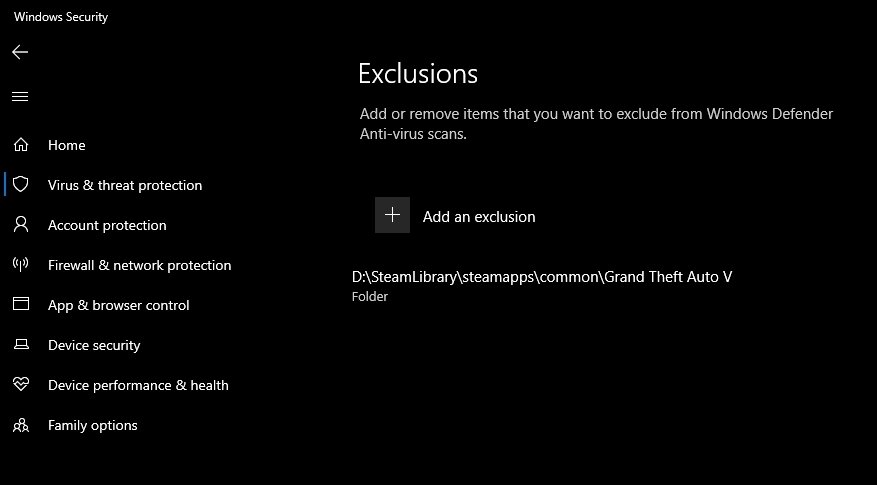
Yeah I restart the laptop at least once a day, I have tried running GTA on it's own, and that does work fine. I just cannot seem to find what is causing the LSPDFR issue, currently I am installing each plugin one by one slowly to try find which is at fault. I have a second GTA Folder which is just LSPDFR vanilla. Last night I left it running for a good couple of hours, came back and it was still on, so it does look like one of the plugins/mods is causing the issue, but which one, is a whole different question 😄 The irony is, having just the vanilla LSPDFR with no mods or extra plugins, I was getting worse FPS than I was with all the extras added. I was getting around 70 - 80 FPS Lol. Yeah I do have it excluded in windows security centre also.
-
Hahaha 😄 😄 Yes I have the latest version of those plugins. I have done multiple restarts, for multiple reasons, as for LSPDFR I do a hard restart to drain the system, battery and motherboard of any static which could be messing with things, but I will make sure to do a "turn it off and on" protocol again. I shall do the above and run the game, if or when the game crashes I will send you the crash report.
-
😄 😄 Pretty good right, as good as my FPS is, it doesn't help the game from crashing haha, i would rather sacrifice FPS for it to be stable and work ANY DAY! 👍🏼 As for why it is so high, apart from having a very new high end laptop, a little over clocking, maintenance and good optimisation <--- being the key, I make sure I have it all locked down whilst gaming so it can focus purely on that, rather than all the other BS windows does in the background. Apart from that I am not 100% sure why. I am guessing it will drop as time moves on (in a relatively short time period). I am more than happy to continue with your help, I thought about contacting 1 of those guys last night before I came here, but as you stated Albo did go open source and I know he is concentrating on other things and Double Doppler is kind of the same. I was even thinking about contributing to their patreons, but like I said, I won't be "That Guy" and I am sure between yourself and I as well as the community here, we can get this sorted together. It's not like I am a fish out of water with computers/codding etc but this has really stopped me in my tracks. So same here, I'm more confused than a chameleon in a bag of skittles mate. And nope, nothing changed in the RageHook settings. I only have ever changed the "plugin timeout threshold" but I have done that ever since I have used LSPDFR and it never gave me any problems, I originally changed it before I got this new laptop as my previous laptop was very old and needed a little more time to think. I have run LSPDFR vanilla on the preset RageHook threshold count and again it was working fine on both changed and unchanged thresholds.
-
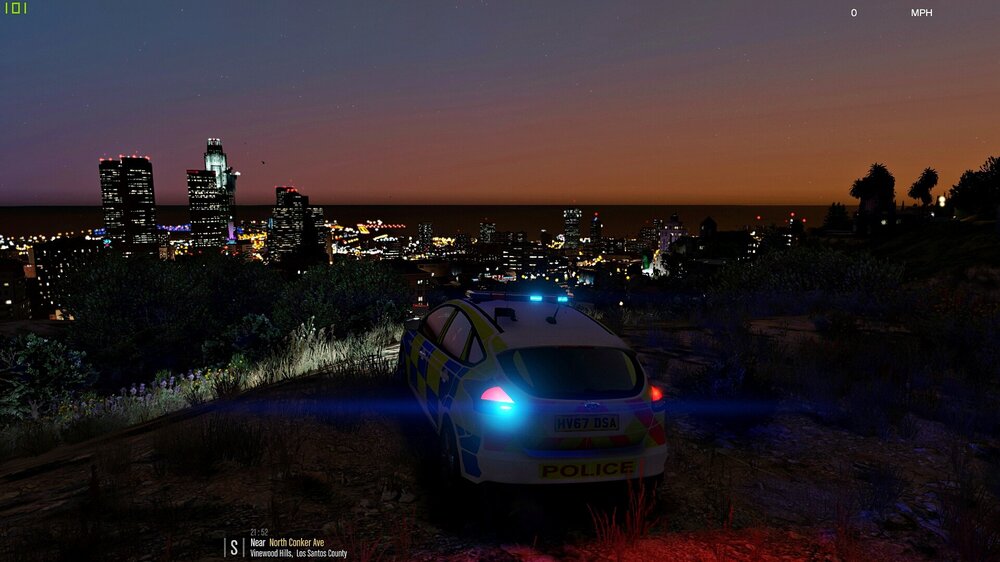
I will definitely try your recommendations, failing that I will pull up my big boy pants and do a fresh install of everything one by one. It really is puzzling me, my FPS is solid, usually between 80 and 114 even with the mods etc so I am very puzzled to why it has suddenly started to crash. Maybe it is just computer gremlins. Hopefully those recommendations will work a treat, worst case scenario, I will have to CSI install everything to catch the culprit. I will keep this posted with my progress. I was thinking about contacting Albo or Double Doppler but I really don't wanna be "That Guy" Lol. *I have all the required .dll and scripts in order to run things, I also first did a manual install of LSPDFR, then an automatic install, then another manual install with certain mods removed in varying orders etc. Thank you for your continued help and for your time in looking into this. Beers all'round (If legal) Don't want the real LSPDFR knocking on my door!! 😄 Regards.
-
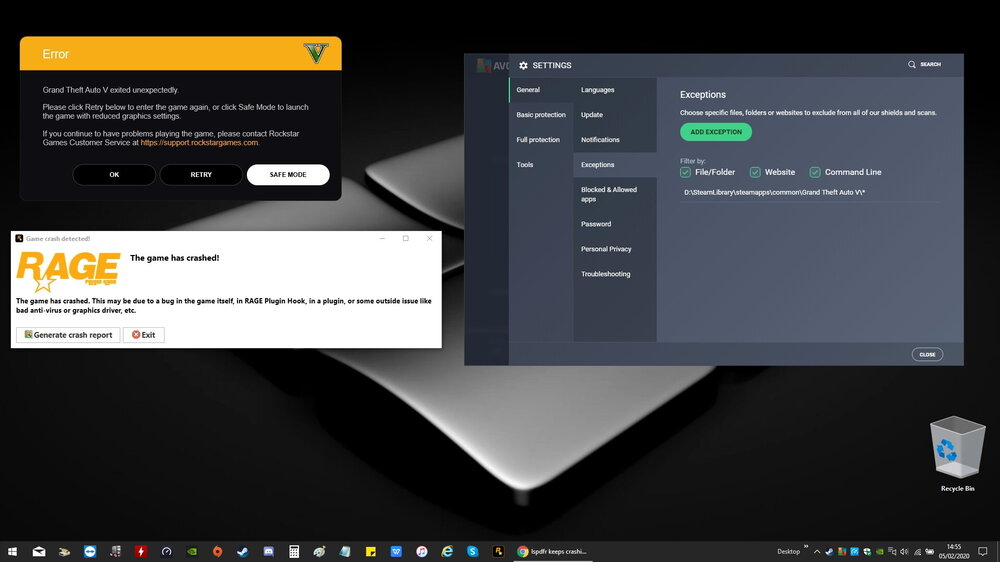
Just crashed to desktop again, this is what comes up every time, both Rockstar and Rage. I even have it excluded via anti-virus. RPH Crash.log
-
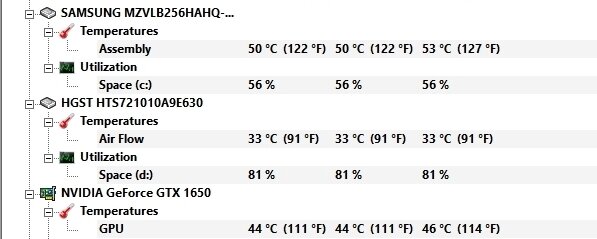
Temps. Plugins, scripts, mods etc... Root Folder: CarControls, ELS, PLD, TrainerV, OpenIV. Plugins: PoliceToolBox, SirenMastery, British Policing Script, LSPDFR+, PoliceSmartRadio, SearchWarrant, ComputerPlus, ALPRPlus, Traffic Policer, Arrest Manager, Assorted CallOuts, CallOutsV, NiceCallouts. All mods, scripts and plugins worked up until last night. I have now removed Arrest Manager, Assorted Callouts, CalloutsV and NiceCallouts. I have 4 Modded Vehicles using OpenIV POLICE - Police Ford Focus Hatchback Marked & Unmarked (ELS Pack) - BritishGamer88. FIRETRUK - 2017 Mercedes-Benz Atego London Fire Brigade Appliance - ObsidianGames AMBULANCE - 2018 Mercedes Sprinter Boxed Ambulance (ELS Enabled) - BritishGamer88. FBI - 2019/2020 Police Ford Focus ST (ELS Enabled Pack) - BritishGamer88. 2 modded settings using OpenIV FreeMyController-PhoneOnly - Delco24. Make Visuals Great Again 2.65 - Kompetenzz. 3 modded peds using OpenIV British firefighter uniform + Real Helmet - swfc4life. British Paramedic (New Ped Model) 1.0.0 - amateurModder. British Police Officer (New Ped Model Female&Male) 2.0.0 - amateurModder. 1 Sound/Siren pack using OpenIV Met Police & London Sirens 1.0 - Double Doppler. All the above was working fine up until last night. I have removed them and the CallOuts plugins and about to start LSPDFR to see what happens now.
-
That was my first theory, but it seems to hate me since last night Lol. I actually did a full vanilla copy of GTA and then downloaded a vanilla copy of LSPDFR 0.4. My specs are as follows: HP Pavilion 17 Windows 10 Home 64 Intel Core 9th Gen i7 - 9750H 4.5 GHz Hexa-Core 6 Cores, 12 Logical Processors 12MB Cache Intel M370 Chipset set 16GB DDR4 2666 SDRAM NVIDIA GeForce GTX 1650 4GB GDDR5 Dedicated RAM Intel UHD Graphics 630 256GB PCIe NVMe M.2 SSD 1 TB HDD 7200 RPM 17.3" 144 Hz FHD IPS Anti-Glare Screen Less Than 1 Month Old. As for crash dialog boxes, both RageHook comes up and Rockstar Crash dialog box opens with the [OK] [CLOSE] [SAFE MODE]) options. * I have also tried running with normal and admin privileges - Crash occurs in both ways also.
-
Thanks for the very prompt response. Yup it's baffling me also. I will certainly give it ago without CalloutsV and NiceCallouts. It does also crash to desktop during a vanilla setup, with the same consistency and randomness. There is no real time, event, period or action which seems to cause the crash that I have noticed (For example: A specific call or pursuit). The issue only started last night and was running perfect, but I have added nothing different to when it was working solid. I will remove both the Callout Mods and try again. One note I will add is, sometimes very rarely, LSPDFR would crash but "unplug" itself rather than crashing to desktop. (Which I am sure you know is pretty normal). All I would do in those circumstance is reload the plugin and it was back up working. This one has me stumped! Will keep you posted of what happens after I remove the Callouts and send you any logs. Regards.
-
Good afternoon, this is my first time posting here for help. I generally do not have problems with LSPDFR & Mods overall, but no matter what I do, whether I uninstall and reinstall things or unplug / disable Mods, I cannot stop LSPDFR crashing to desktop. I have done a load of shuffling about with files, removed them, set them back up and still the crashes happen. So I have made a crash report of the plugins and Mods I have running in the configuration I would like the game to run on. If someone would be kind enough to look through it and either tell me I'm an idiot for screwing something up or kindly supply a resolution, any conflicts and/or what is causing these consistent but random crashes wrong. Much appreciated, Kind Regards. RPHCrash.log