


RandomPerson Modding
Members
-
Joined
-
Last visited
Everything posted by RandomPerson Modding
-
-
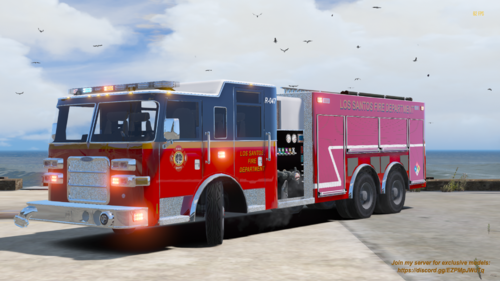 Hmm try a reinstall @robin09g I just tested the yft files and they are working properly and this shouldn't happen Update on your issue... in OpenIV you have Level of Detail to Med make sure to set it in High I have the exact same results if I put my OpenIV in Med LOD, Hope it works for you @robin09g
- 7 comments
- 1 review
-
RandomPerson Modding commented on RandomPerson Modding's file in Resources & Assets Vehicles & Parts
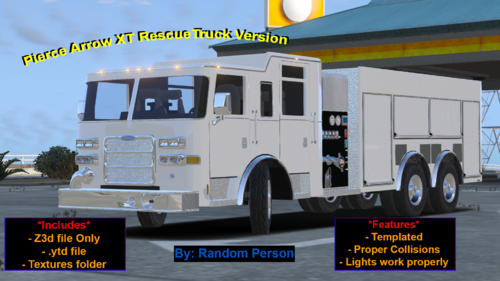 yes just like BeastlyGaming said I made it a 6x6 the original one is this
 -
Back again with another release for all of you this time I'm releasing this firetruck I made using my modified base of 0taku's Pierce Arrow XT Truck Nothing much to say I guess, just don't reupload anywhere or try to unlock this model Install instructions in Readme
- 7 comments
- 1 review
-
-

- 2
-
-
RandomPerson Modding commented on RandomPerson Modding's file in Resources & Assets Vehicles & Parts
?
-
Just an Unlocked Rescue/Ladder Truck version I made using 0taku's Pierce Arrow base ------------------------------------------------------------------------- This is a Dev model only It is intended to be used with Zmodeler 3, If you release a firetruck with this base make sure to upload it as a locked model and give proper credits When using this you are expected to have basic knowledge using Zmodeler as I would have no time to help anyone making a firetruck out of this It says Ladder truck but this is meant to be used as a Ladder truck but doesn't include the ladder -------------------------------------------------------------------------- 0taku's Terms of use "1. Do not claim model as your own 2. Do not convert to other games without checking with me first. 3. When releasing file must be in a locked state. 4. You MAY NOT sell or profit from any part/texture of this model in any state, personal or public." --------------------------------------------------------------------------- in other words Just do whatever you want with this just make sure to give credits,release locked and follow the terms of service
-
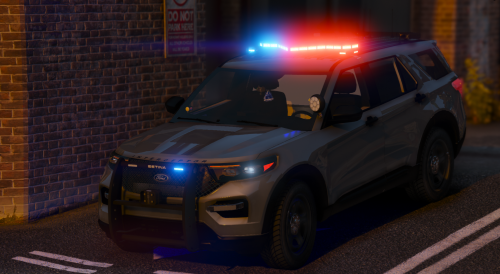
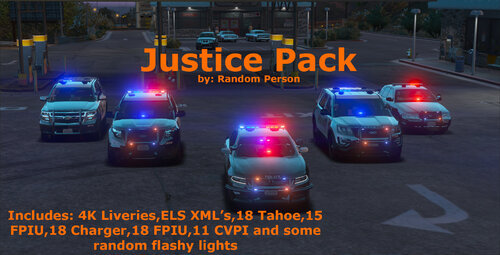 In my first release I present you 5 vehicles I worked on in the last week This pack includes 2011 Ford Crown Victoria 2018 Chevrolet Tahoe PPV 2018 Dodge Charger 2018 Ford Explorer 2015 Ford Explorer You may not reupload this anywhere else without my permission I have no plans on making this Non ELS, what's done is done
- 8 comments
- 1 review
-
-
- 6
-
-
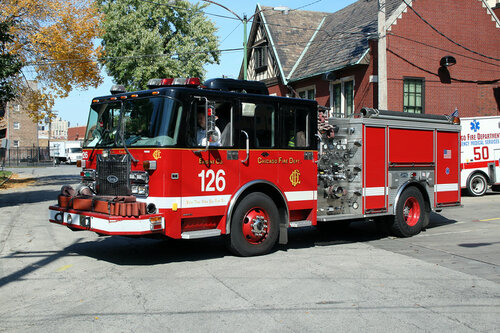 I runned GTA V and it directly went into the "Blue Screen of Death" Files got corrupted and can't delete them anymore it's just a file I can not even open rn
- 19 comments
- 1 review
-
Oh I srsly owe u man, It did work,I uninstalled ASI loaders then closed OpenIV the opened it,Install them again,Restart my computer and start up GTA V Thanks it worked 🙂 @jeffdadawg
-
for like 2 days @evandasavage121 and I've been using ELS for over a year and around 4 months on the car I showed on the vid
-
@evandasavage121 I do have callout plugins for LSPDFR but when I reinstalled the game I tried ELS without any other mods just an ELS car and ELS on it No other mods
-
I did that too,It happens not just with the charger shown in the video It happens to all of my ELS cars that are over 30 cars I have installed @evandasavage121
-
@evandasavage121 I did that yesterday and no I also reinstalled my game and still nothing
-
@evandasavage121 I did,when I press J 3 times the only lights I get are tailights Watch the video there I show how the issue actually is
-
@evandasavage121 It just shows ELS Key lock active in red,My lightbar does not work
-
Hey @UnknownBastion the key works but the lights still have the same problem I just get a red message saying ELS Key Lock Active
-
Update: I reinstalled GTA V and still the same I also downloaded the ELS XML for the model again and no I really don't see where the problem is, please help Thanks
-
I was just watching some ELS videos and I pressed Ctrl P to bring up ELS UI and my WW lights are not activated Any ideas how to activate them again?
-
From one day to another I started up GTA V like I always do and the flashing lights on the lightbar won't work the only lights that work are the ones shown in the video I've tried 3 solutions but none of this have worked 1 I've reinstalled ELS 2 I reinstalled ASI loaders 3 I reinstalled ScripthookV Any ideas of what's causing this issue? (a key I never pressed before I pressed it and did nothing before shutting down GTA V the last time it was working all fine was this key "\" I tried pressing it again but it didn't do anything) the video showing the problem is this any help is appreciated Thanks
-
-
Hey I just downloaded LCPDFR Manual Install (Legacy Version) and whenever I load in I get the Error Error in script "LCPDFR_Loader.Loader"! LCPDFR Encountered a critical error while initializing and was shut down. Please check the logfile The way I installed was just drop all the files in the ZIP on my GTA IV Steam Directory Here I attached my log file Any help is appreciated LCPDFR.log
-
so I know that the 1st tone shown in the video is SIREN_PA20A_WAIL The second tone is SIREN_2 and the third one is POLICE_WARNING, does anyone know the name of the 4th tone of the siren? Note: In this vid I played the siren from tone 1 to 4 (See video description) https://www.youtube.com/watch?v=otINJhriDEU Please if somebody knows the file name,Let me know since I can't find it in the vehicles.awc file
-
.thumb.png.e88f1892e13ddb98db35e668d465c34b.png) Awesome only problem is I can't change the light colors, I've done it via the ELS file and nothing (I've done it in other cars so I know what I'm modifying in the file),I found an ELS file for this vehicle
Awesome only problem is I can't change the light colors, I've done it via the ELS file and nothing (I've done it in other cars so I know what I'm modifying in the file),I found an ELS file for this vehicle- 182 comments
- 44 reviews
-
 Install path?
 -
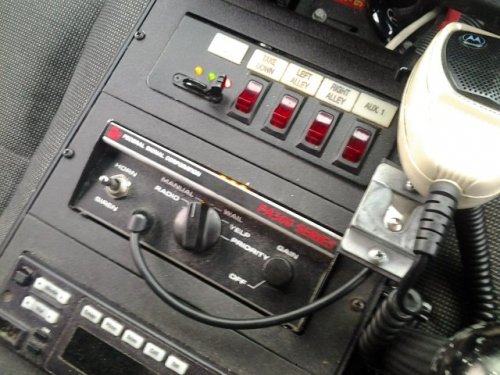 GTA V version? I really want those sounds for GTA V since I do not own GTA IV
- 30 comments
- 10 reviews
.thumb.png.e88f1892e13ddb98db35e668d465c34b.png)
