


Vitroze Gaming
-
Joined
-
Last visited
File Comments posted by Vitroze Gaming
-
-
 12 hours ago, pulldabaddest said:
how to install? sorry having trouble
Hi, there,
To install my script you just need to drag the Plugins folder and the RAGENativeUI.dll file into the root of your GTA V folder.If you need to configure the script, just go to the root of your GTA V folder then Plugins\LSPDFR\CalloutLauncher and you'll find CalloutLauncher.ini
I hope I've helped you,
Best regards,
Vitroze -
18 minutes ago, Wolfx101 said:
I’d like to see an option for callouts to be delivered to the Player automatically like they normally would based on distance, to overcome backend dev probabilities so every callout has a equal chance to trigger if within given distance.
Hi,
I didn't understand the request :')
-
9 hours ago, SuperPyroManiac said:
RNUI allows redistribution and it's something we allow. The original issue that I hid your file for was due to you including LSPDFR itself as a download, which does not allow redistribution.
Oh right, thanks for the clarification! Given that the DLL didn't belong to me, I thought I didn't have the right 😉
-
-
Just now, UnknownRK said:
Sorry, maybe I didn't communicate it well. To be more specific, I would like to have a setting where two keys are used to open menus.
The most obvious example would be a setting where you have to press “LShift” and “F6” at the same time to open the menu. The plugin that actually has this functionality has a setting named “ToggleKeyModifier”.
I am relying on a translator, but I hope I have conveyed my intention correctly. Thank you in advance.
By the way, the numeric keypad can be set by NumPad0 to NumPad9
Ah, now I understand your request. I'll see what I can do for a future update 😉
-
6 minutes ago, UnknownRK said:
Thanks for a great plugin. The addition of the delay setting in the config was very helpful.
One thing I was wondering, do you plan to add a modifier key to the menu open key in a future update?
The entire keyboard, including the numeric keypad, is used for other menus, which can be a little inconvenient. Maybe it is just me, Thank you for your consideration.
(DeepL Translation)
Hello,
Thank you for your comment, I already have. You can change the key to open the menu. The configuration is called: OpenMenuI don't know the exact key for the numeric keypad. I'll do some research and get back to you.
-
Hello,
22 hours ago, BlueLine Vibes said:1. I am unsure why you included LSPDFR itself in your upload. Although the experienced player, would know not to install this if they are playing on an older version (Yes, there are many of us out there that play on older stable versions of GTA 5) there will be some that accidently just drag the plugins folder into the game directory thinking that it will be an easy drag and drop and now .... you just completely updated their LSPDFR to a possible different version. Your plugin works fine on version 3028, by the way.
This is a total oversight on my part regarding LSPDFR. I forgot to remove it from the archive. Thank you for your comment!
22 hours ago, BlueLine Vibes said:
2. I would recommend that you add a delay that the user can set in the config. When I use the Callout Interface Callout manager built in, I like to add a delay up to 12 seconds, this allows seamless edits for those that like to produce content, and it also allows the player to take those extra few seconds to have a small bit of immersion of actually getting the call instead of a instant forced call.
I'll take note of your suggestion. I hadn't thought of that, I'll add it in a new update 😉
Thank you for your comment,
Have a nice day!
-
-
14 hours ago, Carrythxd said:
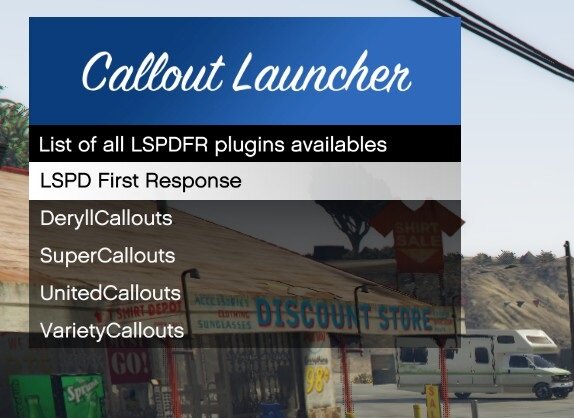
I'd appreciate it if you could at least credit me for the screenshot you're using:
Hi i'm sorry but i didn't know its coming from you i credit the image right away



Callout Launcher
in Script Modifications & Plugins
These commands are executed in the Rage console, which is used for debugging and to simplify my programming. They are not included directly in the Callout Launcher DLL, which is why I haven't mentioned it in the description, but they are included in the library.
Here's a quick summary of the commands:
coypos
Allows you to copy the current position of the player or the entity the player is targeting into the clipboard.
copyangles
Allows you to copy the player's current angle or the entity the player is aiming at to the clipboard.
setpos
It has 3 arguments and allows teleportation to the entered coordinates.
setspeed
Allows you to define the speed of a vehicle (in km/h)
forceenter_car
Has one argument. Allows entry into the target vehicle; the vehicle's position must be provided (currently only accepts positive integers)
Hopefully this helped you