
Big Honk
Members
-
Joined
-
Last visited
Everything posted by Big Honk
-
Sorry about the late responce, This crash does not happen when launching without rage. This crash does happen when launching rage without LSPDFR loaded. This crash does happen with LSPDFR and RPH loaded. So it crashes with having anything to do with rage launched.
-
Oh, I do need to update. I had no idea. I'll go ahead and update right now and see if the crash happens when I drive past there.
-
If your talking about the peds, if I teleport to the SSPD then there there drinking coffee or on the phone. No issues with them.
-
I did it on foot, same issue. before I was in a car. RagePluginHook.log
-
I was looking at the log myself and it looks like all of the crashes are due to sheriff ambient spawns, is there a way to disable ambient spawns to fix it?
-
It does not crash, it spawns the default sheriff car.
-
RagePluginHook.logOkay, Here's the log after I went back into the same spot.
-
Currently trying to get it to crash, you have any ideas on how I could make it crash? Seems like the stock LSPDFR is unbreakible besides some random things like the issue Im having. Okay, I got it to crash by requesting around 50 backup units, heres the RPH log.RagePluginHook.log
-
Sure, Do you want me to post my RPH log after?
-
It does not, Only when I have rage loaded. I used to get a lot of issues with rage and my graphics driver but I did what I did when I had thoes issues and nothing changed.
-
Only that one spot, I don't get crashes anywhere else.
-
The map image is one I took off google and put a red dot since I was to lazy to launch my game at the time, I have the steam version and it works fine without RPH when I drive near that spot.
-
I don't have nany map mods, I installed a gameconfig and all the other stuff and it still crashes. Even if im not on duty or have LSPDFR loaded.
-
Hello! I keep having a crash when trying to drive on the Panorama/Joshua road near sandy shores, I have a brand new fresh version of GTA and a stock LSPDFR install, no plugins or anything else. I attached my RPH log and a picture of where the crash happens. (The red dot on the map is where the crash happens) RagePluginHook.log
-
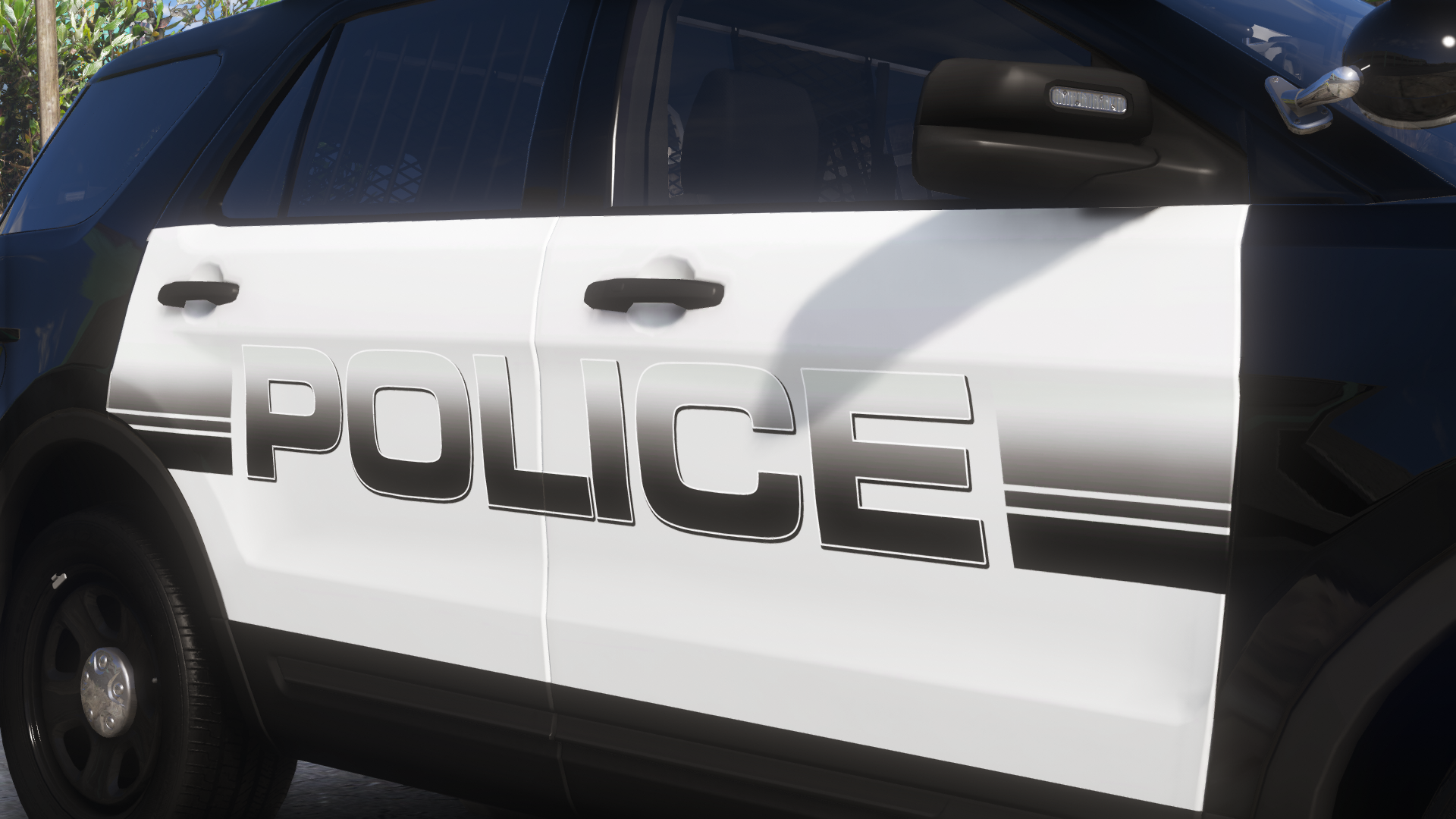
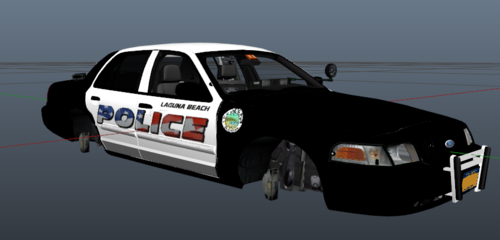 Who made the police text on the side? Looks a lot like one someone relased publicly and you didint give credits to them.
 -
-
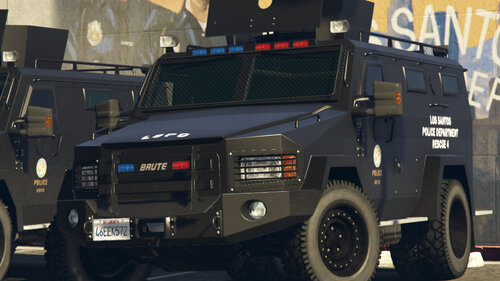 Best bearcat I have seen in GTA so far! For once we have something worthy of the riot slot!
- 24 comments
- 3 reviews
-
-
I want to make it so I can have 2 types of sirens in my game, and only certen vehicles use them, from what I know you can disable sirens in the els.xml file for your vehicle, so for police.xml i would disable 2 of the sirens assigned to 1,2,3 or 4, and for my CHP cars, i would disable the sirens that are enabled on the LAPD cars, the thing I was wondering is how can I find the siren tones that ELS uses?
-
-
Are you at all able to give me a name and tag? ex: name#0000
-
I tried it without VisualV, My FPS seems to be quite a bit higher when using NVR. I can run at over 100 FPS stock. I have my battery power setting to run at max, I'll try to make my GPU run at max through dragon center Is there any way I could contact you via discord? It would be a lot easier, I also don't know how I can make my GPU run at max preformance, my GPU and CPU seem to get stuck at %40 usage when playing, wont go any higher. I also can hit over 90 FPS when the LSPDFR plugin is not loaded. It seems to be a LSPDFR issue.
-
Stock benchmark with no settings changed from when I started this post go as: Running on foot at mission row PD, 36-40 FPS, Lots of lag. Inside a car driving near mission row PD, 28-37 FPS, Lots of lag, Menyoo and Simple Trainer even lag. SSPD, 42-45 FPS running on foot, Driving near SSPD gets me around 35-40 FPS, About the same lag as near the mission row PD. With the settings you said I should do, I still get the same FPS, No FPS change and it still lags. I could try removing VisualV and install NVR, But I would like to stay with VisualV. I get the same FPS in FiveM but the lag is worse, I have the same graphics mods as in LSPDFR, I think it could be a issue that my PC just cant run stuff like this, or that somthing on my PC is broken, Though everything else I have on my PC runs fine without issues.
-
I tried this, It seems like I need it or my game wont load with the cars I have.
-
I don't have a mods folder, I have 3 stock game saves I use one of them for backups, No ENB, And graphics settings: I used Gforce Experience for my optimal settings, Fine tuned a bit to use RadianceV and droped my texture quality for less texture loss. I also fixed the texture loss issue.