


Gwak
Members
-
Joined
-
Last visited
Everything posted by Gwak
-
I don't have a mods folder
-
Sure RagePluginHook.log
-
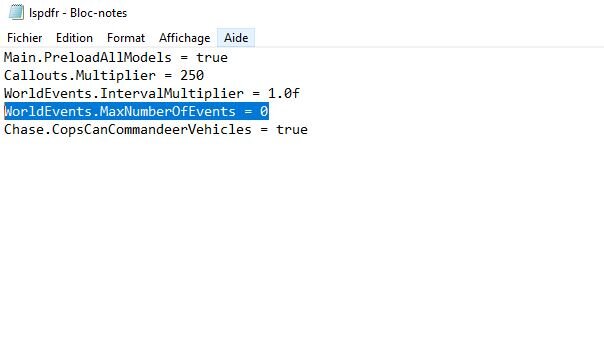
Hey, Thanks for the quick response but unfortunately it didn't work out. Is "max events for ambient spawn" what I highlighted. on the screenshot below?
-
First of all, hi, and I apologize in advance if my English is not good. So, to make it clear, when my game finishes loading, I can move, etc. But a few seconds after I spawn, my game closes without any RPH error message but simply with the basic GTA V crash message. Also, if these informations can help, RPH phrases during loading ( such as "Waiting for game initialization") are a bit freezing when they move and when the screen is black just before spawning the blue line that loads with "New console commands added" written on top freezes too. I've already looked for several solutions but none of them worked. Thanks for the help ! RagePluginHook.log
