Skip to content
View in the app

A better way to browse. Learn more.

LCPDFR.com

A full-screen app on your home screen with push notifications, badges and more.

To install this app on iOS and iPadOS
  1. Tap the Share icon in Safari
  2. Scroll the menu and tap Add to Home Screen.
  3. Tap Add in the top-right corner.
To install this app on Android
  1. Tap the 3-dot menu (⋮) in the top-right corner of the browser.
  2. Tap Add to Home screen or Install app.
  3. Confirm by tapping Install.

Robbymoon2

Members
  • Joined

  • Last visited

Everything posted by Robbymoon2

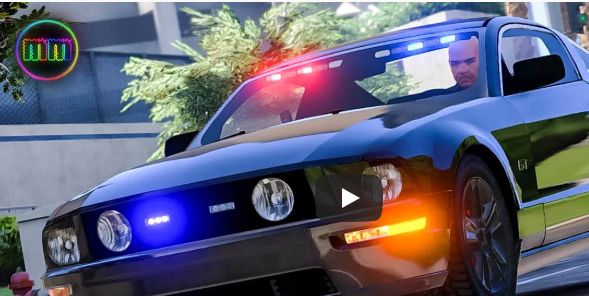
  1. @Walters Do you still have the unmarked version of this mustang? This one to be exact or any similar variation?
  2. I updated the gameconfig and got it working. Thank you!
  3. Hello everyone, I recently updated LSPDFR which in turn required me to update Open IV, Rage Plugin, and other plugins, etc. I had to re-download EUP Uniforms in order to fix the uniforms. The last thing that does not work is my add on vehicles. I used Albo's Modding DLC Pack to add the new vehicles. I have checked his "read me" and he talks briefly about what to do when the game updates, but there are no clear instructions what I need to do to restore my vehicles. Does anyone know how to get my cars back after updating the game? Thanks in advance
Account

Navigation

Search

Search

Configure browser push notifications

Chrome (Android)
  1. Tap the lock icon next to the address bar.
  2. Tap Permissions → Notifications.
  3. Adjust your preference.
Chrome (Desktop)
  1. Click the padlock icon in the address bar.
  2. Select Site settings.
  3. Find Notifications and adjust your preference.