

Vacke
Members
-
Joined
-
Last visited
Everything posted by Vacke
-
Every character that is made and saved in any of police/sheriff office's can be used, and also, you can make other characters. There also plugins that let's you create characters, one of them is EUP plugins. I hope this is the answer you wanted 🙂
-
Well I mean since its fresh copy I can do it now rigt? Also do I have to do that always or just for first time?
-
I mean, I deleted LSPDFR folder, and then that message showd up, so I unistalled GTA V, installed it again and message showd again. Also I forgot that I did restore point when I installed trainer, so after that I deleted folder and unistalled game
-
Well as I said, when that happend, I reinstalled it and same thing happend soo..
-
Thank you for reply! I have Epic Games version, so I assume thats same as Retail. If its not, let me know! Also I wanted to ask,do I always havw to go as Admin or just once, and can I install that dll somehow?
-
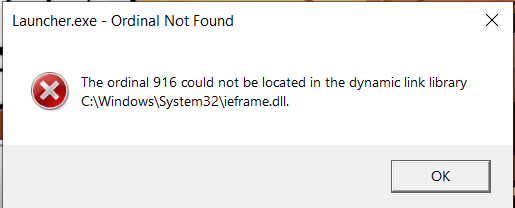
Hello, I just have this error in the picture, I didn't showed before.before. So I got it yesterday, and only thing I installed was enhanced trainer ( i had simple also, but I wanted to test something with that one ). So I got into the game and everything was working okay, I was acctually looking for skin changer wich was okay I guess I mean it was working but I was still on duty. AnywaysI got of from duty and weird thing happend and thats that I changed to FRANKLIN and not myself ( so I again I changed from NPC skin to off duty and I didn't change you know to char I created but rather Franklin ). Also from that part I couldn't get All The Weapons option whit out crashing from my game no matter if Im on/off duty, with my regular skin/ npc skin/ EUP/ etc.. anyways to the main part. Now this about this message It showed after I deleted my LSPDFR folder, so not putting in bin, but rather right clik on it and then delete, and then asked me do I want it into the bin or automaticlly deinstalled, So I deinstalled it with out putting it into bin. After that I just had you know orginal copy, but same message pop up!! THIS MESSAGE WAS ONLY FROM R* LAUNCHER, I didn't try then Epic Games. So I deinstalled and installed GTA V again, and you again same message. Only way I can run GTA V is thru Epic Games, by that I mean I need to open both laucnhers as before, but I can't run it from R* but rahter only Epic Games one which anoys me.
-
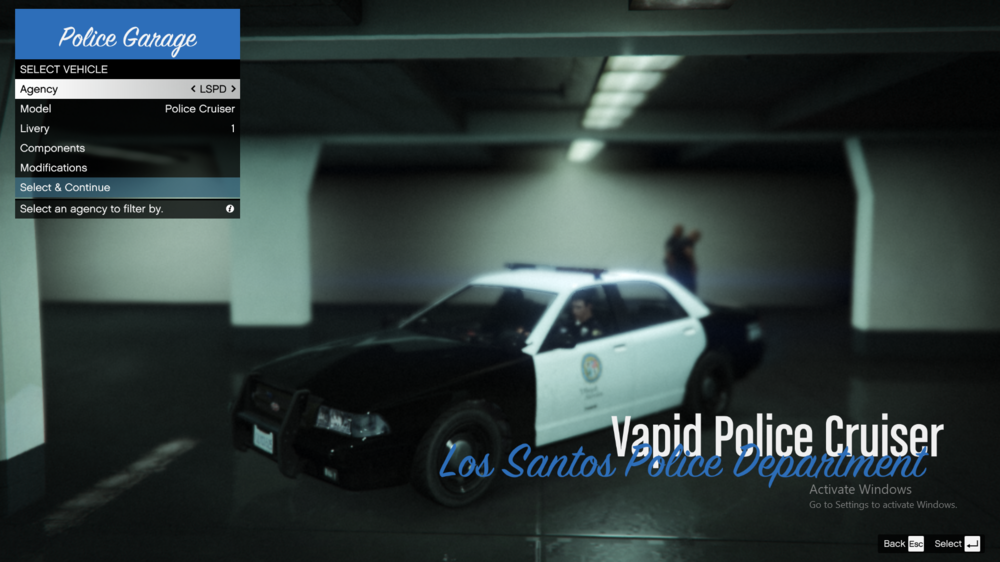
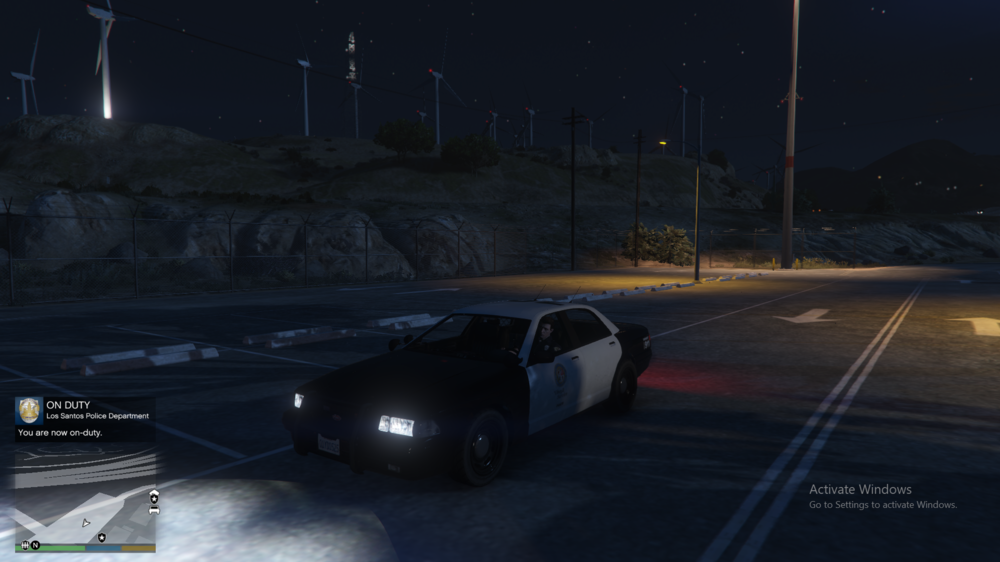
Hello to everyone! So I have I don't know if its a bug, or what but from today every time I log into GTA V ( LSPDFR ) the first Police Cruiser doesn't have siren. So by that I mean I go to garage and I can ( and you can with screenshoots I'll send ) that siren is there, by when I select it, the car just doesn't have it. Also this is bug or whatever it is, happens only on that car, others are okay. If you know how to fix it or what to do please write below! Screenshoots:
-
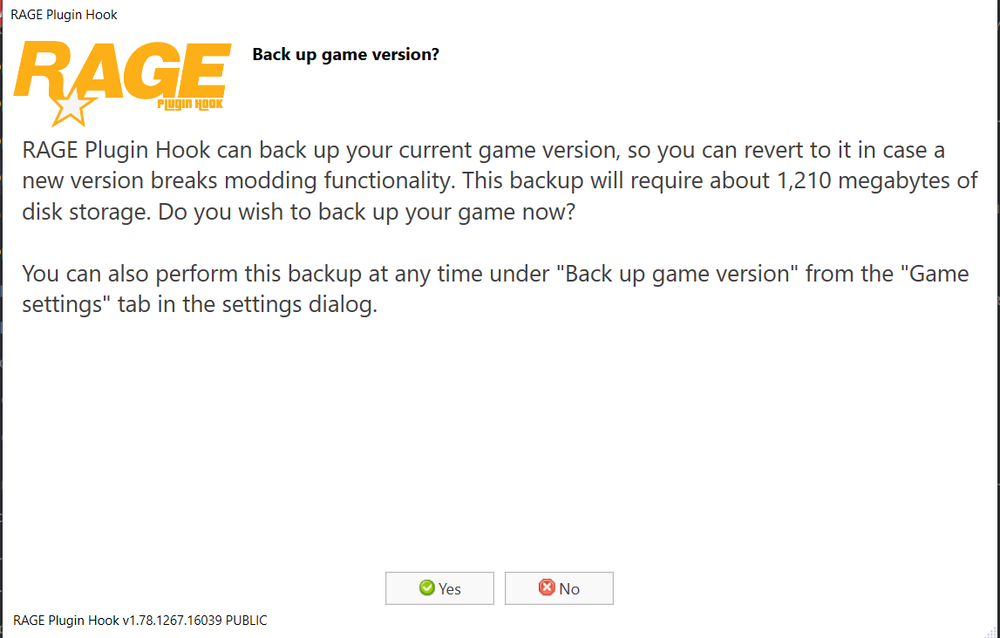
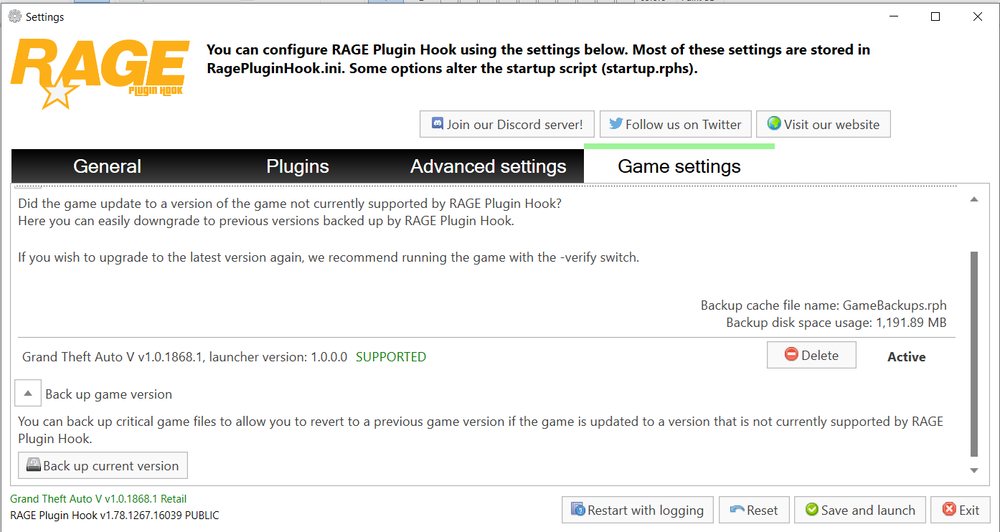
Hello to everyone! So I installed everything, hust one more thing. When Rage plugin asked me this : ( Pictures is prbobaly down or somewhere here ) Should I said yes or no, because my friend told me that I alredy made copy ( I had GTA V folder and GTA V - Copy ) and that I don't need to. EDIT: I did click on make backup version once Rage plugin was opend, so is that same if I clicked yes and was it necessarily. ( Second Picture )
-
Done, I got help from friend, I istalled it.
-
@UnknownBastion 1)So okay I did that but it copied like less stuff in folder around 420, so is that good or bad sign? 2)If its a good sign, should I install mod in that with less files or that with more files? 3) If its a bad sign should I copy all files from original to copied version?
-
Thank you for your answers, I read both. @UnknownBastion can I ask you a few more question? 1)So when I make copy and istall mod, will it affect the clean copy, because my friend told me if I do that, mod will work on both clean and moded copy of game, so is that true or not,and do I have to do something when I make copies or just that copy/paste? 2) Do I have to make copy in the same folder where is GTA V ( clean version ), for me that's in Rockstar Games in Program files, so should I make copy there? 3) Does this work on any version of game ( I have retail version )? For you @Cyan is that still works with this Rockstar Launcher?
-
Hello to everybody, I hope you are doing good, especially when we are here in this situation. So I think I asked for advice for downloading and everything lese, but since then, most things have changed. First of, I know I'm not close to best in understanding some things in computers, but I try my best to improve. 1) First Issue ( Main ) First of my main issue, is copy. Can somebody please explain but by that detaily explain. That's my main issue beasue I want both clean and modded version. I saw a lot of tutorials on youtube but every of them tells different things, so that confuses me a lot. 2) Second issue Okay we made copy and everything, but know second problem. Since Rockstar Launcher update by that I mean adding it, what is the new method to download. If you don't understand, what I mean is is there anything I should change in Rockstar Launcher ( in both copies, or one of them? ) So to get to point should I change something in Rockstar Launcher in my copy/clear or both versions so mod could work? 3) Third Issues is if anything is changed can somebody explain/send link to somewhere where I can download properly? Thank you for you time, and reading this! If you know anything from these question, please reply! Have a good day!
-
Can you download LCPDFR on GT IV cracked version of the game?
-
Well I got the info that I need and thanks a lot.You said if you I need help with backup.Yes I do,but just so you know I have a "Retail" veresion(from Rockstar official site).Also as you know they added their launcher so some players said its diffrent to backup it(idk if its true) If you have video that expalins how to backup the(again I have retail version),or explain it in steps however you want 🙂 *If I make copy,does it take the size of the game,by this I mean does backup have the game size(with all files) same as original game, (I mean do I have to worry about memory...or its
-
Hello guys! * ANSWER IF YOU ONLY KNOW THE ANSWERS ! ( I don't consider maybe,probably,etc.) * This might seem like a lot of questions but those are some simple questions wich you can answer in a few word or sentences. * If you have any video to show how to install LSPDFR that still works please put it here! I'm interested in downloading LSPDFR mod for GTA V,however I would like to hear some answers before installing this mod and other stuff for this mod. 1 ) If I install LSPDFR mod for GTA V,can I play normaly play regular GTA V ( offline & online) ? 2 ) If I can does this mode reset my progress( both offline & online)? 3 ) Does this mode affect GTA V online ( for example if I install it,does it have some commands,things that are banned in regular GTA V online & offline)? 4 ) Does other mods that are used to affect GTA V online ( for example trainers,other gta v mods like cars,bikes,etc.)are those things banned on GTA V offline & online? 5 ) If I decide to uninstall this mod,will it install all stuff that LSPDFR contains? I'm looking for answer! Thanks to everybody that have answered the questions :)