


JRM3
Members
-
Joined
-
Last visited
Everything posted by JRM3
-
 Why is it unfortunate? The library helps
 -
Albo112.Common.dll is a libary Albo1125 created. You don't need any of his mods installed.
-
Thank you for the suggestions at the moment I'm trying to squash any bugs and include a UI to make the callouts more user friendly before adding more. I feel as though perfecting these 5 and removing bugs will make it easier for me to develop in the future and more enjoyable for the users. I only have a few more reported bugs to squash (undoubtedly there will be some i don't know about) and then I will focus on making more callouts.
-
Join the discord and send your rage plugin hook log txt into the issues channel I can't help you without a crash message
-
Join this discord https://discord.gg/QG46v6C and provide me with you ragepluginhooklog.txt and I'll have a look.
-
The callout location is there but due to the limit on characters in the notification it cuts sandy shores to "sand" I will fix it in the next update.
-
Hey, join this discord and I can help you out! (The file you attached inst the correct one I need the Ragepluginhooklog.txt)
-
Yes, this is an issue with a line spacing I accidentally left in I will fix it with a update that should come in the next few hours!
-
I never had any issues when testing but I managed to fix the kidnapping callout crashing I believe. The prisoner transport crash I am still stumped on there's no problem for me. Would you be able to tell me what your rage plugin hook log file says after you have accepted the callout? and/or the crash message if possible?
-
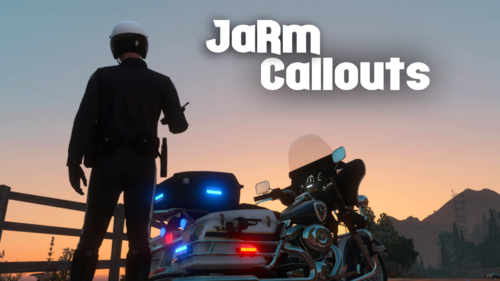
Discontinued JaRm Callouts Installation: - Drag the folders into your GTA V main directory. Requirements: • RagePluginHook 1.78 (or higher) • LSPDFR 0.4.7 (or higher) Recommendations: (These are not needed but will enhance the plugin) -Stop the Ped - For prisoner transport calculating the closest Jail. Current Callouts: 1. Kidnapping - 911 Caller reports a kidnapping. He will run will you catch him? 2. Bar Fight - A bouncer needs help. Someone who has been removed from a bar/nightclub is causing a disturbance! (There are only 3 places this will spawn I will extend the places in the next version). 3. Broken Vehicle - 911 Caller reports a vehicle heavily damaged driving very slowly. 4. Prisoner Transport - Officer needs you to transport a suspect to the closest jail. 5. Homeless Person Move Along - Business owner reports a homeless person standing outside. He would like him to be moved along. Issue Reporting: To report issues please join the discord here.
-
Hello, The crash constantly happens when pursuit backup is called. Non pursuit backup is fine. Lets say a suspect makes off when I perform a traffic stop I can follow him with no problems but as soon as I call pursuit backup and they get near the game will crash to desktop with an audible sound that plays three beeps. I have tried removing my mods folder and verifying game files. I have uninstalled EUP and any other mods that I added and still get this error every time the last line will be: A name (MP_something) has entered combat without target. If anyone knows a fix or could assist me that'd be amazing! RagePluginHook.log

