


AikoCutie
Members
-
Joined
-
Last visited
Everything posted by AikoCutie
-
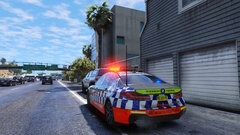 how to get the highway patrol vehicle
 -
Then unfortunetly you have to do what bastion said.
-
Its easier to just send the els log.
-
Please sent your rage log, this is a text document that is found in your main directory
-
Rename back to dinput8.dll. Search up .asi in the main directory and move them to your desktop or a new folder, test each .asi, place one back in and start the game, if your game works, repeat until your game crashes. (I recommend testing out ELS.asi first as its known for most crashes)
-
Rename mods to _mods try again
-
Have you tried deleting the lspd first response files in the plugins folder, then downloading it from the manual lspdfr download?
-
Send a screenshot of what you did according to my solutions.
-
You have to expand on "it doesnt work", do you still get the same error as you've shown above? or is this a completely different error. saying it shows story mode, online, doesn't mean anything
-
Add the GTA Main Directory to the exceptions list for your anti-virus. Restart PC. Remove any in-game overlays such as GeForce experience/Xbox game bar, Then try again. Try running rage as administrator. If the issue still persists, see page 4 for more solutions: https://bit.ly/3FLBASB
-
-
-
-
Antivirus exception Add the GTA Main Directory to the exceptions list for your anti-virus. Restart PC. Remove any in-game overlays such as GeForce experience/Xbox game bar, Then try again. Try running rage as administrator. If the issue still persists, see page 4 for more solutions: https://bit.ly/3FLBASB
-
-
-
-
-
callout interface
-
-
Remove PoliceLifeS, and callout manager, both outdated. Reinstall Rage native UI Put RageNativeUI.dll and .xml into your root GTA V folder. https://github.com/alexguirre/RAGENativeUI/releases
-
if renaming your mods folder to _mods worked, that means something went wrong with a mod you installed or a meta file you changed (or its just gta being gta), either try and remember what mod you installed recently and uninstall it / revert the meta file, or, I'm afraid you are going to have to restart your mods folder. Also, if you haven't already, install the required game configs. **Modified Gameconfig** https://bit.ly/3yt6yMy mods > update > update.rpf > common > data **Heap Limit Adjuster** https://bit.ly/3iqYFBM Place the .asi file into your main GTA V folder. **Packfile Limit Adjuster** https://bit.ly/3rXa2Vq Place the .asi and .ini files into your main GTA V folder.
-
Add the GTA Main Directory to the exceptions list for your anti-virus. Restart PC. Remove any in-game overlays such as GeForce experience/Xbox game bar, Then try again. Try running rage as administrator. If the issue still persists, see page 4 for more solutions: https://bit.ly/3FLBASB
-
Rename mods to _mods try again
-
send another log when you crash

