
PhantomFire89
Members
-
Joined
-
Last visited
Everything posted by PhantomFire89
-
Can I get my character back by any chance?
-
Thank you again!
-
Use a trainer. Native trainer, for example, lets you add $1 million if you want to.
-
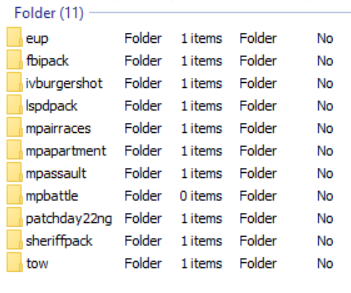
Here's the screenshot, it's the towing one. I believe that it might possibly be causing my game to crash but I don't know for sure.
-
Ok, it's an OIV file (a package) so how do I uninstall it?
-
It's still crashing, but this time after a while, so should I get rid of the other car mods I installed recently?
-
I'll try it later today. I really appreciate the help! Tysm!
-
I put all of my car mods into GTA 5 > mods > x64e > vehicles.rpf So just go to GTA 5 > x64e > vehicles.rpf right? :D
-
So how do I get the original files? They replaced the Oracle and the Granger if that helps.
-
I think I know which ones... I installed a civilian Chevy Suburban and a Chevy Malibu, so should I just replace both of them? I have other car mods and they work fine, but these are just the most recent ones.
-
I wasn't using LSPDFR at the time, I was using map editor, but I still had LSPDFR open through the rage plugin hook. The console log is attached. RagePluginHook_28062020_010022.log
-
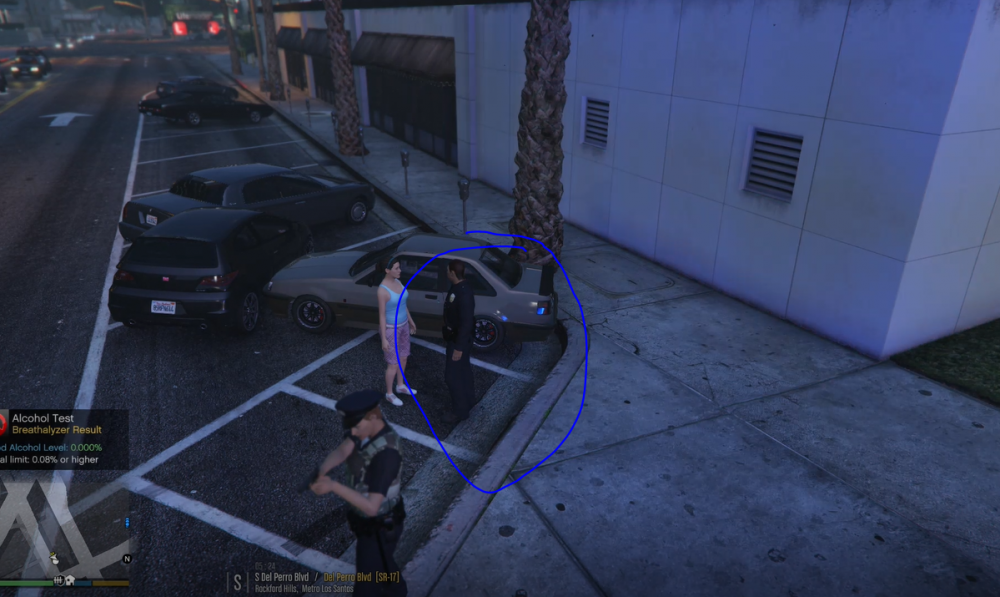
Attached is my character (circled in blue). How do I get my hair back? It just randomly went away last week.
-
Yes, thanks again!!
-
I removed it, I'll try loading it today, thank you so much!
-
Ok cool
-
One thing I noticed was it didn’t ask me to unblock any files. I also removed 2 mods that I thought were the cause but that didn’t help. I was told to uncheck the plugins but idk how to do that. Any help at all would be greatly appreciated! RagePluginHook_24062020_202600.log