


PastKeenan360
Members
-
Joined
-
Last visited
Everything posted by PastKeenan360
-
OK, i'll say something when gta is done and I've checked if i can load the mods so thank you!
-
my graphics info is intel(R) HD Graphics 630 manufacturer: intel corp Chip type: intel(R) HD Graphics Family DAC Type: internal Device type: Full display device Approx. Total memory: 4178 MB Display memory (VRAM): 128 MB Shared memory: 4050
-
processor intel(R) Core(TM) i3-7100 CPU @ 3.90GHz 3.91 GHz installed ram 8.00 GB system 64-bit operating system, x64 based processor
-
First i reverted to a clean copy and steam decided it needed an update so is started updating like 16GB but i have really slow internet so it says it will take like a day and a half to download. So im not sure what is happening but i will take it slow next time and do one mod at a time then run the game. In regards to my second question. The first time i started gta the game loaded with 2 bars of the side and had pretty bad graphics but eventally i did figure it out im not sure how though. So if thats a common problem to new gta players to pc then i would like to know if there are certain settings to make that better. One more thing my FPS was really low when i was playing gta even without mods and I found a FPS booster mod and im hopping that it would help because my FPS was areound 24 when standing in gta and it got down to 1 FPS while driving with no mods installed.
-
I just reverted to a clean copy of gta 5. Any tips for installing mods oh and tips for graphics because that was a problem when i first started
-
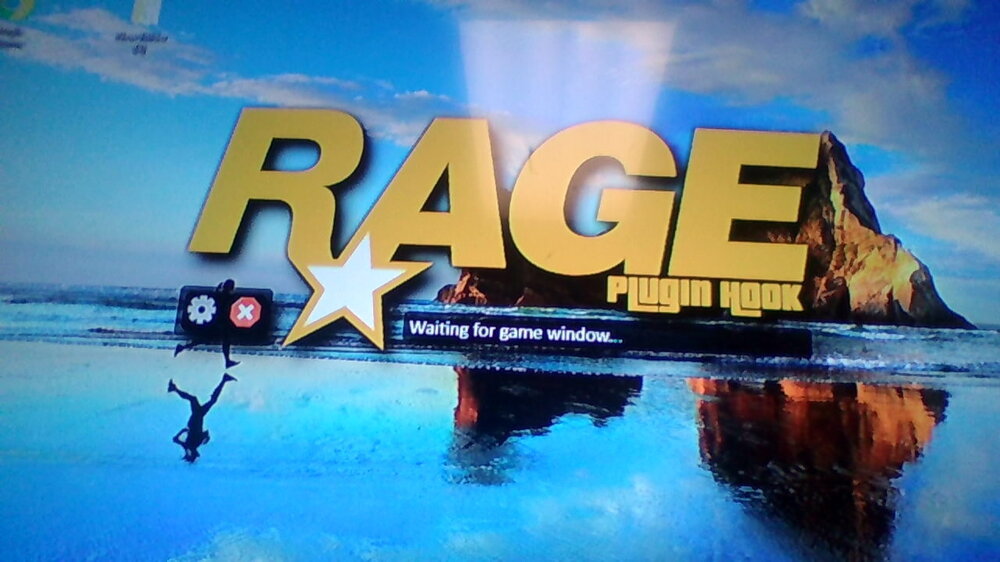
i have openiv els not sure what the problem is i tried removing the mods and audio but that didnt work. I'll send a picture of what the screen that i'm stuck on looks like
-
these are the plugins that i have installed and i installed them all at once ALPRlite arrest manager assorted callouts attemptedcrimecallouts better ems compulite interaction+ more robberies panic button police smart radio rage native ui simple callouts speed radar lite stop the ped super callouts traffic control traffic policer untimate backup united callouts also vocal dispatch
-
Hi That could be the reason I just threw everything in at once the loaded it. And it doesn't crash it just doesn't load
-
SO i downloaded lspdfr, and rage then loaded gta and it worked then i closed it and downloaded a bunch of mods for it and i put them in the hopefully correct folders then I launched rage and it started as normal then i am still on my desktop then it shows the rage loading screen and waiting for game window... and it doesn't move from there any help im new to the game.
-
Ok thank you
-
I wanted to know if LSPDFR Intervened with the rescue mod for GTA 5 if I have both installed at once?

