


jackthecop121
Members
-
Joined
-
Last visited
Everything posted by jackthecop121
-
hay thanks but that didn't work either i deleted it and put it in an exeption for my anti virus but i think it might be steam not loading it up correctly ill keep looking around but thanks !
-
hi JBin 818 idk what it is but its still not working I deleted MacAfee and turned off all antiviruses then it still didn't work so to be Shure I deleted rage, lspdfr and re installed then i still had the problem
-
I was wondering if there might be another possible fixes could someone help ?
-
hi officer chris1 I tried it but sadly it didn't work I disabled all overlays and I still have the same problem sadly.
-
yes it loads into story mode but LSPDFR and Rage don't work I've reset my game and tried to fix it but i cant find a way
-
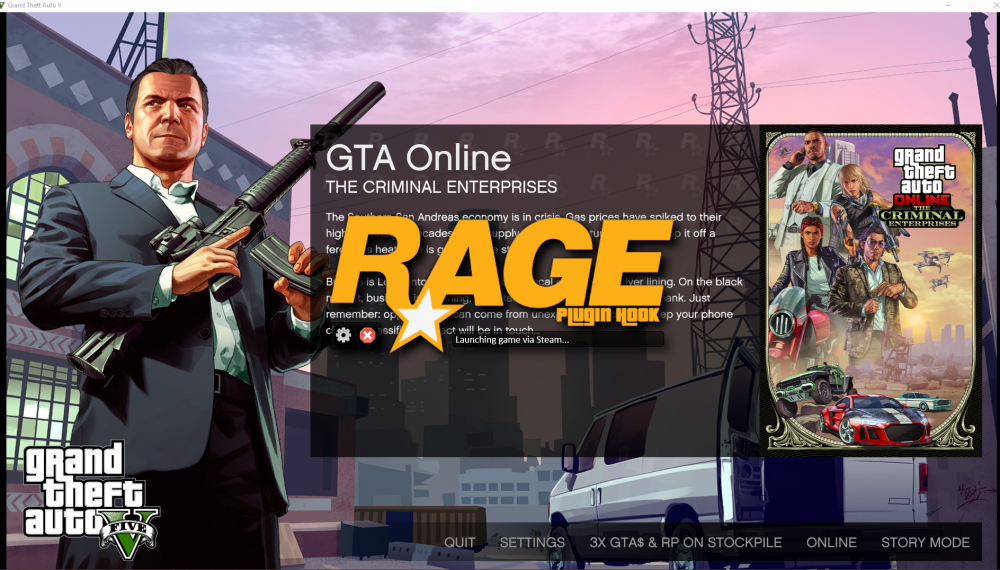
Hi ! when i press on rage plugin hook it just says loading game through steam and does nothing else here is a picture of it.
-
Hi community ! a few days ago I started having issues with opening rage plugin hook LSPDFR. when I would open it with No updates needed for my pc, version of Rage plugin hook and a good enough pc for max settings gameplay it just goes to the default loading screen of gta v and even when i load into story mode from there no mods load and when i try and open the menu it comes up with nothing. i've searched the internet for ages to try and find a fix but i cant find one. i've also added a youtube video to show what is happening. Im so confused ! oh and also this is the Rage plugin hook that comes with the lspdfr download.
