


Dixho
Members
-
Joined
-
Last visited
Everything posted by Dixho
-
Its a AMD RX 6750 XT
-
I already had my GTA V folder excluded in Windows Defender. I also tried launching the game with Defender completely disabled, and it still happens.
-
-
Sure, that’s what I mean, I already did that (after reading your message) and it’s still the same. Sorry, maybe it was a bad translation.
-
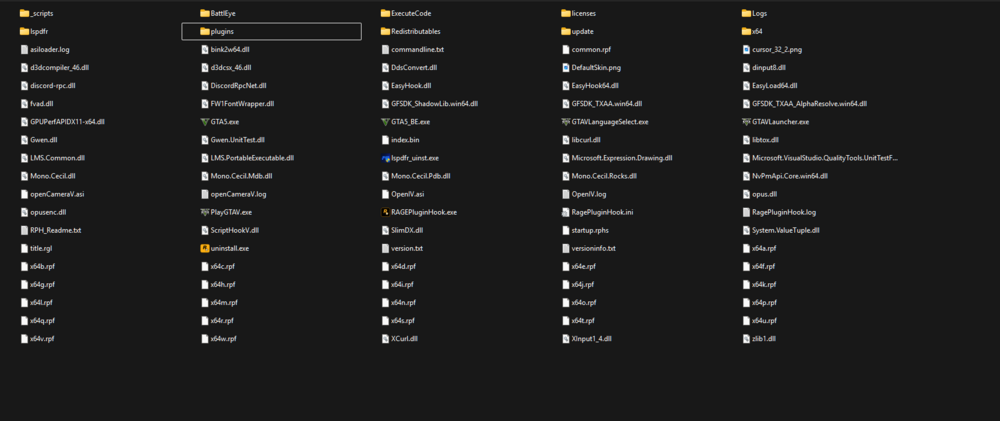
I’ve done all of that. I cleaned the main directory so it only has the files shown in the screenshot, verified the game files, and tried launching vanilla GTA V. Same result, it still gets stuck on an infinite loading screen.
-
Hi, I own both the Epic Games version and the Rockstar Games Launcher version, but the one currently installed is the Rockstar Games Launcher version. Exact game version: 1.126.1400.17637.
-
I don’t even have any mods inside the mods folder, and I haven’t edited any original RPF files. This is a clean setup with only what the LSPDFR installer adds, nothing else. I’m attaching screenshots and a tree of my GTA V directory so you can see exactly what’s in there. Thanks. directory.txt
-
Hi, No, the game doesn’t launch normally without RPH either. It still gets stuck/frozen on the same loading screen. If I try to start RPH while GTA V is already running, RPH just stays on “Launching Game” and never attaches/finishes.
-
When I launch RAGE, it starts normally but gets stuck on the loading screen. On-screen it says “Loading Population to World” , and the console shows “LML not Initialized”, but I can’t get it to boot past that. I’ve tried everything: disabled Windows Defender, emptied the mods folder and even renamed it to mods, did the same with dinput8.dll (renamed to dinput8.dll), reinstalled multiple times, and even with a fresh clean install (only using what the LSPDFR installer adds) the game still won’t start. Any ideas? RagePluginHook_22012026_213411.log


