Stitch
Members
-
Joined
-
Last visited
Everything posted by Stitch
-
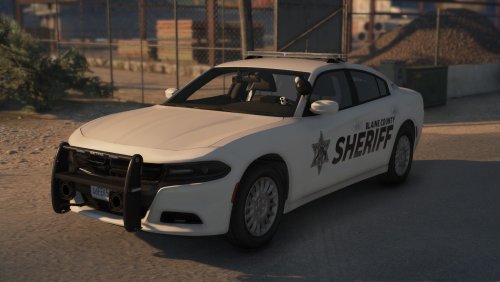 I appreciate the feedback @DiabloRambo. This vehicle was created when I was first learning how to develop, so it is likely that the textures for the lights were not the highest of quality.
- 17 comments
- 3 reviews
-
-
-
-
Hey All! My name is Stitch, and I'm new to the modding community. This is my first "releasable car" I would say. It is a 2018 Charger with a Legacy light bar, nothing too extravagant. Other than that have fun using it on LSPDFR. Please Do Not Upload Anywhere Else Unless Given Explicit Permission By Me! Any questions feel to contact me via Discord: Stitch #4351
- 17 comments
- 3 reviews
-
-

- 4
-