


Phantom561
Members
-
Joined
-
Last visited
Everything posted by Phantom561
-
 I have no idea about anything to do with fivepd. In my test server, I haven't had any problems with a 1MPH bug.
 -
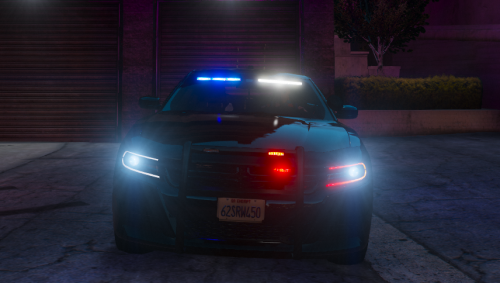
I am a self taught modeler and this is going to be my second upload! You are more then welcome to put this in your server so you choose, just please give me credit for the vehicle. This vehicle lighting setup is very modest but hits all of the basics that you need with front, rear and side lighting. This mini pack is red and blue and I plan on making an all blue version in the future. Extras: Extra 1: Visor Lights Extra 2: Grille Lights Extra 3: Rear Lights Extra 4: Rambar w/ Lights Extra 5: Spotlight Down Extra 6: Spotlight Up Extra 7: Antenna Extra 8: Antenna Extra 9: Partitian Extra 10: Window Guard Extra 11: Window Guard Please do not upload this file to any other site without my permission. Please leave a rating and tell me what you think down in the comments.
-
 No, I made the texture from scratch.
 -
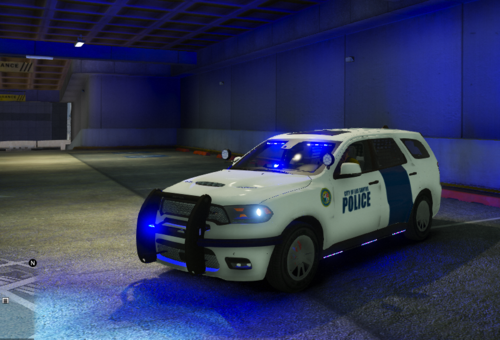
I am a self taught modeler and this is going to be my second upload! You are more then welcome to put this in your server so you choose, just please give me credit for the vehicle. This vehicle lighting setup is very modest but hits all of the basics that you need with front, rear and intersection lighting. This vehicle has both all blue lighting and red and blue lighting. Both a marked and unmarked livery is on the model and a template will be provided. The current skin is based off the Department of Homeland Security. If you see anything wrong with the vehicle please let me know so I can correct the issue and upload the fixed version. Extras: Extra 1: Visor Lights Extra 2: Dash Lights Extra 3: Grille Lights Extra 4: Rambar Extra 5: Wrap around Extra 6: Running Board Lights Extra 7: Spotlight up w/ lights Extra 8: Spotlight down Extra 9: External Speaker Extra 10: Roof Antenna Extra 11: Seat Organizer Please do not upload this file to any other site without my permission. Please leave a rating and tell me what you think down in the comments.
-
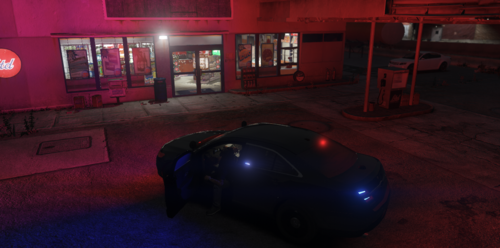 I am a self taught modeler and this is going to be my first official upload! You are more then welcome to put this in your server so you choose, just please give me credit for the vehicle. This vehicle lighting setup is very modest but hits all of the basics that you new with front, rear and intersection lighting. Both a marked and unmarked livery is on the model and a template will be provided. The current skin is based off the Palm Beach County Sheriffs Office in South Florida. Extras: Extra 1: Lightbar Extra 2: Visor Lights Extra 3: Rambar Extra 4: Wrap around Extra 5: Grille Lights Extra 6: Dash Lights Extra 7: Seat Organizer Extra 8: External Speakers Extra 9: Spotlight up w/ lights Extra 10: Spotlight down Extra 11: Roof Antenna Please do not upload this file to any other site without my permission. Please leave a rating and tell me what you think down in the comments.
- 4 comments
- 1 review
-
-

- 1
-
