Skip to content
View in the app

A better way to browse. Learn more.

LCPDFR.com

A full-screen app on your home screen with push notifications, badges and more.

To install this app on iOS and iPadOS
  1. Tap the Share icon in Safari
  2. Scroll the menu and tap Add to Home Screen.
  3. Tap Add in the top-right corner.
To install this app on Android
  1. Tap the 3-dot menu (⋮) in the top-right corner of the browser.
  2. Tap Add to Home screen or Install app.
  3. Confirm by tapping Install.

xxshadowwolf

Members
  • Joined

Everything posted by xxshadowwolf

  1. ohh ok thanks
  2. yeah sure
  3. Hi

    xxshadowwolf posted a topic in LML User Support
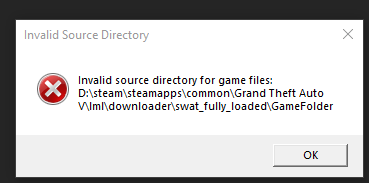
    I'm getting an error saying invalid source directory for game files for an vehicle addon I made that I'm trying to use
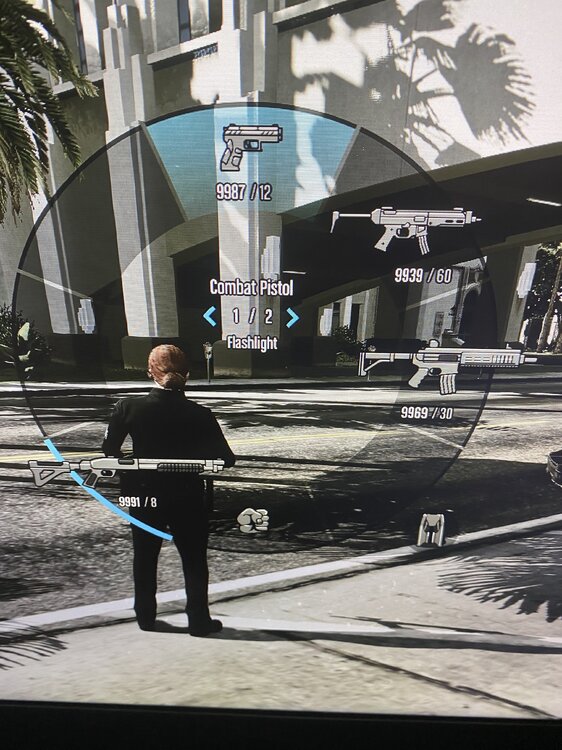
  4. hi guys im having a loadout issue with lspdfr i wondering if anyone can hep me out https://onedrive.live.com/?id=A3CA0B1E124FEE5A!3098&cid=A3CA0B1E124FEE5A i took pictures to show what it is doing
  5. i have ran into a loadout issue so after having a swat preset it puts it back at patrol and i feel like this is a bug
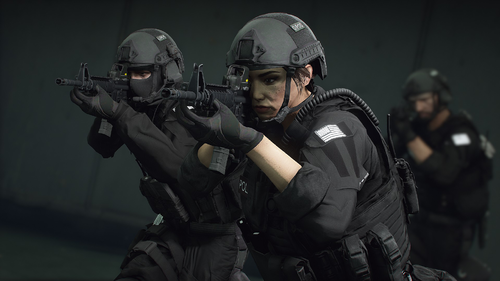
    Really nice job I actually really like the vest you did a awesome job keep up the good work

Account

Navigation

Search

Search

Configure browser push notifications

Chrome (Android)
  1. Tap the lock icon next to the address bar.
  2. Tap Permissions → Notifications.
  3. Adjust your preference.
Chrome (Desktop)
  1. Click the padlock icon in the address bar.
  2. Select Site settings.
  3. Find Notifications and adjust your preference.